
Expenses and benefits
Employee expense management software for UK businesses
Capture receipts, submit and approve employee expense claims, reimburse through payroll and keep HMRC-ready expense and benefit records in one workflow.
Built on Trust, Designed for Compliance
Control every employee expense claim from receipt to reimbursement
Lost receipts and missing claims
Crumpled receipts in pockets, forgotten claims, reimbursement disputes. Snap and submit expenses instantly from your phone.
Weeks waiting for reimbursement
Staff frustrated by slow repayment. Approve expenses with one click and reimburse through payroll automatically.
No visibility over spending
Don't know what you're spending until month-end. Real-time dashboards show exactly where money is going, as it happens.
HMRC reporting nightmare
P11D forms, benefits reporting, compliance anxiety. Automatic HMRC-ready reports mean year-end becomes stress-free.
Expense workflow
Move each expense claim from receipt to reimbursement
Capture the receipt, submit the employee expense claim, review and approve it, reimburse it through payroll and retain the resulting HMRC-ready record.
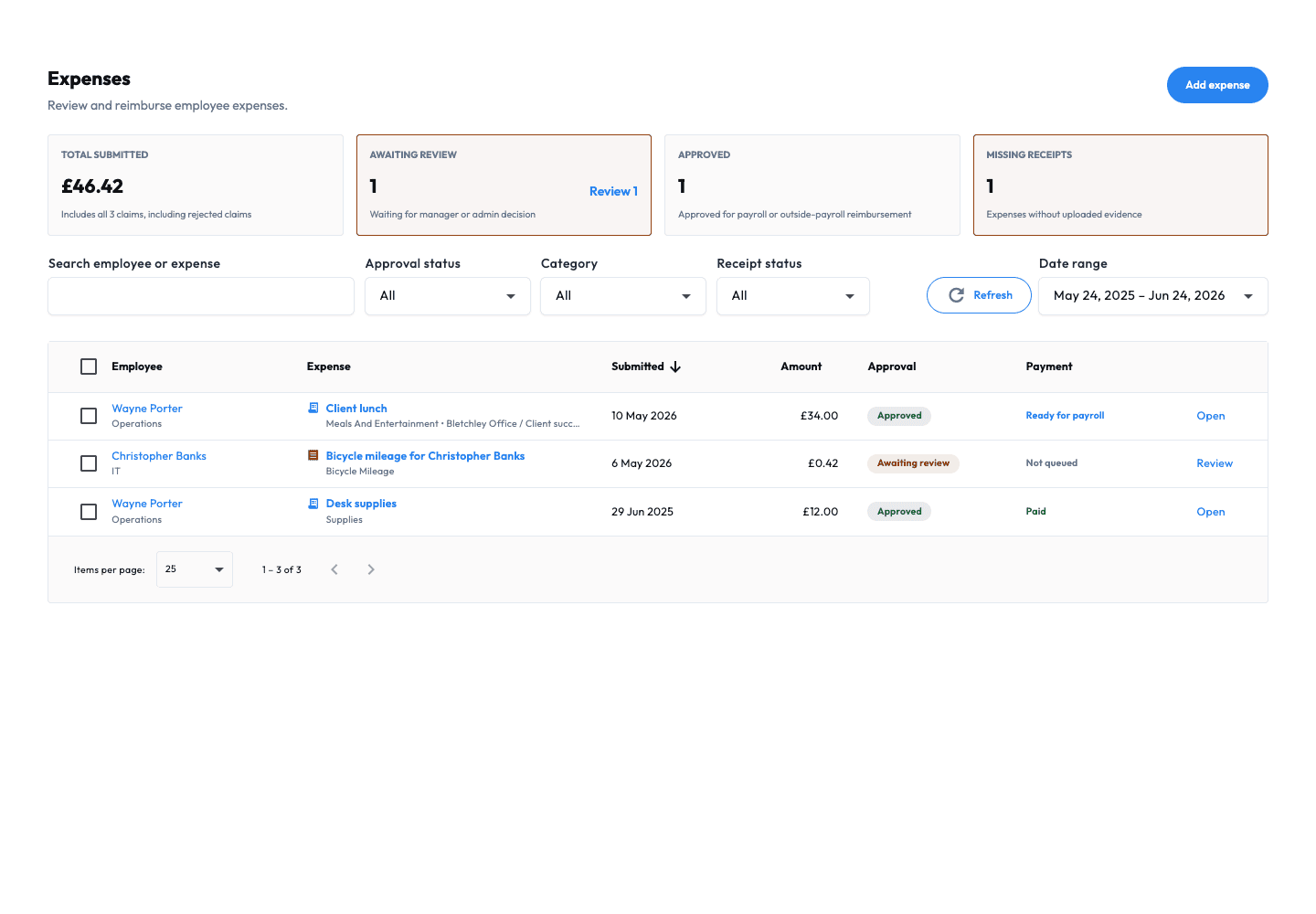
Expense workflow · example data · Open full-size image (new tab) Step 1
Snap and submit instantly
Take a photo of the receipt, add details, submit. No lost receipts, no delays, no excuses.
Expense workflow · example data · Open full-size image (new tab) Step 2
Review and approve in seconds
See all pending claims in one place. Approve or query with one click. Set spending limits to prevent overspending.
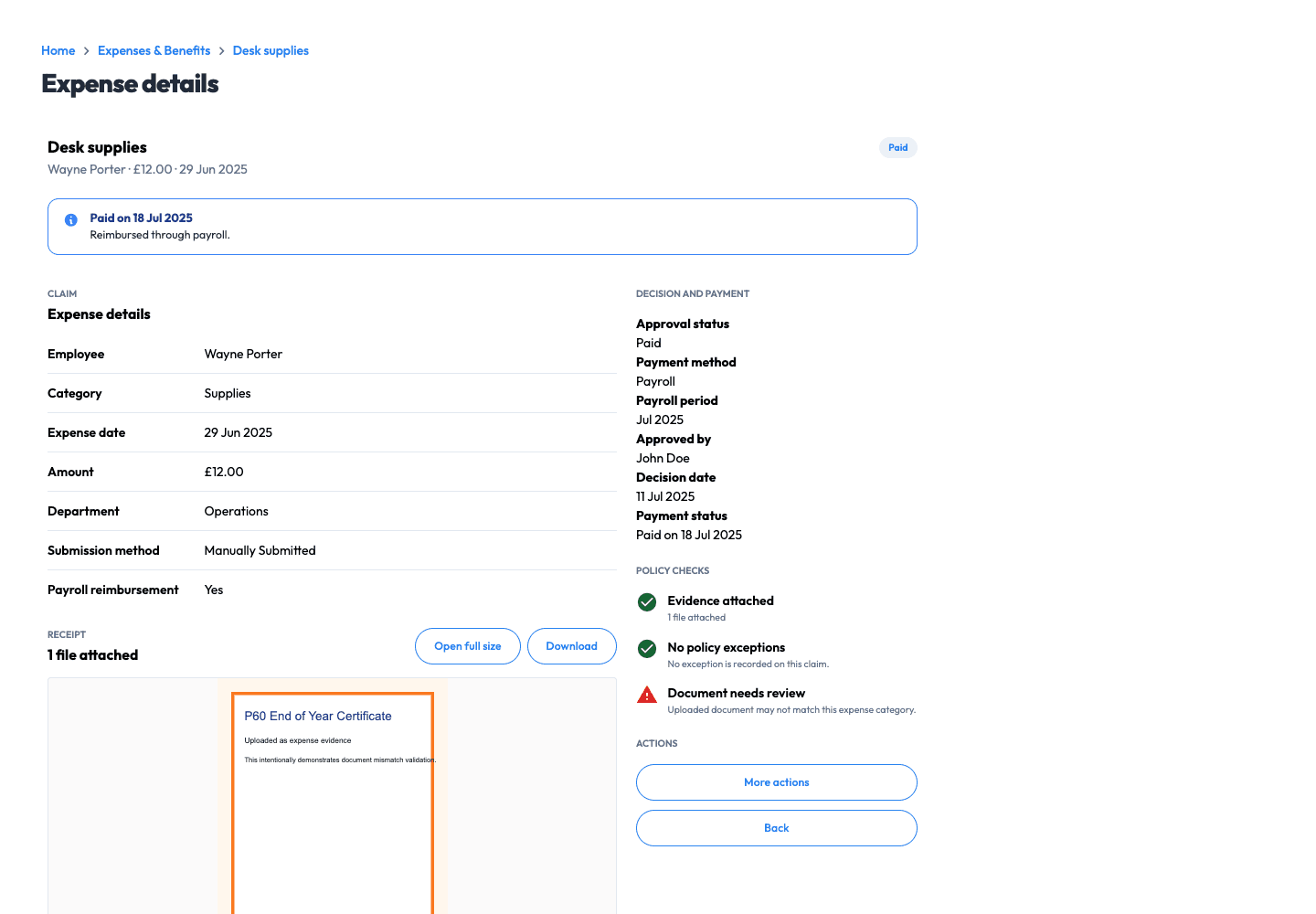
Expense workflow · example data · Open full-size image (new tab) Step 3
Reimburse through payroll
Approved expenses flow straight to the next payroll run. Fast, accurate, automatic reimbursement.
CONVENIENCE
Mobile expense capture
Tired of collecting crumpled receipts? Staff forget to submit expenses, then claim them months later. Snap a photo, submit instantly from your phone. Receipts are stored digitally forever.
ACCURACY
Mileage tracking made simple
Manually calculating mileage claims? Disputes over rates and distances? Configurable mileage rates and optional GPS context help teams calculate and review claims consistently.
CONTROL
Real-time spending visibility
Budget blown before you realize it? Can't track who's spending what? Live dashboards show spending by category, person, and project. Spot problems before they become expensive.

Expense review
See spending in contextCategory · Employee · Project
COMPLIANCE
Automatic HMRC reporting
P11D forms taking days to complete? Terrified of getting benefits reporting wrong? Workmax generates HMRC-ready reports automatically. Year-end becomes a five-minute task.
EMPLOYEE PERKS
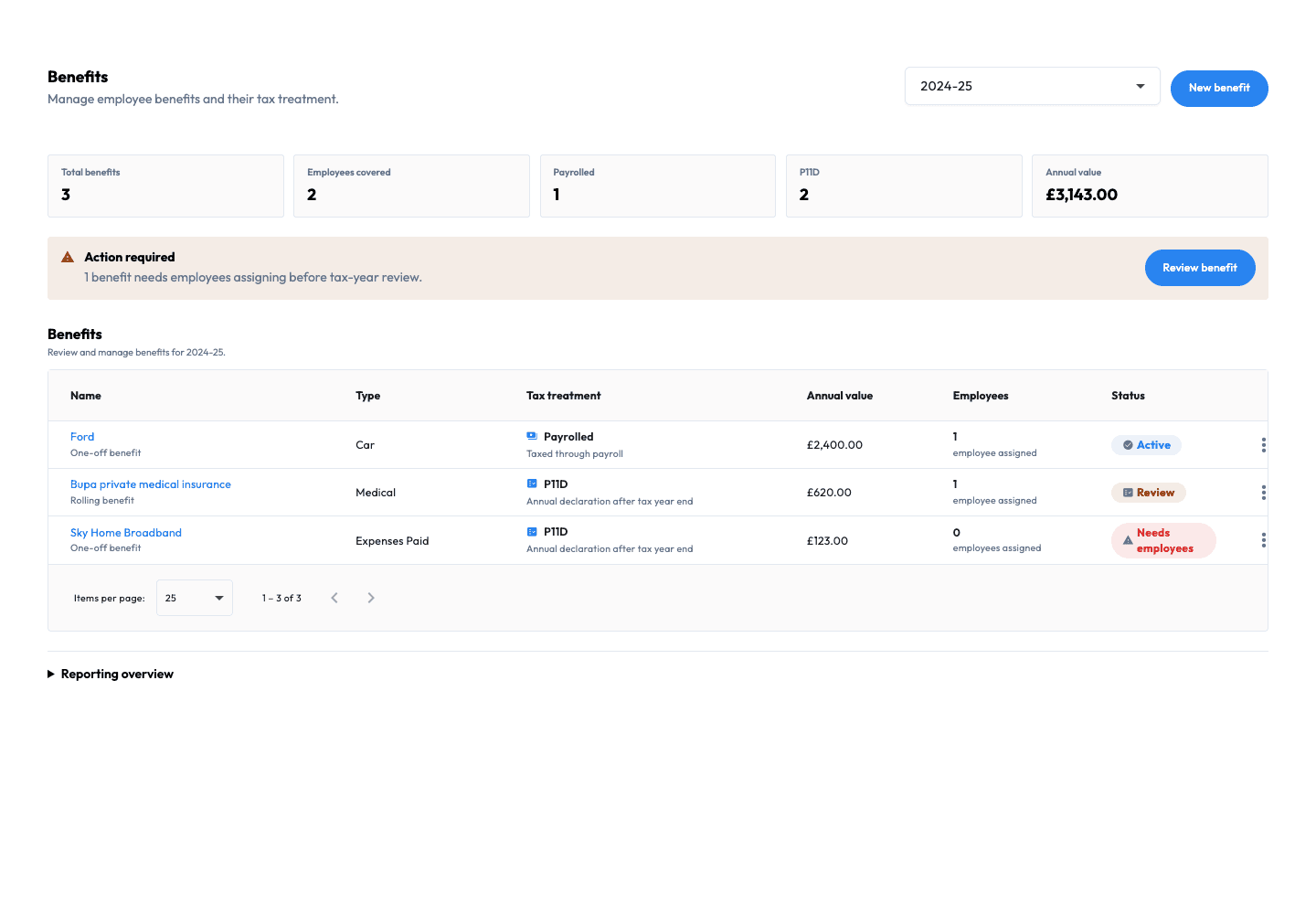
Benefits administration
Struggling to track who has which benefits? Enrollment paperwork overwhelming? Manage health insurance, pensions, and perks in one place. Automatic deductions and provider updates.
AUTOMATION
Payroll integration
Manually adding expenses to payroll spreadsheets? Transfer errors causing payment disputes? Approved expenses sync straight to payroll. Staff get reimbursed automatically, no manual work.

Connected payroll
From approved claim to payrollReview claims. Keep reimbursements connected.
COMMON INQUIRIES
Frequently Asked Questions
If you have any questions, please don't hesitate to contact us.
Can staff submit expenses from their phone?
Yes, staff can snap a photo of their receipt and submit expenses instantly from the mobile app. No more lost receipts or delayed claims.
How quickly can expenses be reimbursed?
Once approved, expenses sync automatically to the next payroll run. Staff get reimbursed through their regular pay with zero manual work from you.
Can I set spending limits for different staff or categories?
Absolutely. Set custom approval limits by person, category, or project. Claims exceeding limits automatically require additional approval before processing.
Does it handle mileage claims?
Yes. Staff enter start and end locations, Workmax calculates the distance and amount using the configured rate, and optional GPS context supports review. Employers remain responsible for applying the correct tax treatment and rates.
How does HMRC reporting work?
Workmax automatically tracks all taxable expenses and benefits throughout the year. At year-end, generate P11D-ready reports with one click. All data is already categorized correctly.
Can I track company spending in real-time?
Yes, live dashboards show spending by category, person, department, or project. See exactly where money is going and spot unusual patterns immediately.
Your next step
Bring claims and payroll together.
Explore the expense and benefit workflows with your team.