
TIME AND ATTENDANCE, LEAVE AND PAYROLL
Time and attendance software for UK shift-based teams
Capture clock-ins, approve timesheets, manage leave and send explainable hours into payroll with connected time and attendance software for UK businesses.
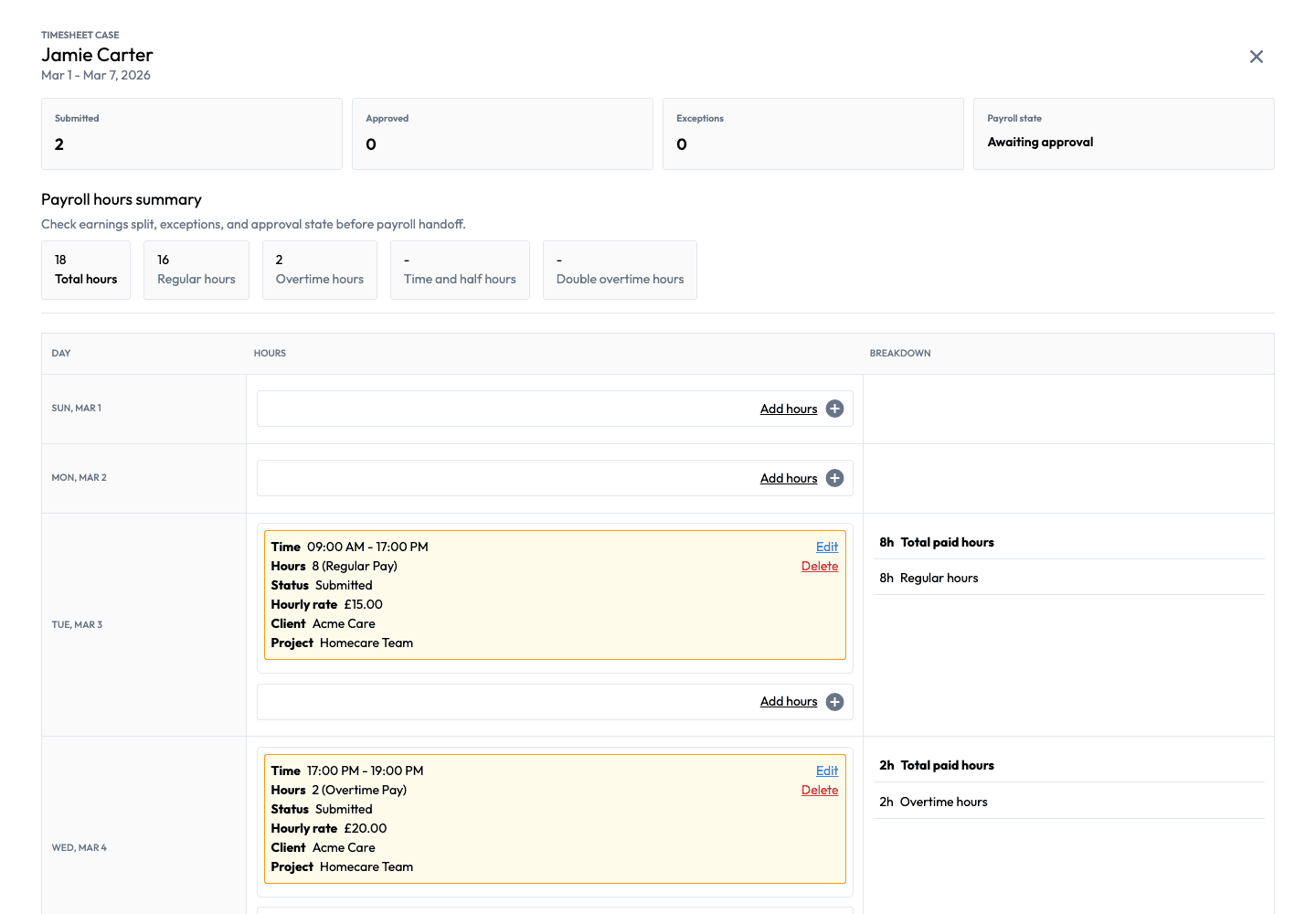
- Ready for manager review
2 entries awaiting approval
- 18 hours recorded
16 regular · 2 overtime
- Every entry, explained
Time · Rate · Status
- Leave management included
Policies · Balances · Requests
From hours to approved inputs
Record time. Review it. Put approved hours to work.
One path from the employee’s working day to the manager’s decision and, when connected, the payroll run.
Notice the recorded hours, breaks and employee context. · Open full-size image (new tab) Step 1
Record working time
Employees record hours on mobile or desktop, including clock-in, clock-out and breaks. Configure capture methods and optional evidence around the work your team does.
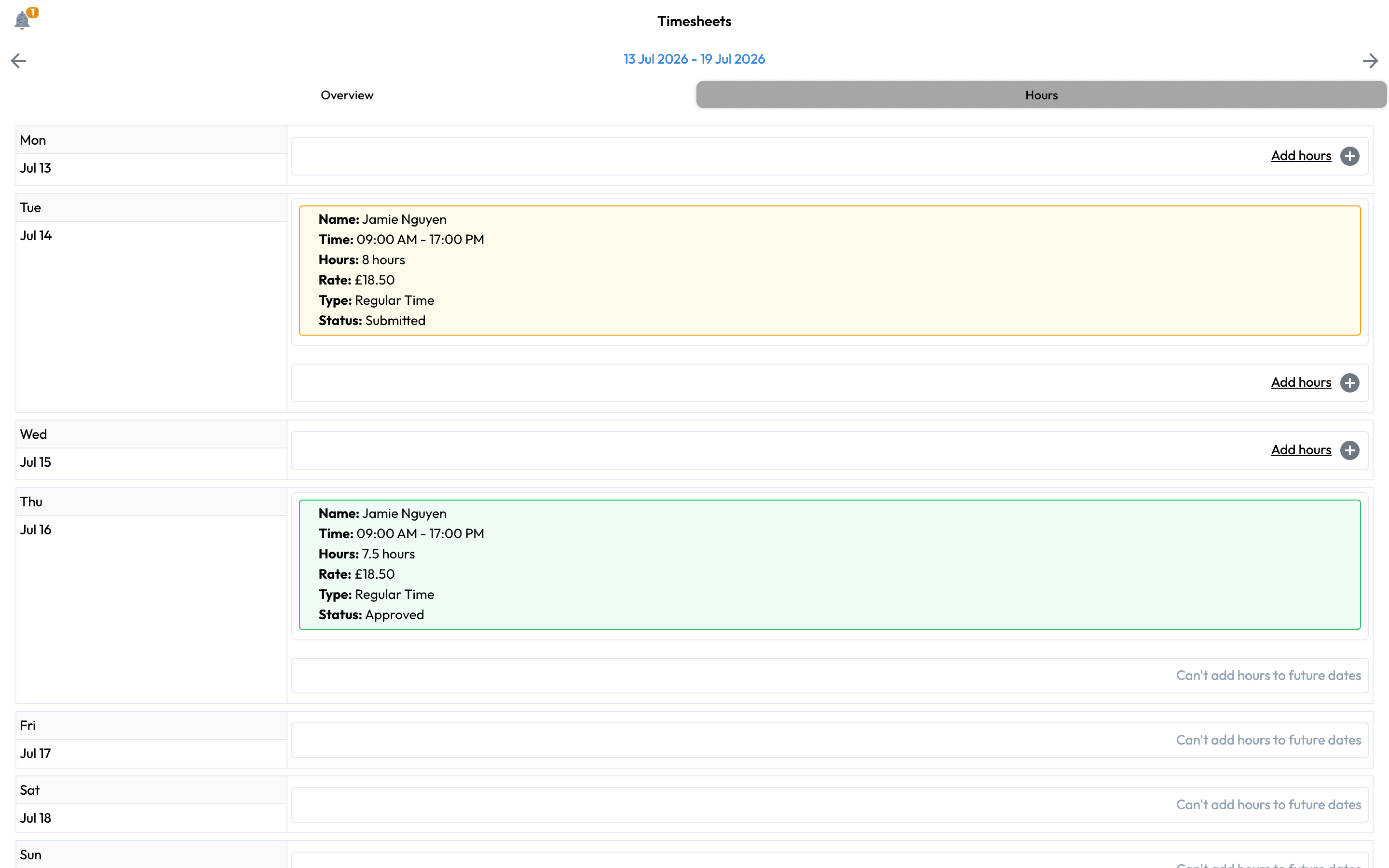
Notice the review status and the detail behind the submitted time. · Open full-size image (new tab) Step 2
Review, correct and approve
Managers check missing or unusual entries, apply configured overtime and hour rules, and resolve corrections before approving time. Rejection reasons and change history keep the decision explainable.
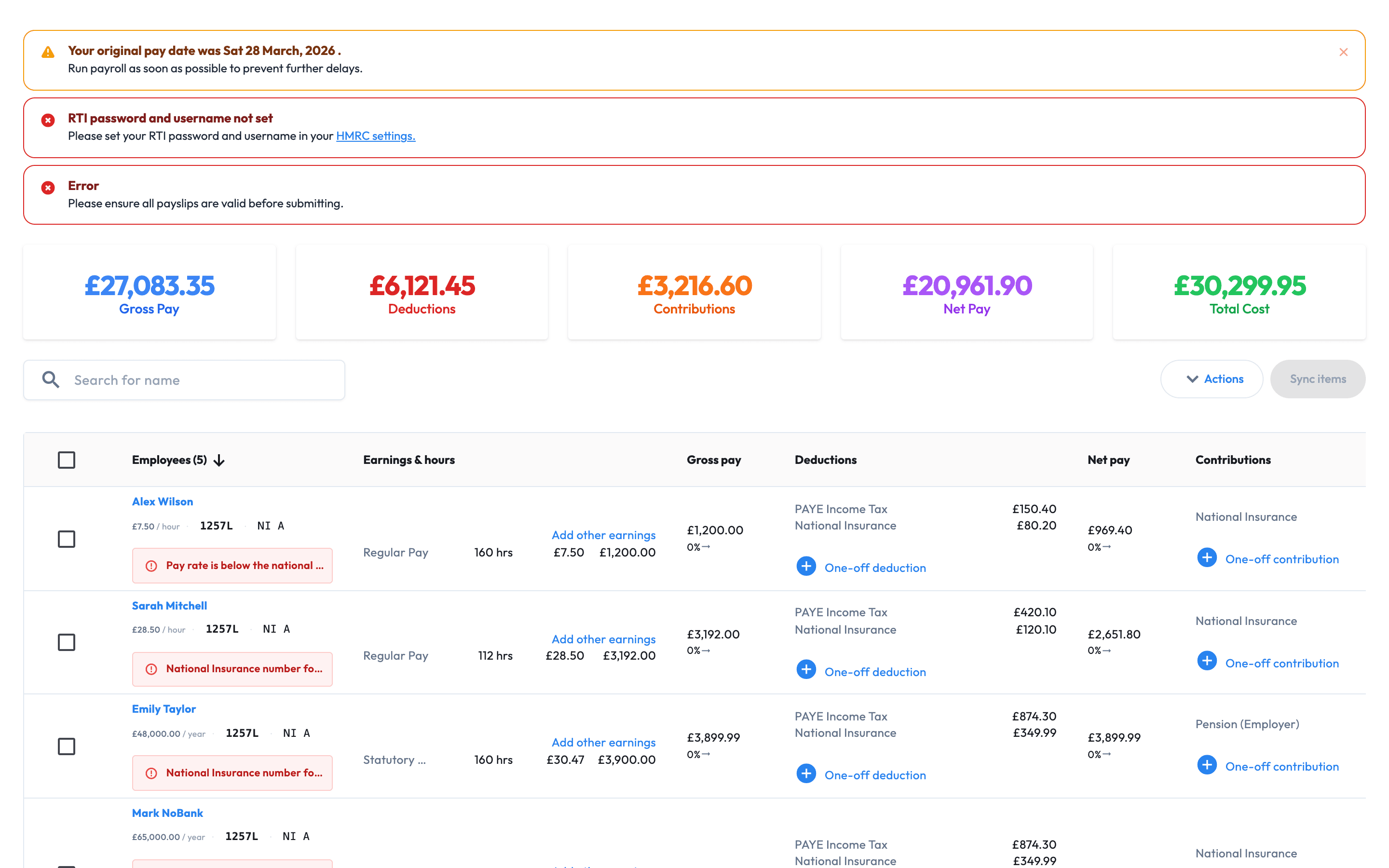
Notice the workforce inputs available for payroll review. · Open full-size image (new tab) Step 3
Use approved hours in payroll
With Workmax Payroll, approved time and leave become inputs for the pay run. Payroll reviews those inputs before calculation and submission. Time Tracking can also be used without Payroll.
Everyday questions, clear controls
Give employees a simple route in—and managers a clear review.
Keep capture, corrections and approval responsibilities visible before the period closes.

Employee time recording
Keep working hours togetherMobile or desktop · Hours · Breaks

Manager review
Check exceptions before approvalReview entries · Resolve corrections · Approve time
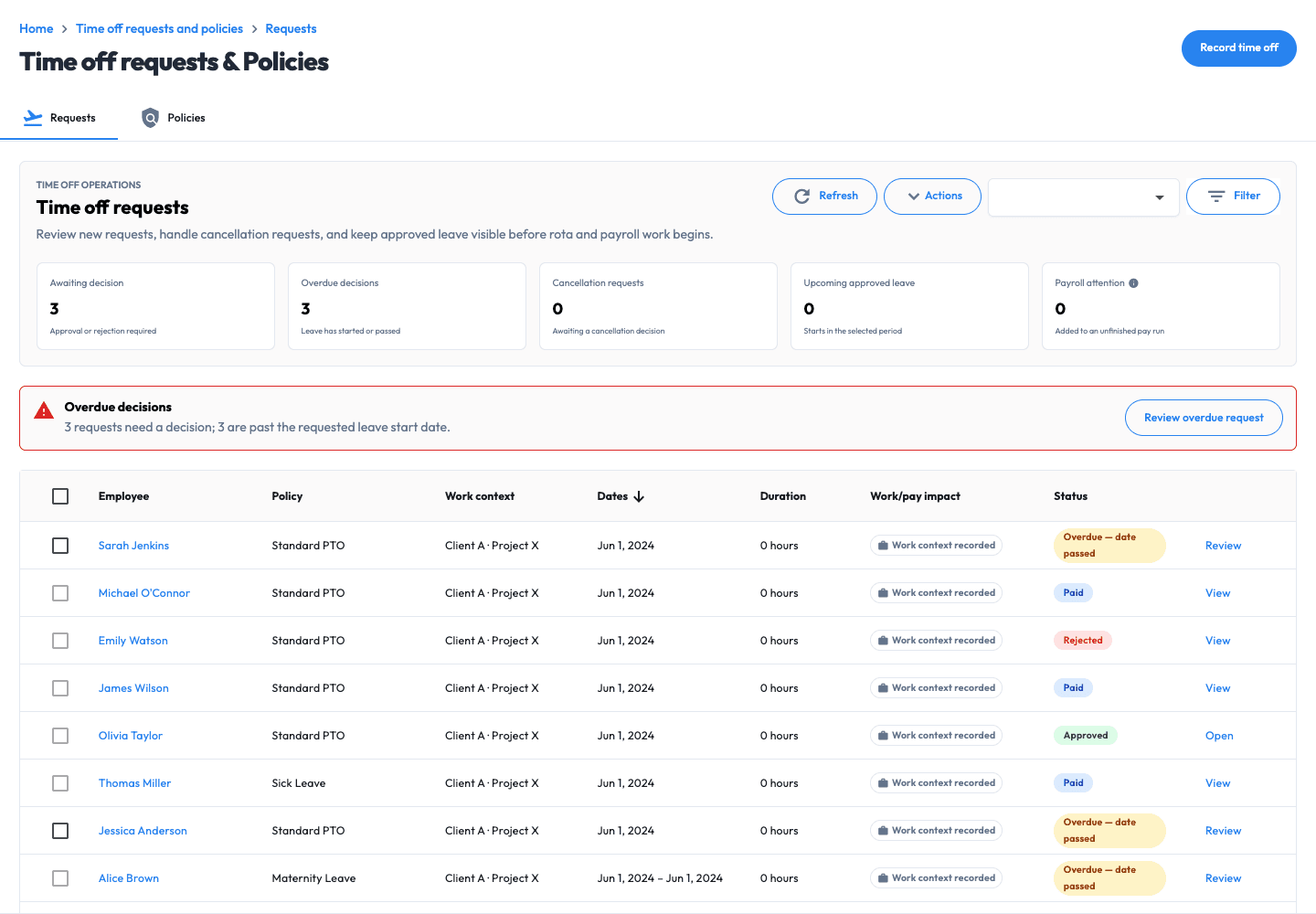
Time off, without the back-and-forth
Give employees a clear way to request leave—and managers the context to decide.
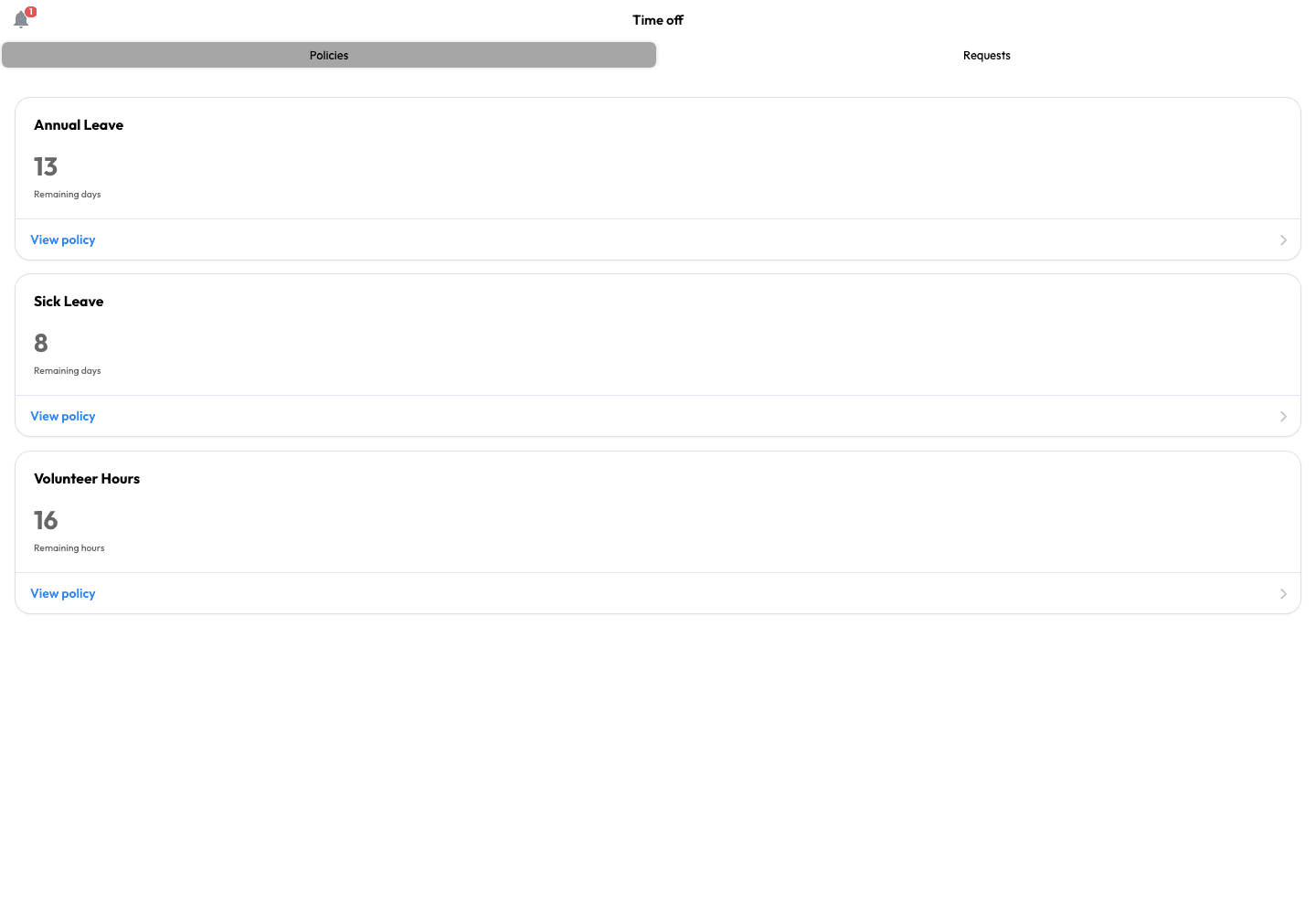
Replace scattered holiday messages and balance questions with one place to check time off, submit a request and follow its progress.
- See the balance before asking. Employees can check their available allowance and leave year.
- Keep requests in one place. Submit time off and follow submitted, approved or rejected requests.
- Make changes traceable. Keep cancellation and amendment history with the request.
Your policies, consistently managed
Set the leave rules once. Give managers a clearer approval process.
Configure how leave is recorded, then keep requests, decisions and maintained balances connected to the employee record.
- Policies in days or hours. Configure leave years, carry-over and bank-holiday settings around your organisation’s process.
- Clear approval ownership. Give managers the information needed to approve or reject requests, with bulk actions and decision history.
- Keep the pay period connected. Approved leave and absence can feed the pay process when Workmax Payroll is enabled.
Included with Time Tracking. Holiday management, time-off and absence tracking are part of the module; Workmax Payroll is optional.
£1 per active employee per month. No platform fee.
Use Time Tracking on its own for worked time, approvals and leave. Workmax Payroll is optional and priced separately; Scheduling is a separate module for planning future rotas.
A person whose Workmax account remains active and has the relevant module enabled during the billing month. Additions are prorated from activation; deactivated users stop billing from the next billing period.
10 active employees
£10/month + VAT
10 × £1 per active user
25 active employees
£25/month + VAT
25 × £1 per active user
Included with Time Tracking
30-day standard trial · No setup fee · Monthly billing · Month-to-month with 30 days' notice
Only the Time Tracking active-user charge applies. No platform fee. Add Payroll only when you need payroll calculations and submissions. Prices exclude VAT.
Set up the workflow around the records you already use
Workmax configuration starts with your capture, leave and approval process rather than an invented fixed timeline.
Configure time capture
Choose entry methods, work rules, evidence controls and approval ownership.
Configure leave
Set leave years, balances, days-or-hours policies, carry-over and manager ownership.
Prepare existing data
Import supported employee data and assess existing leave-balance migration during setup.
Test one pay period
Check regular hours, overtime, a correction and approved leave before rollout.
For care providers
Connect time records with your care-visit workflow.
For teams delivering care, explore visit-linked clock-in context and electronic visit verification (EVV) alongside the wider care workflow. Your organisation remains responsible for reviewing exceptions and deciding what the evidence demonstrates.
Guides and supporting product information
How mobile time tracking creates cleaner payroll inputs ↗
Follow worked time from capture through manager approval and payroll preparation.
Stop holiday requests drifting across spreadsheets ↗
Connect requests, balances, decisions and the pay-period record.
See how Workmax Payroll handles UK payroll workflows ↗
Review payroll calculations, statutory pay and HMRC reporting.
Mobile and desktop access
Capture and review records from the device suited to the task.
Connected employee records
Keep time and leave attached to the person and pay period.
Versioned change history
Retain changed fields, editor, time and correction reason.
HMRC-recognised payroll software
Recognition applies to Workmax Payroll for PAYE reporting.
Learn more ↗Time and attendance questions
Time, leave and payroll questions
Commercial answers about capture, leave, pricing, payroll and implementation.
Can I use Time Tracking without Workmax Payroll?
What is included in the £1 Time Tracking module?
Can employees request leave from mobile?
Can leave be managed in days or hours?
How are overtime and breaks handled?
Can managers correct and approve timesheets?
Does this replace Workmax Scheduling?
Does Time Tracking calculate Statutory Maternity Pay?
Can existing employee and leave data be imported?
How long does implementation take?
Your next step
See one employee journey from clock-in to payroll
In your demo, we’ll show how Workmax records regular hours and overtime, handles a holiday request, supports manager approval and prepares the resulting inputs for payroll.