Explore an example pay run
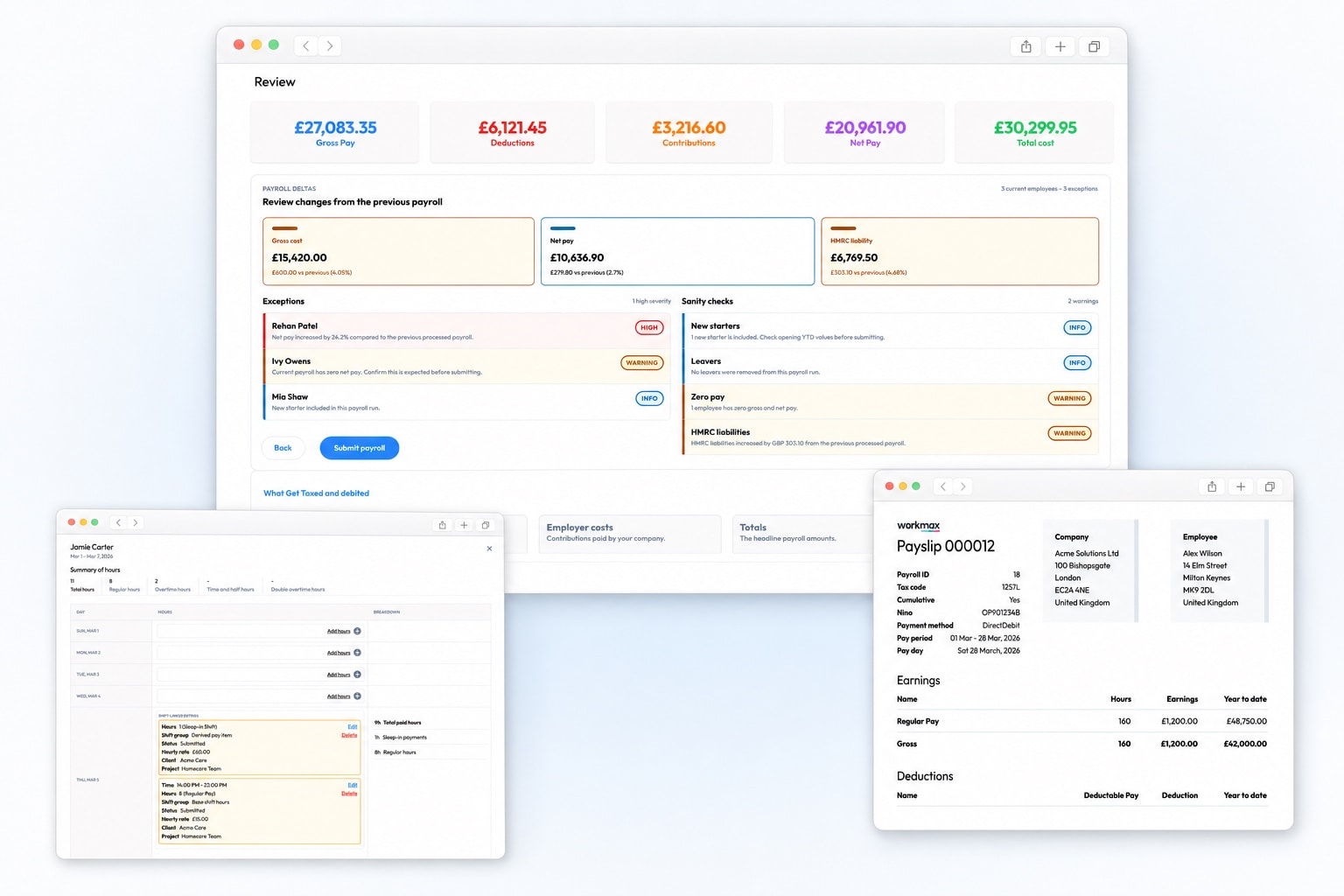
Open a preloaded pay run and review example PAYE, National Insurance, pension deductions and net pay.

No customer account setup · Access email sent automatically · Shared demo data resets nightly
SELF-DIRECTED PRODUCT ACCESS
Explore a live, preloaded Workmax payroll demo in your browser. See how a UK payroll run works, review employee pay, calculate deductions, view payslips and explore connected timesheets without setting up your own payroll account.
PRELOADED WORKMAX WORKFLOWS
This is more than a video or an isolated payroll screen. Use the interactive demo to inspect a realistic pay run and the records, approvals and employee experience around it.
Open a preloaded pay run and review example PAYE, National Insurance, pension deductions and net pay.
Open example employee payslips and see the pay, tax, National Insurance, deductions and net-pay information employees receive.
Follow approved working hours into payroll and see how connected records reduce re-entry without hiding the source of each pay input.
Inspect example payroll summaries, employee-level records and reports available while reviewing and completing a pay run.
See how employee records, leave, approved expenses and workforce changes provide explainable inputs before payroll is approved.
Switch between administrator, manager and employee views to understand access, approvals and the experience for each role.
PAYROLL SOFTWARE DEMO FAQS
Understand what you can explore, what information is required and how the sandbox differs from a free trial.
It is an interactive Workmax sandbox, not a recorded product tour. You can move through the software yourself using preloaded UK payroll and workforce data.
No customer account setup is required. Submit the form and Workmax automatically sends an access email. Check your inbox and spam folder after submitting; no scheduled sales call is required.
You can explore realistic payroll data and connected workflows across payslips, timesheets, time and attendance, scheduling, expenses and HR, including different user roles.
No. The shared environment uses demonstration data, contains fictional employee records and resets every night. Do not enter or upload your own employee information.
The sandbox is a shared, preloaded environment for exploring Workmax using fictional data. The 30-day trial gives your organisation its own account so you can evaluate a setup that is closer to your real workflow.
Yes. If you would rather discuss your payroll process, migration or connected workforce requirements, you can book a focused walkthrough with the Workmax team.