
Request a focused walkthrough
Request a Workmax demo built around your team.
Book a Workmax demo tailored to your team. Explore payroll, HR, rotas and time tracking, with specialist care workflows where you need them.
Product proof
See the app screens behind the workflows.
The demo is grounded in real Workmax product flows, from care activity and visit evidence to payroll review, HR records, timesheets, and scheduling.
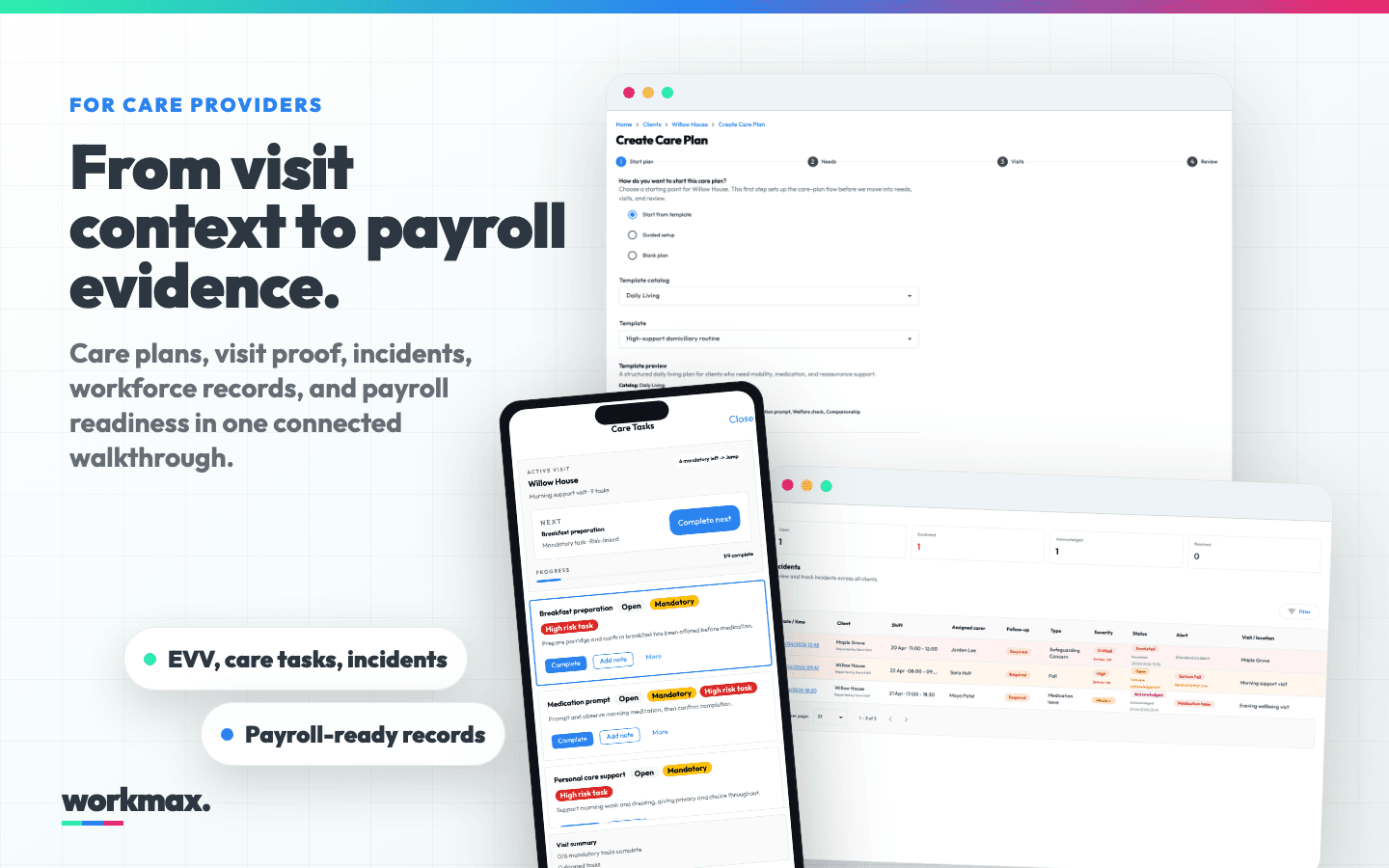
Care operations walkthrough
Care plans, visit briefs, mobile task records, incidents, and payroll-ready evidence.
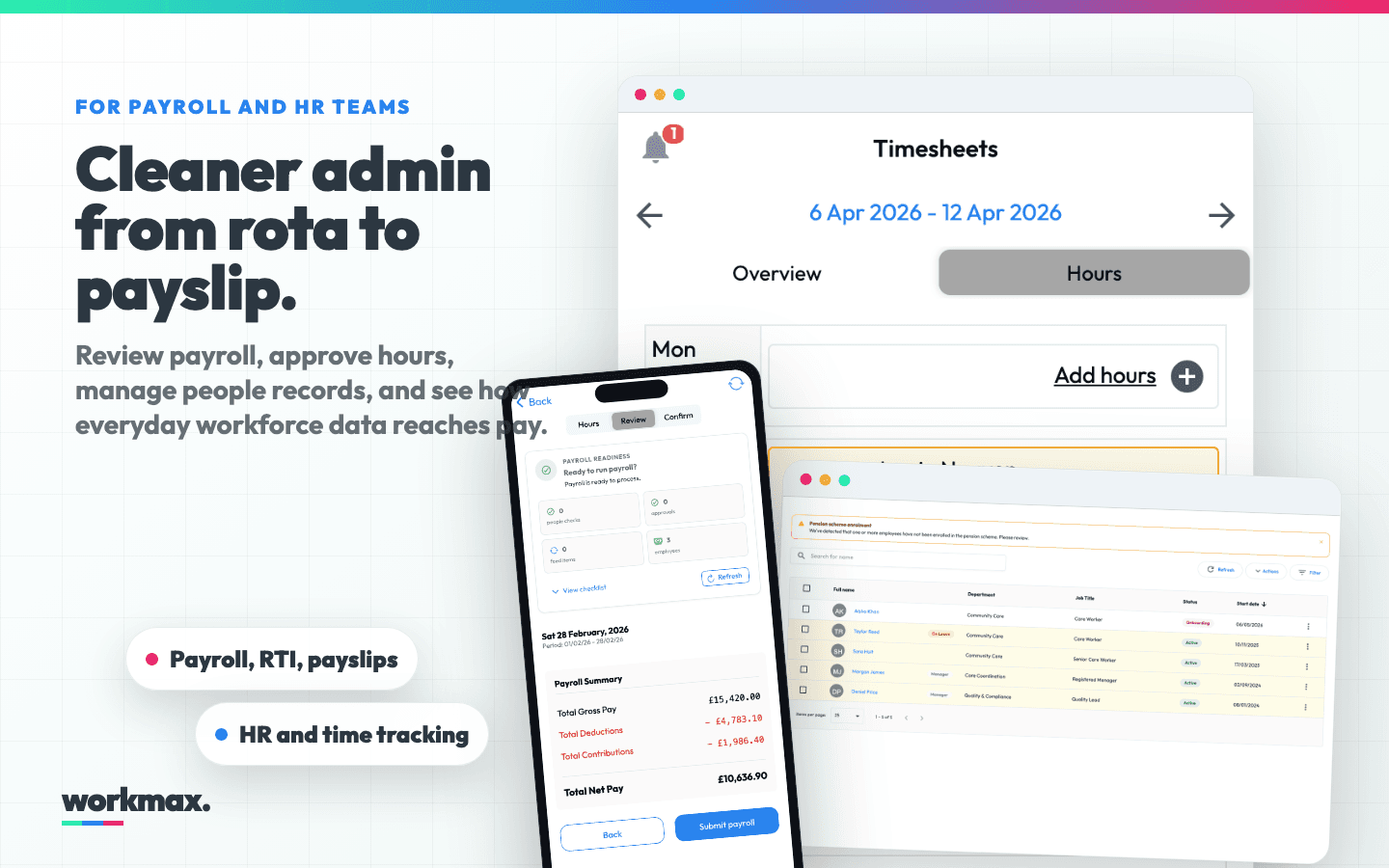
Payroll and HR walkthrough
Payroll review, approved hours, workforce records, scheduling, payslips, and RTI.
What we can cover
A focused demo, not a generic tour.
Pick the workflows that matter. We will show how the pieces connect and where Workmax can remove repeated admin from your week.
Payroll
Review hours, catch issues, run payroll, send payslips, and prepare RTI submissions.
HR records
Keep employee records, documents, onboarding, leave, and employee self-service together.
Scheduling
Plan shifts, publish rotas, review coverage, and connect approved work to pay.
Time tracking
Capture hours, approvals, exceptions, mobile activity, and manager review.
Expenses
Track claims, mileage, approvals, and payroll handoff without spreadsheet chasing.
Care operations
Connect care plans, EVV, task records, incidents, audit trails, and payroll readiness.
After you request
What happens next?
You do not need a perfect brief. A few details are enough for us to shape the walkthrough around your operation.
Tell us your workflow
Share your contact details and, if useful, the workflow creating the most admin today.
We tailor the walkthrough
The demo focuses on the screens and workflows that match your operation.
Leave with a clear route
We map modules, migration considerations, and the simplest next step for your team.
Questions
Before the demo
A few quick answers for care operators, payroll teams, and HR teams comparing Workmax.
Is this only for care providers?
No. Workmax supports UK payroll, HR, scheduling, time tracking, expenses, and care operations. Care teams get specialist visit and evidence workflows, while other teams can focus on payroll and workforce admin.
How long does the demo take?
Most walkthroughs take around 15 minutes. We can go deeper if you want to cover payroll setup, migration, care workflows, or multi-site processes.
Can you show real product screens?
Yes. The page visuals are built from Workmax app Storybook captures, and the demo is designed to show practical workflows rather than generic slides.
What should I bring to the call?
A rough idea of your team size, current payroll or HR tools, scheduling process, and the workflow that creates the most admin today.