1
Disconnected
Schedules, attendance records and payroll live separately.
With Workmax
One record connects scheduled and completed work.

People · Rotas · Approved hours · Payroll
Scheduled work
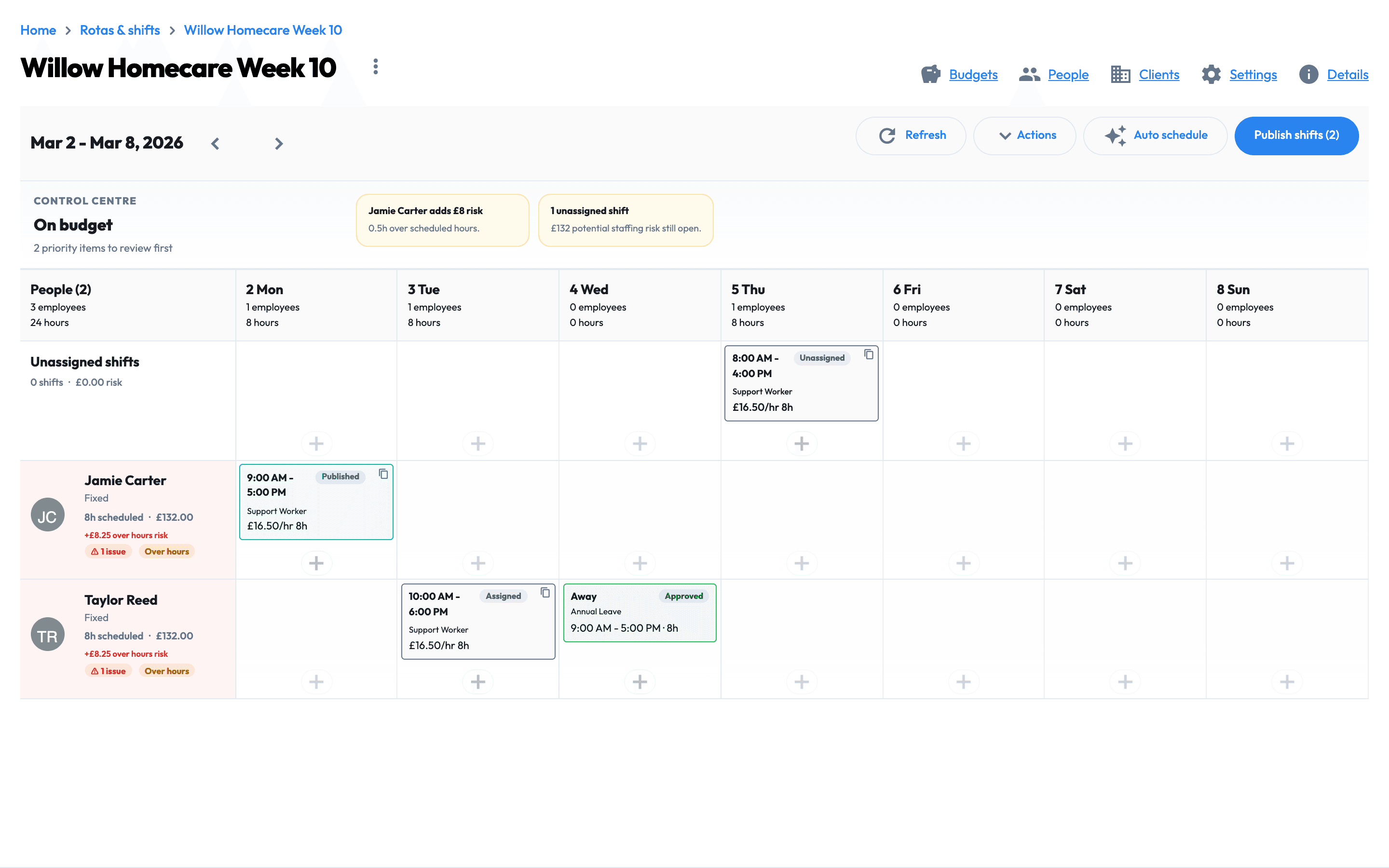
Plan visits or shifts, assign the right person and keep the agreed work visible.
Verified attendance
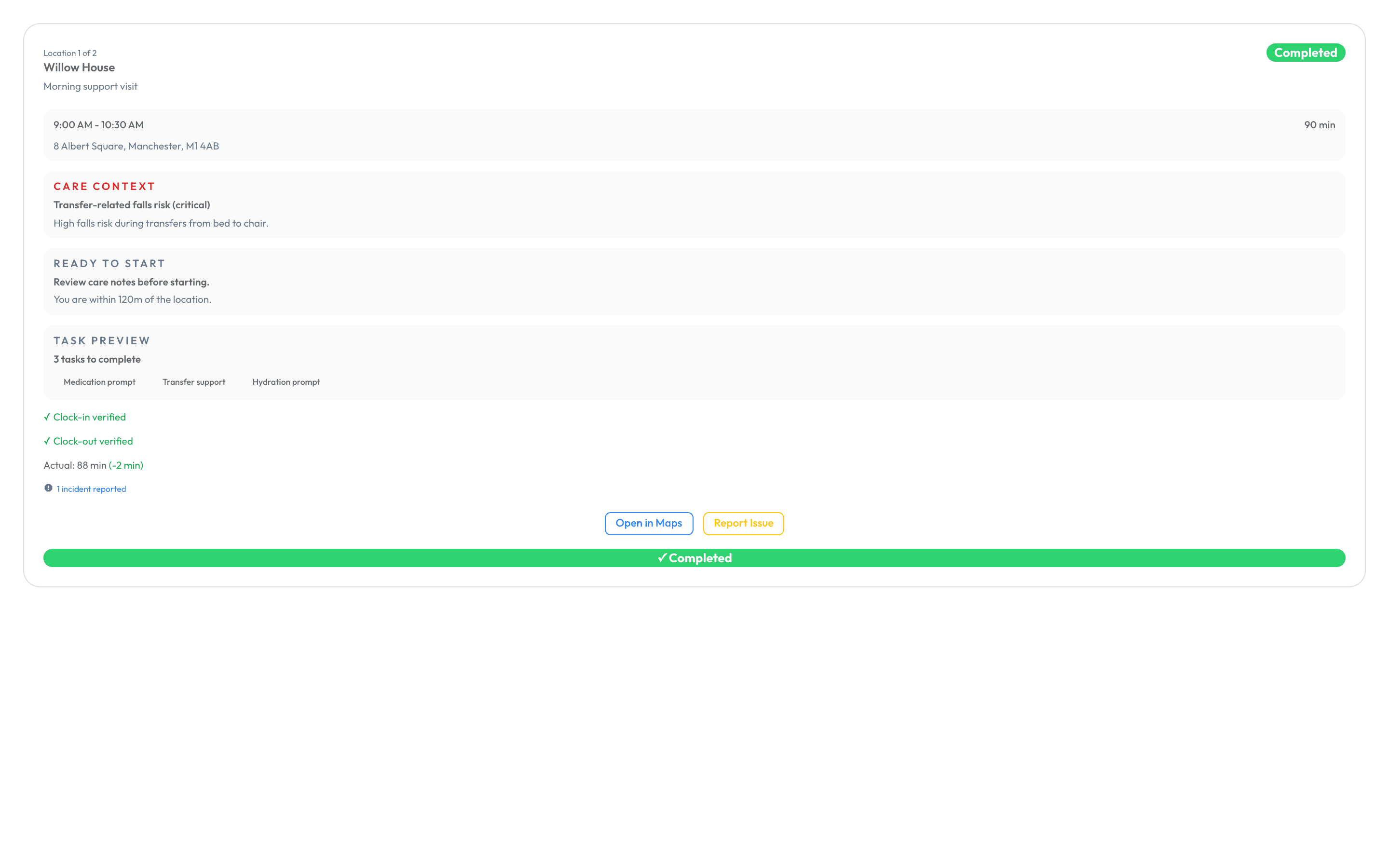
Capture time, location, tasks, notes and outcomes from the field.
Manager approval
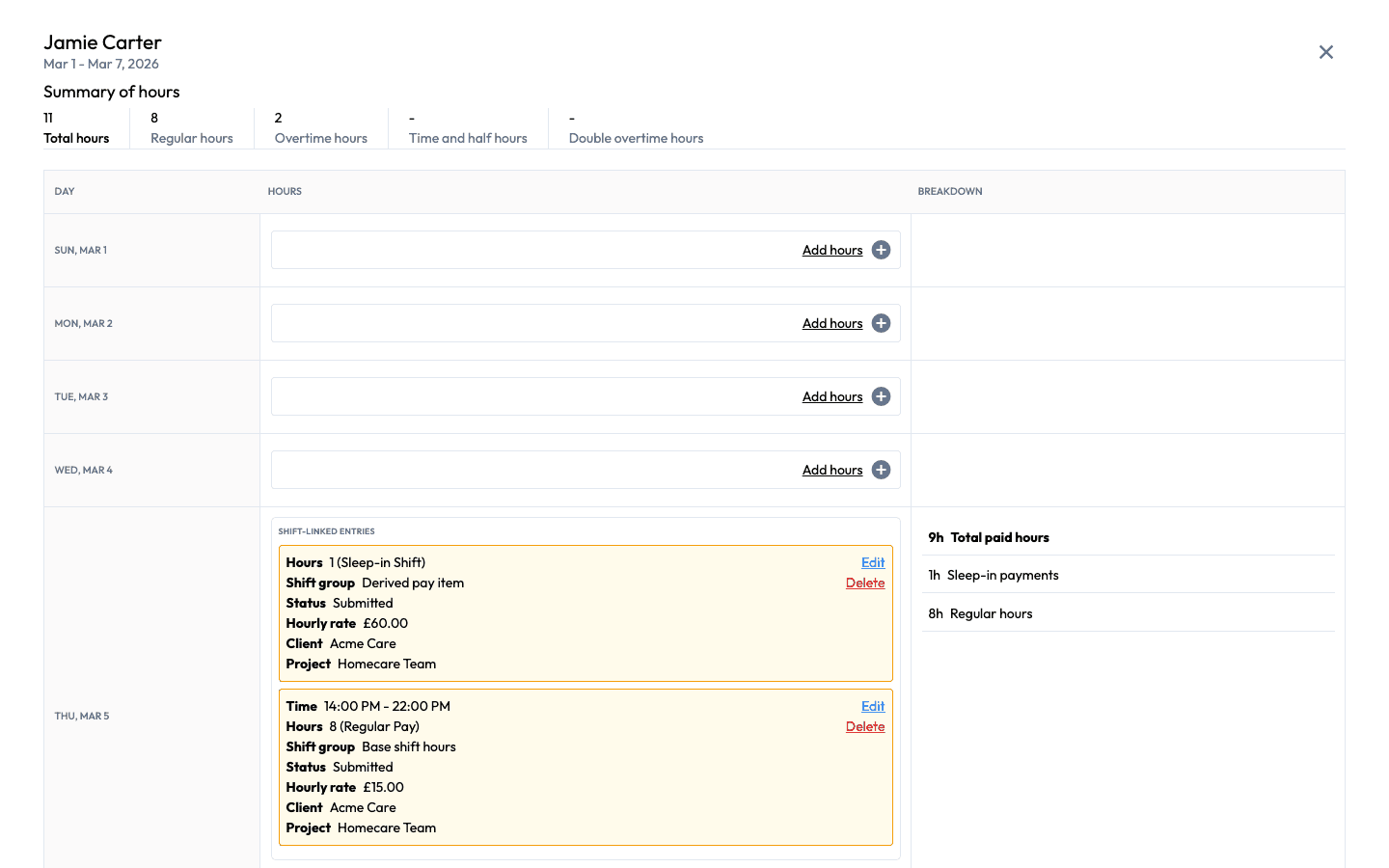
Review exceptions and approve one traceable record before payroll.
Payroll review
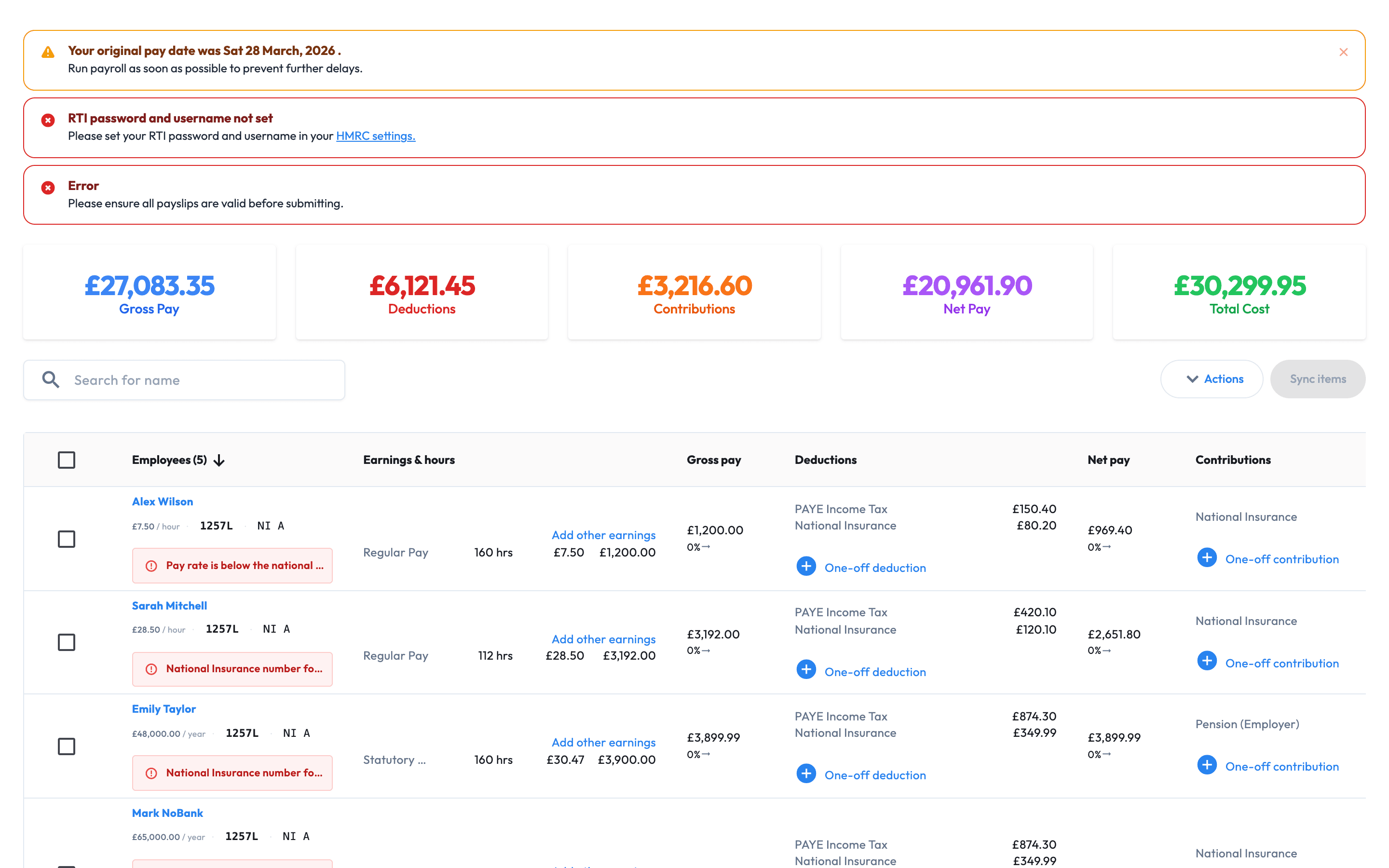
Check approved inputs, calculations and submission readiness in one place.
THE COMMERCIAL DIFFERENCE
When schedules, attendance and payroll records split apart, managers spend payday reconciling work that has already happened. Workmax keeps the handoffs visible and controlled.
Disconnected
Schedules, attendance records and payroll live separately.
With Workmax
One record connects scheduled and completed work.
Disconnected
Hours are exported or rebuilt in spreadsheets.
With Workmax
Approved hours enter payroll review.
Disconnected
Missing time or work records are discovered late.
With Workmax
Exceptions are visible before payroll.
Disconnected
Managers and payroll teams reconcile different records.
With Workmax
Both teams work from a traceable source.
| When systems are disconnected | With Workmax |
|---|---|
| Schedules, attendance records and payroll live separately. | One record connects scheduled and completed work. |
| Hours are exported or rebuilt in spreadsheets. | Approved hours enter payroll review. |
| Missing time or work records are discovered late. | Exceptions are visible before payroll. |
| Managers and payroll teams reconcile different records. | Both teams work from a traceable source. |
FROM WORK TO PAYROLL
Follow one care workflow from scheduled visit to payroll. Care is the detailed example here, but the same scheduling, attendance, approval and payroll controls support other shift-based and mobile teams.
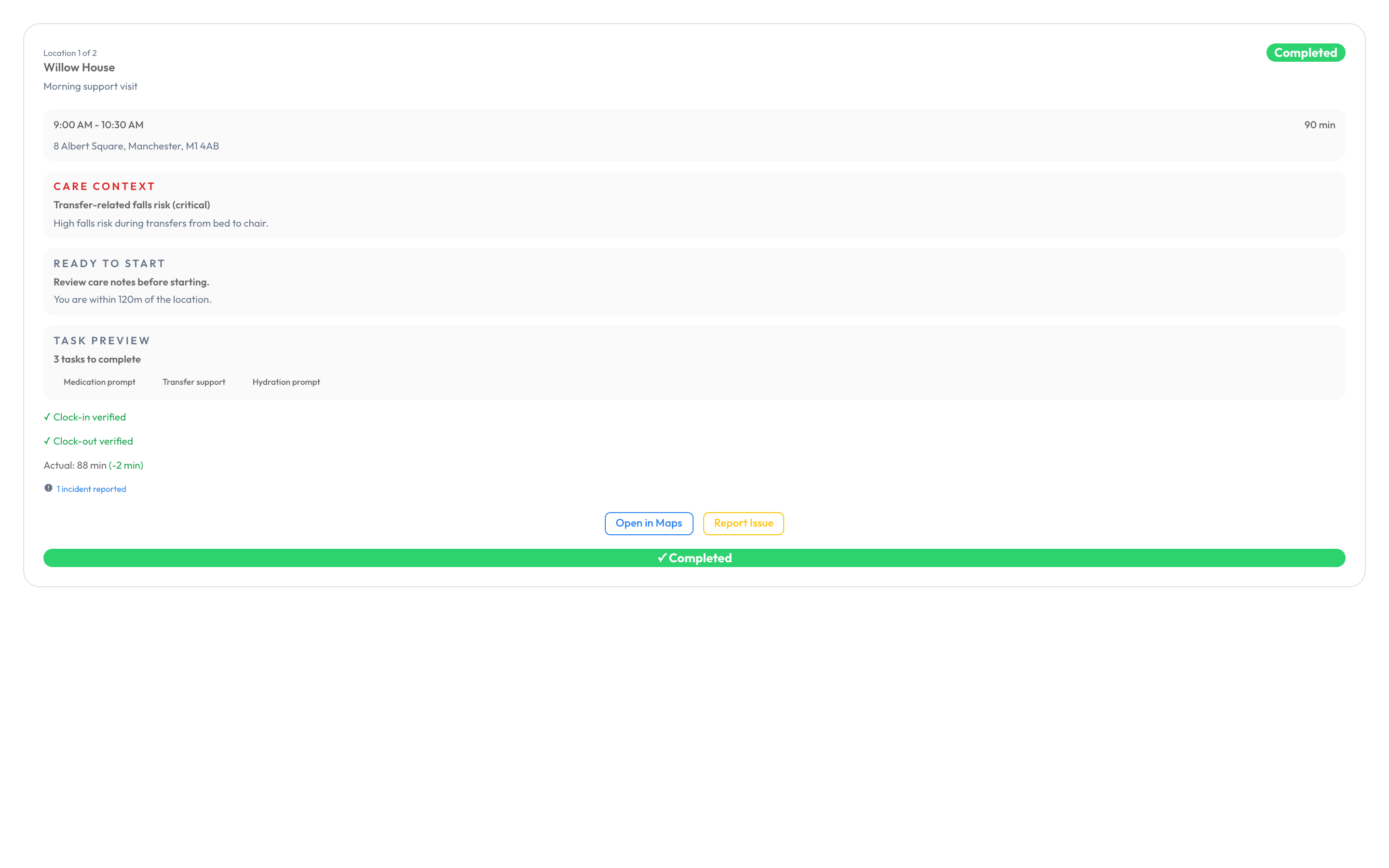
01 · Visit evidence
Connect scheduled visits or shifts with actual attendance, location evidence, tasks, notes and outcomes. Managers can compare what was planned with what happened without piecing the record together from messages.
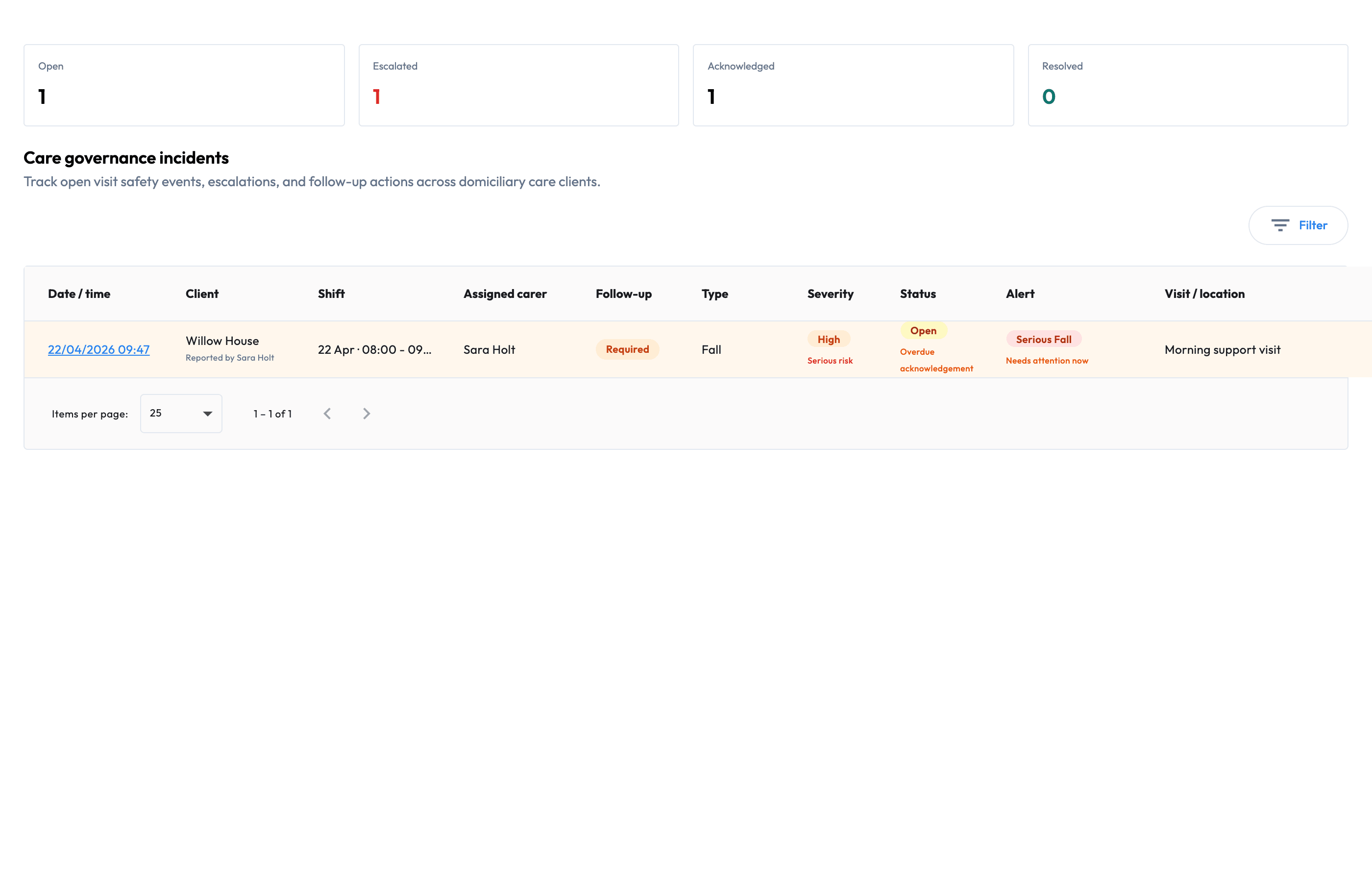
02 · Exception review
Surface missed work, late attendance, incomplete records, incidents and approval gaps while managers can still investigate them. The operational context stays attached to the work instead of becoming a payroll mystery.
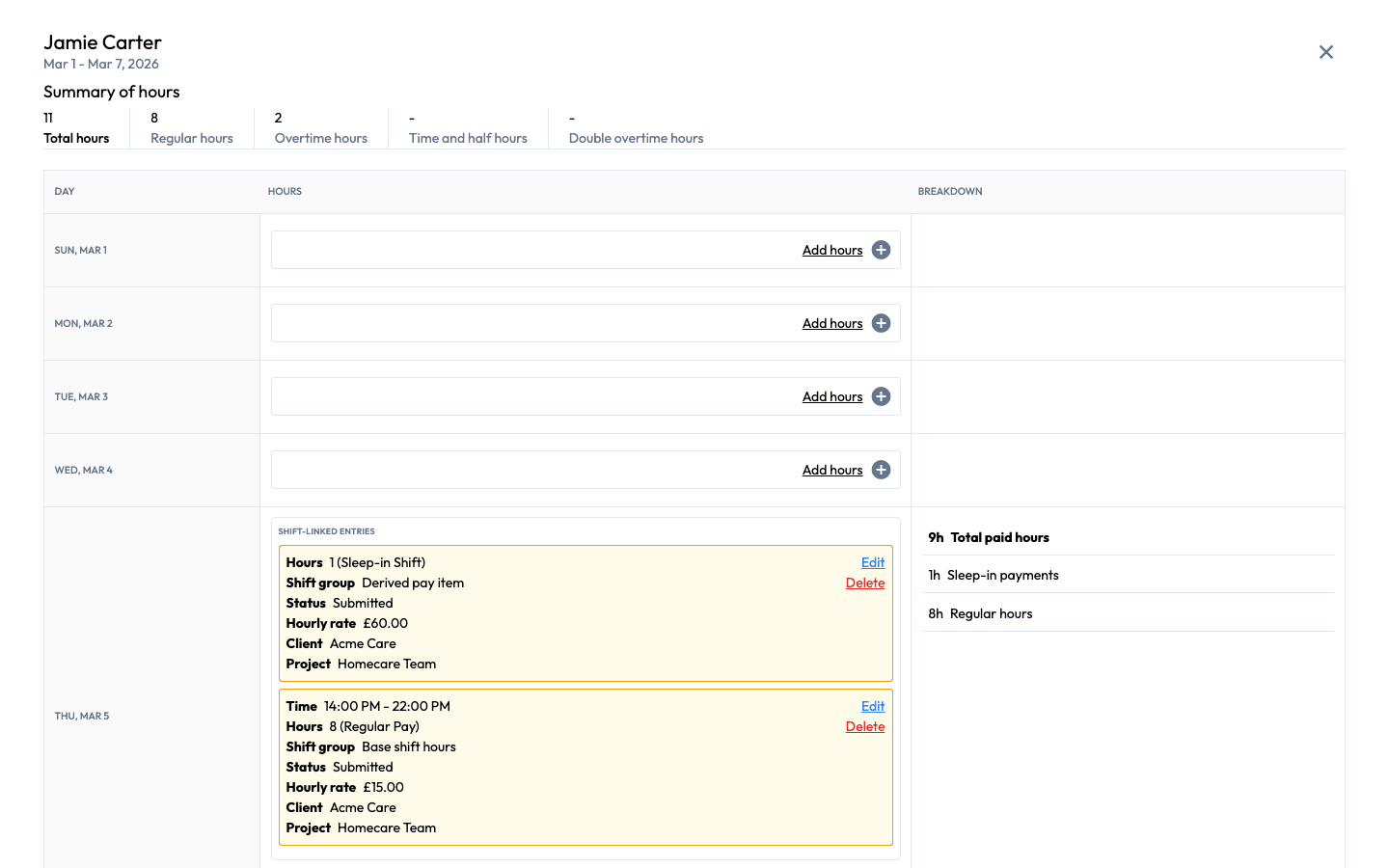
03 · Approved inputs
Bring approved hours, travel, mileage, overtime, sleep-ins, allowances and variable rates into a controlled payroll review. Payroll users can see the approved source and still decide what enters the final calculation.
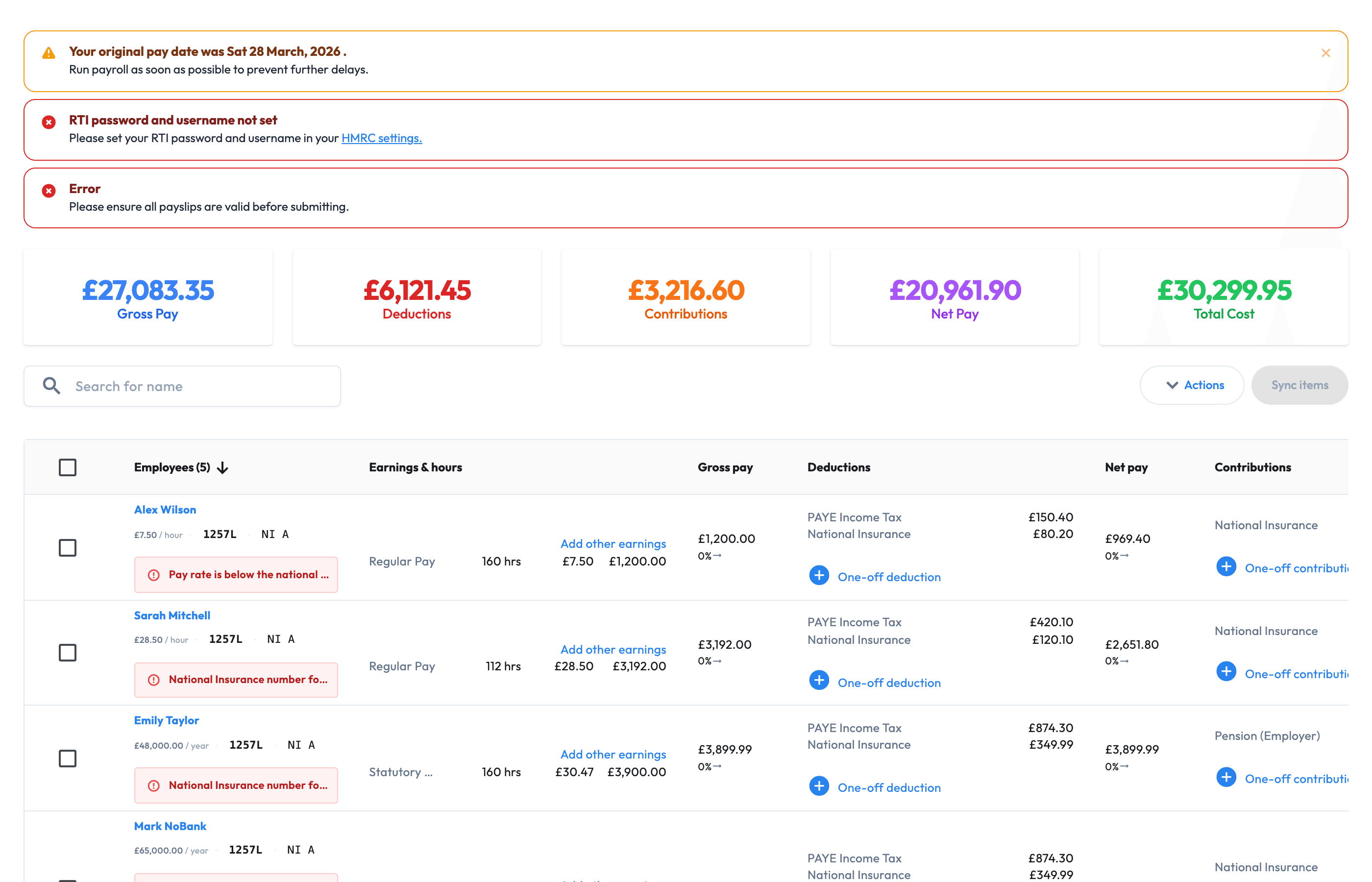
04 · UK payroll
Calculate pay, review changes, produce payroll documents and complete FPS or EPS actions from the same platform. Managers provide cleaner records; payroll owners keep control of the final pay run.
WHY WORKMAX
Workmax connects the work record without removing the checks that managers and payroll owners need.
Choose the workflow
Care operations
Connect care plans, scheduled visits, EVV, task evidence and operational exceptions.
ExplorePeople records
Keep care-worker records, documents, onboarding, leave and payroll handoffs together.
ExploreTime and leave
Approve timesheets, keep holiday and leave records current, and prepare cleaner payroll inputs.
ExploreUK PAYROLL CONNECTIONS
Workmax supports HMRC reporting and workplace pension workflows alongside the workforce records used to prepare payroll.




Supported pension workflows and exports vary by provider.
WORKFORCE OPERATIONS, APPROVALS AND PAYROLL
Practical answers for UK employers deciding whether to connect work records, approvals and payroll in Workmax.
Scheduled visits or shifts, clock events, tasks, notes and approved timesheets create a cleaner work record. Managers resolve exceptions and approve the hours before payroll users review the inputs and complete the calculation.
Yes. Workmax helps surface missing records, late starts, skipped tasks, incidents and approval gaps before they become pay questions. Managers review the operational evidence while payroll users retain control of the pay run.
Workmax mobile workflows can queue activity when connectivity drops and sync it when the device is back online, helping the work record continue in low-signal areas.
Yes. Care providers can connect care plans, visits, EVV, task outcomes, incidents, follow-ups and manager reviews. Workmax helps organise evidence but does not replace a provider's CQC or other regulatory responsibilities.
Yes. Employers can start with the modules they need and use a controlled rollout to test representative shifts or visits, approvals and payroll handoffs before expanding.
The Workmax team can help map your current workforce and payroll processes, prepare the required records, configure the workflow and guide the people responsible for manager review and payroll.
Tailored workflow demo
Follow a shift or visit from scheduling and attendance through manager approval and payroll review.