Hours reviewed. Earnings ready to check.
With Time Tracking and Payroll enabled, approved hours feed payroll preparation. Review the pay rate and earnings before completing the run.
Follow the hours into payroll ↓
UK payroll software for small businesses
Bring earnings, payroll checks and HMRC reporting into one place—with help to get your first pay run ready.
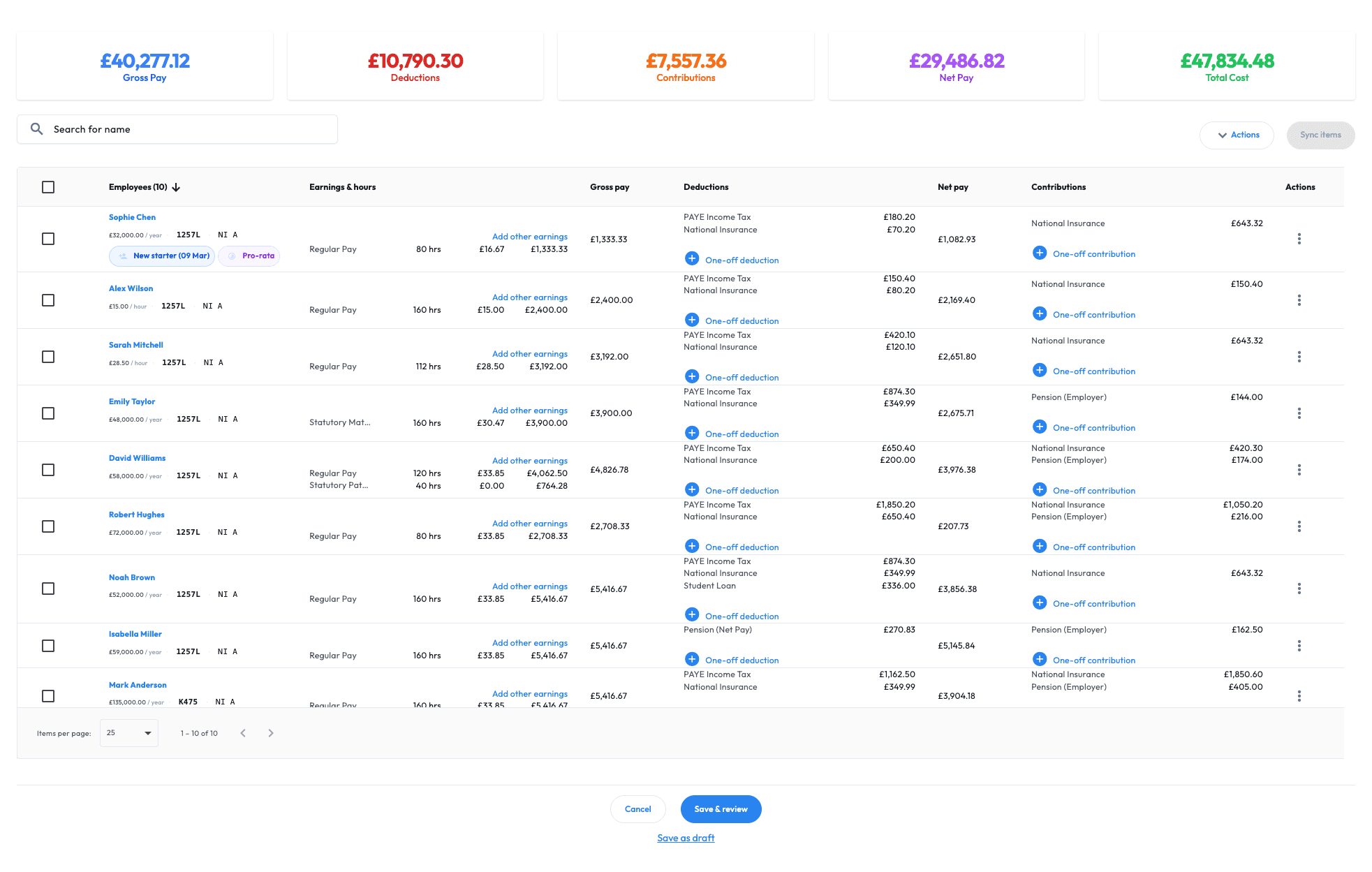
Less rebuilding. More reviewing.
Payroll starts long before payday. Bring people records and pay inputs together, so your team can spend its time checking the figures.

Your working week, connected
With Time Tracking and Payroll enabled, approved hours feed payroll preparation. Review the pay rate and earnings before completing the run.
Follow the hours into payroll ↓
Keep employee details, job information and payroll records connected. Give your office one place to find the information behind pay.
Explore HR and people ↗THE WORKMAX PAYROLL FLOW
Bring together salaries, approved hours and pay changes, calculate payroll, review exceptions and complete your reporting—all in one controlled workflow.
Step 01
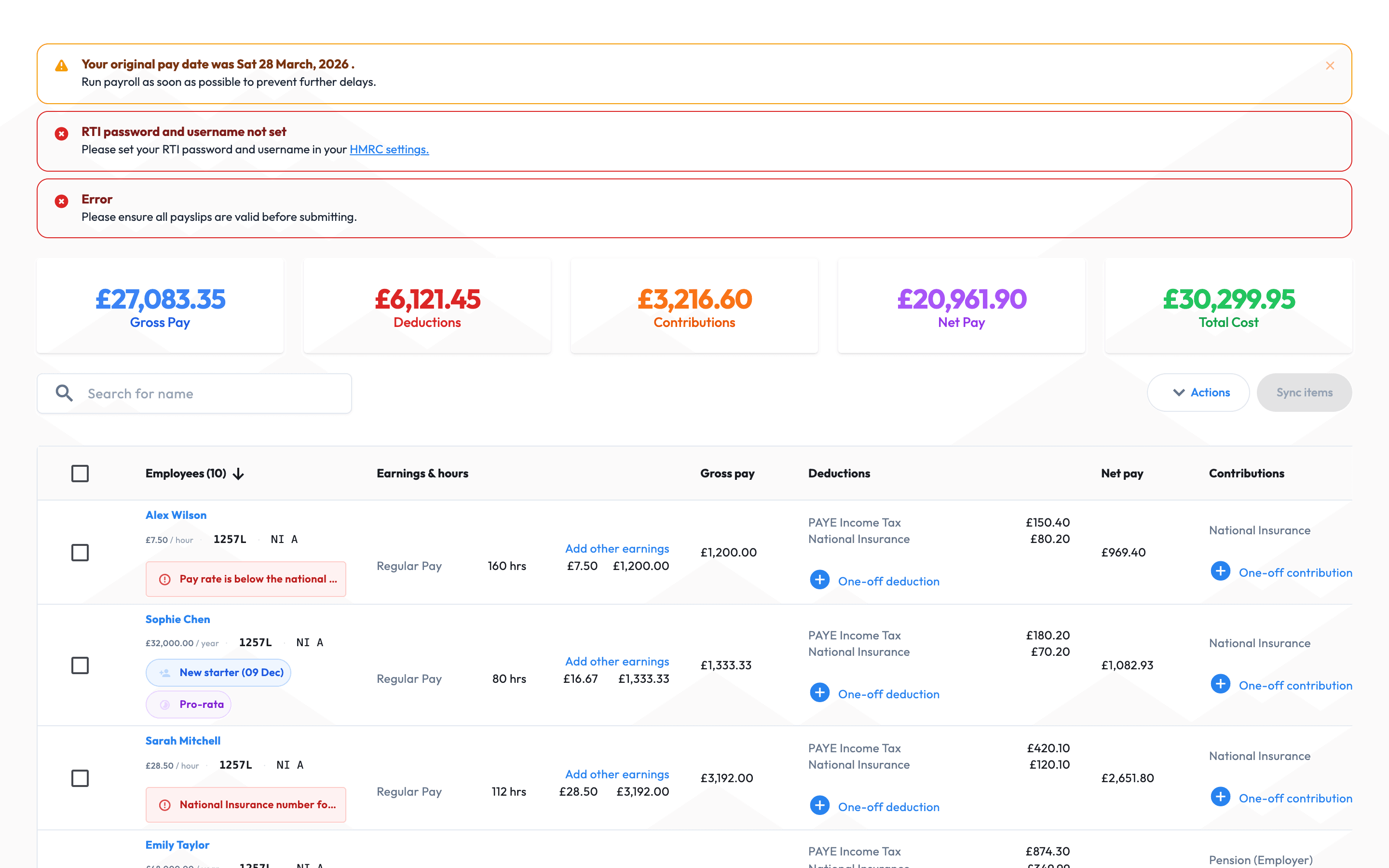
Bring together salaries, approved hours, overtime, leave and authorised pay changes.
Step 02
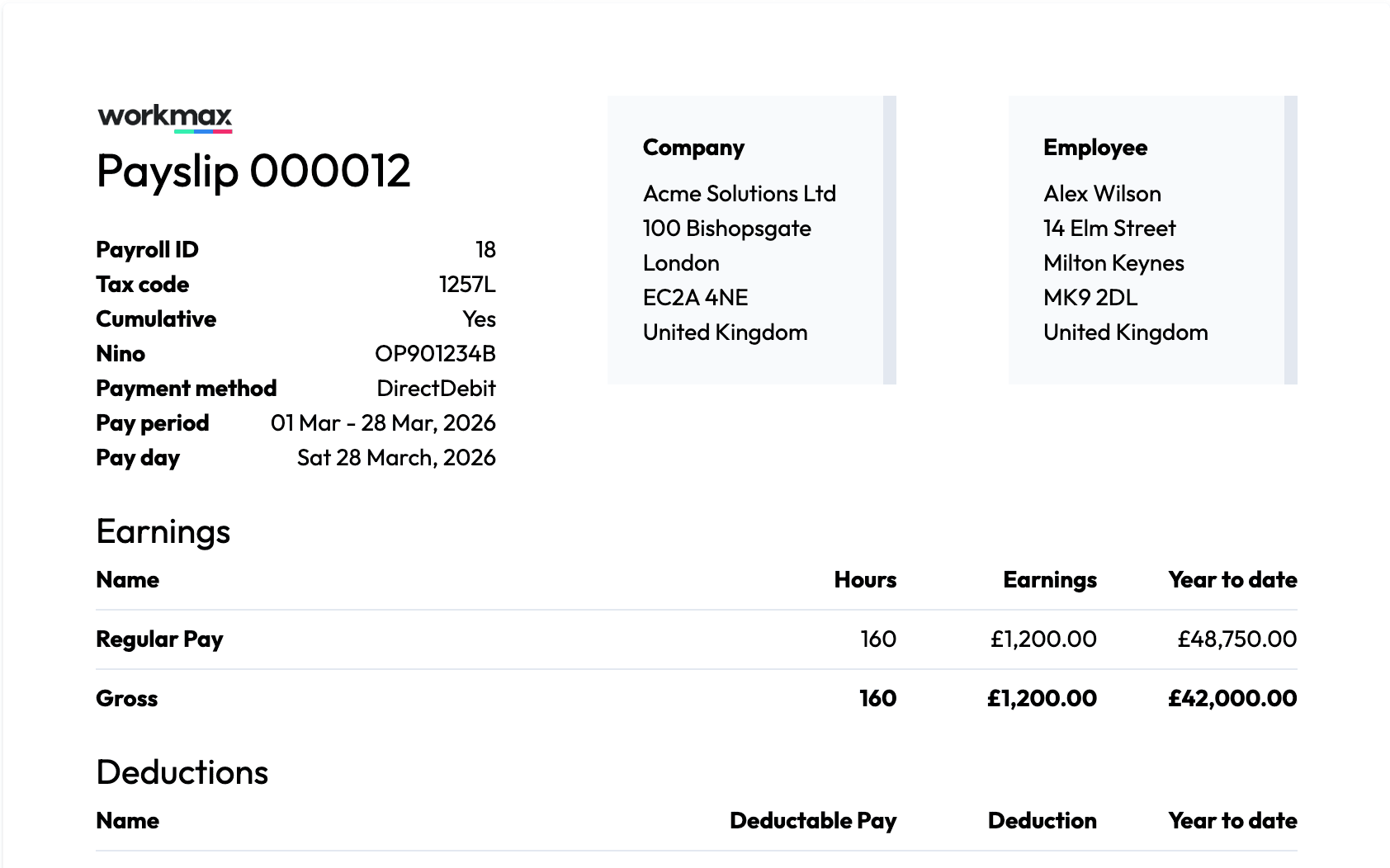
Calculate gross pay, PAYE, National Insurance, pension contributions, deductions and net pay.
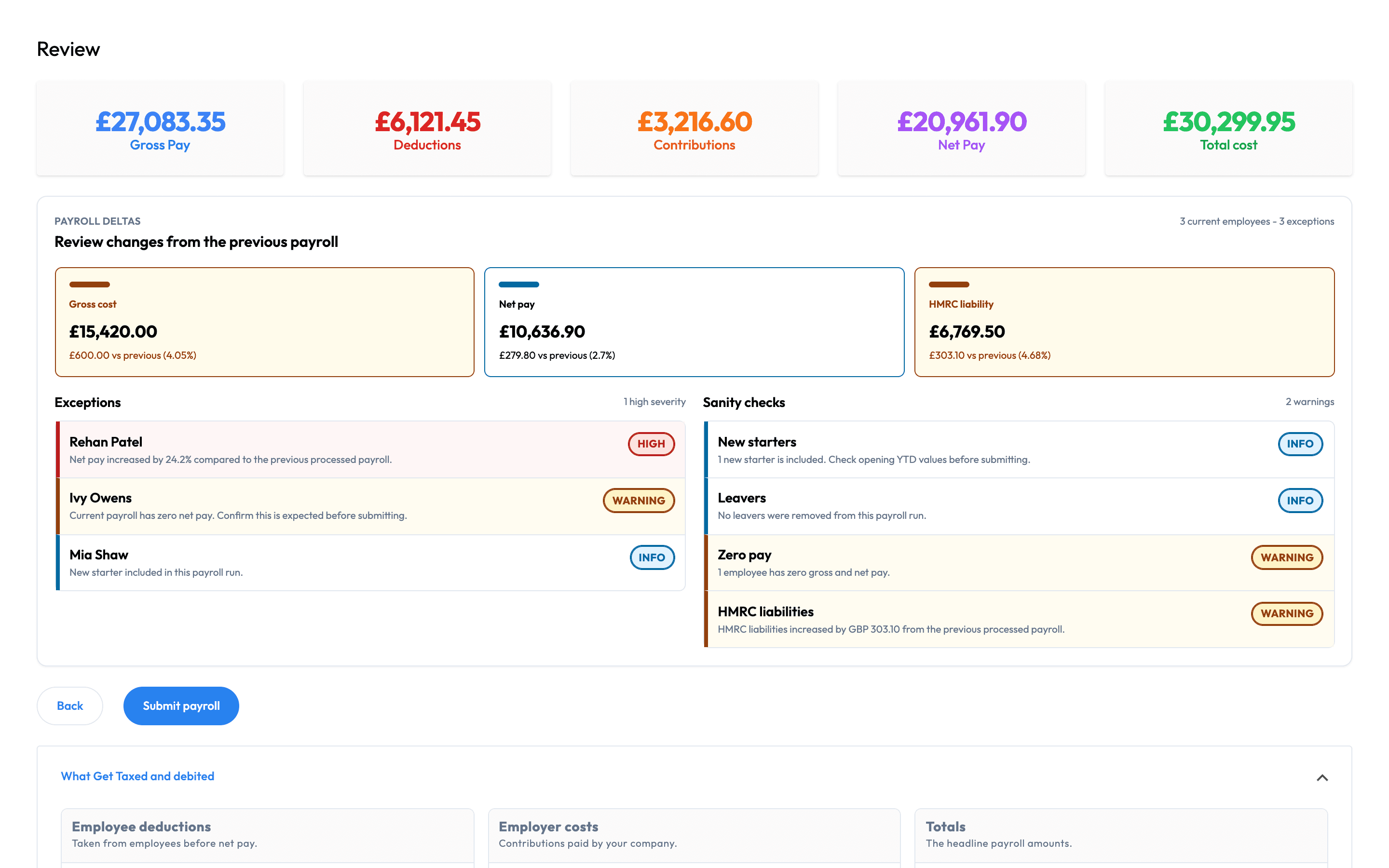
Step 03
See what changed, investigate warnings and confirm unusual results before submission.
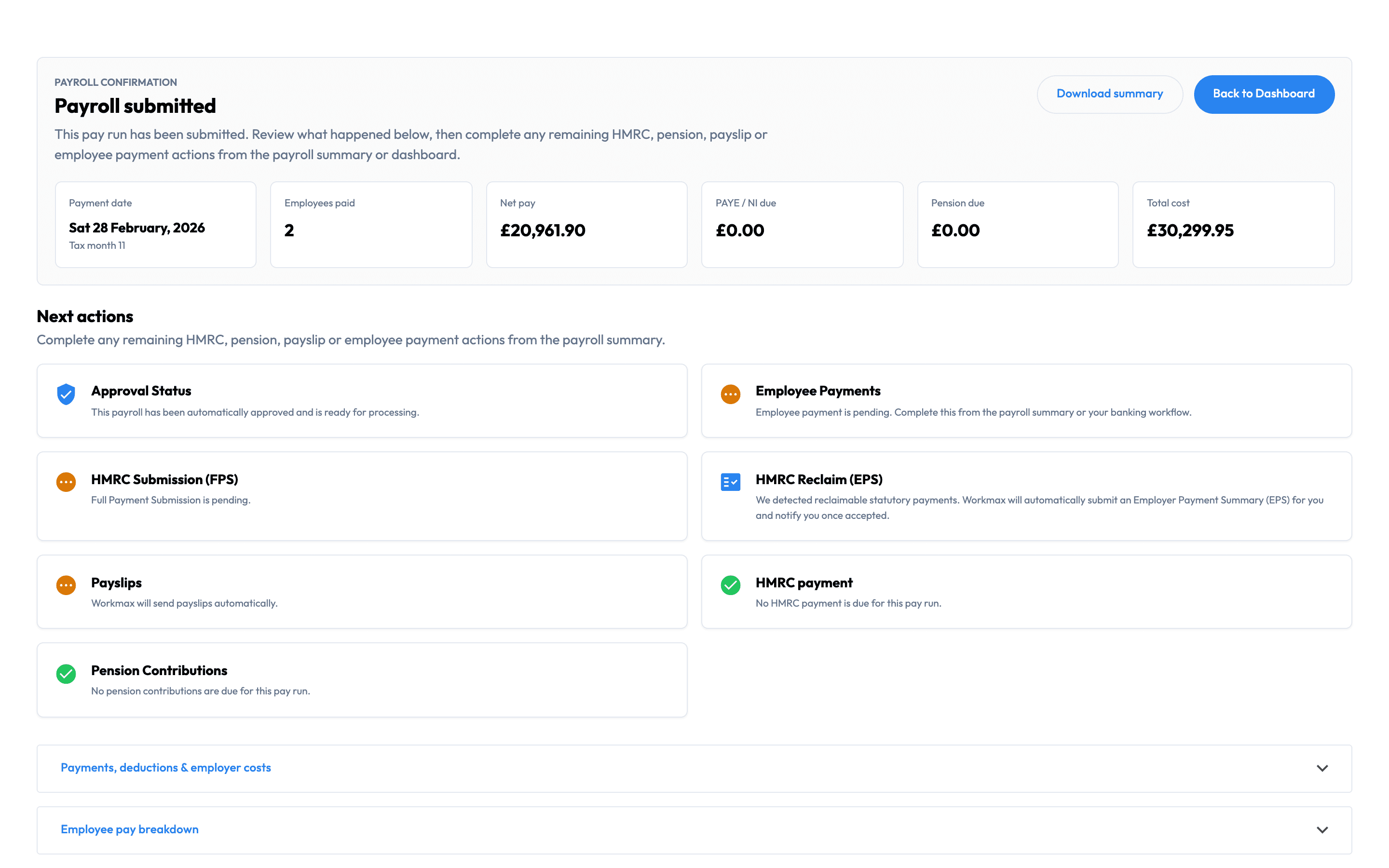
Step 04
Create payslips, submit FPS or EPS information and retain the payroll records you need.
UK PAYROLL CAPABILITIES
Calculate pay, complete HMRC reporting, produce payroll documents and keep each run under control.
Employee payments and accounting remain within your existing banking and accounting workflows.
MOBILE PAYROLL
Review readiness, investigate changes and follow up on completed payroll from your phone.
For authorised payroll users. Employee payslips included on iOS and Android.
Explore mobile payroll ↗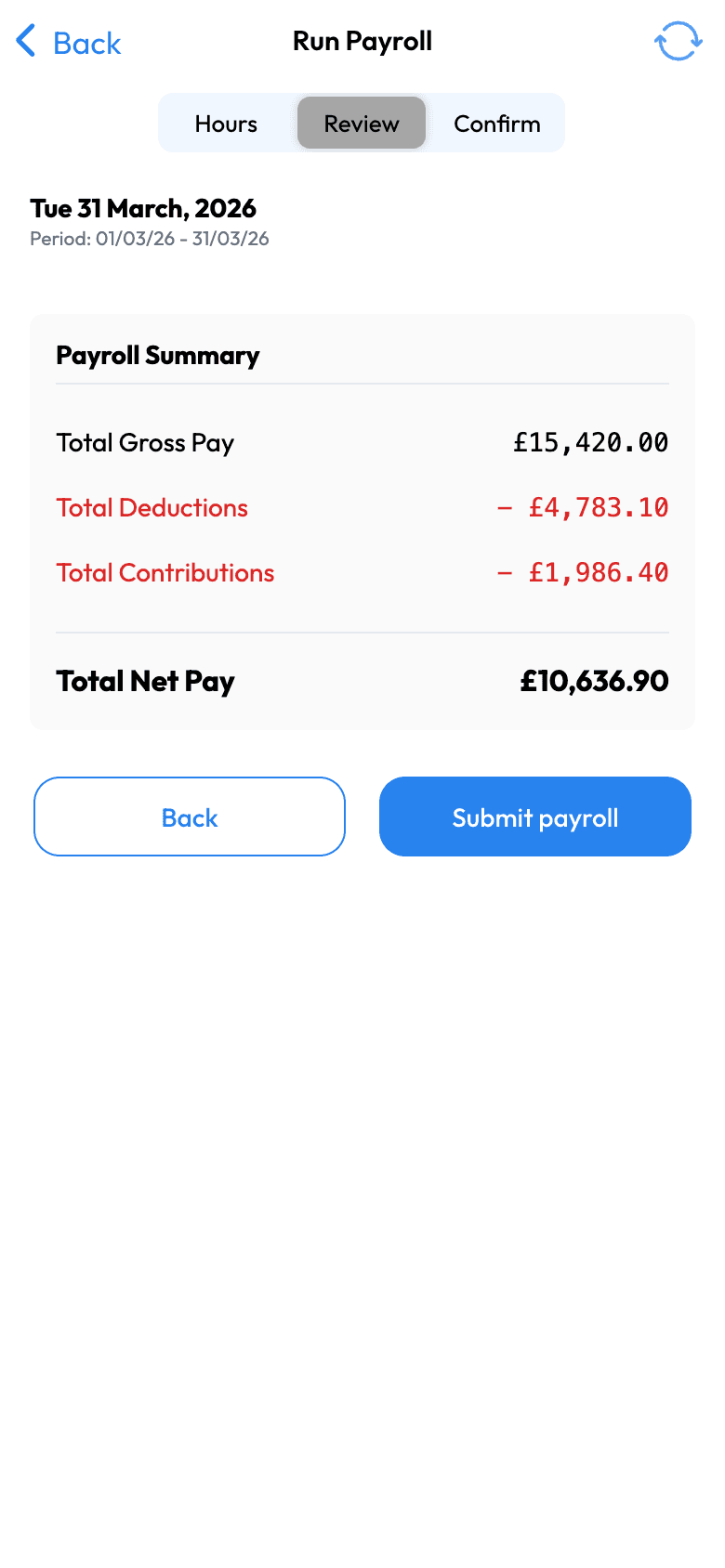
From time to pay
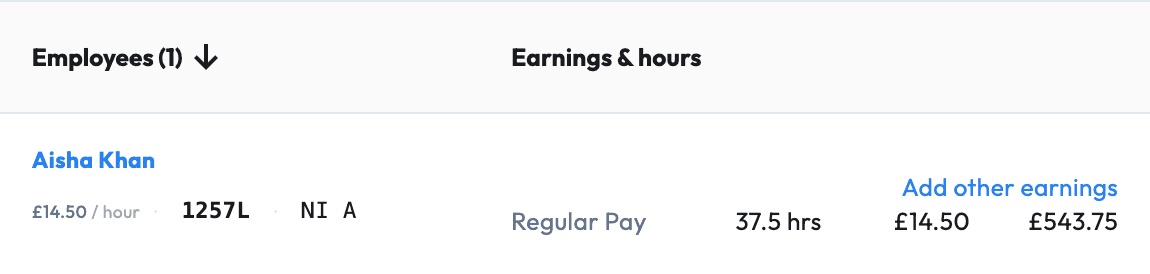
Aisha’s example week contains 37.5 hours at £14.50 per hour: £543.75 in regular earnings. The hours, rate and result are visible together for review.
Explore the complete working-week demo ↗Pay a £25 monthly platform fee, then £2 for each employee included in that month’s payroll. No setup fee and no annual contract. Prices exclude VAT.
An employee paid is an employee included in a payroll run during the billing month.
10 payroll employees
£45/month + VAT
£25 platform fee + £20 user charges
25 payroll employees
£75/month + VAT
£25 platform fee + £50 user charges
30-day standard trial · No setup fee · Monthly billing · Month-to-month with 30 days' notice
Scheduling and Time Tracking are optional modules priced separately.
SWITCHING TO WORKMAX
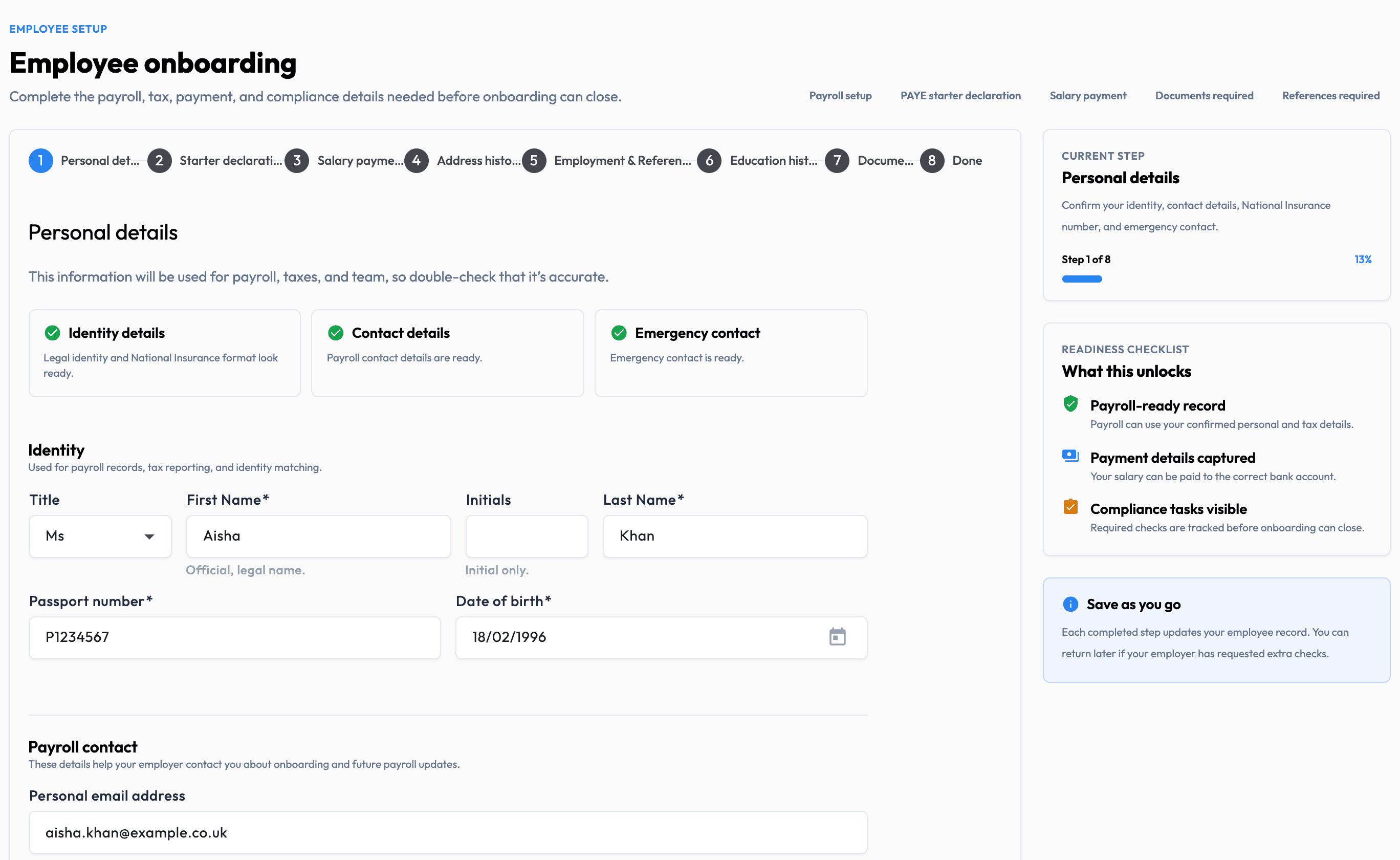
Bring across employee details and year-to-date values, check the opening position and move to Workmax when you are ready.
Set up employees, payroll identifiers, tax details and year-to-date values from your existing system.
Review employee records and compare representative calculations before running payroll live.
Choose when Workmax becomes your HMRC submission source, then retain the resulting reports and submission records.
The information available to transfer depends on what your existing provider can export.
The Workmax team can guide you through setup, switching, your first Workmax pay run and ongoing product or payroll-workflow questions.
Understand the records and configuration needed to prepare your Workmax workspace.
Get guidance on using the preparation, review and submission workflow in Workmax.
Ask for help with Workmax features and the payroll workflows available in the product.
Existing customers can contact us through in-app Help and continue the conversation when it suits them.
Considering Workmax? Use a payroll walkthrough or the contact form to speak with the team before signing up.
Before your first run
Understand your options before you move.
A clearer payroll day
See how Workmax brings your people, pay inputs and payroll checks together.