See how care plans, verified visits, and payroll connect in Workmax. Book a Care Demo

Run payroll wherever your team works.

For employers with shift-based, field or multi-site teams: review pay, approve payroll and submit RTI from your phone in minutes.

THE PAYROLL PROBLEM

Payroll does not wait until you are back at your desk.

For teams working on sites, routes, shifts and events, the person approving payroll is often away from the office when payday decisions are due.

It's Friday afternoon.
A job runs late.
Shift changes need approval.
Payroll still needs sign-off.
Run payroll from your phone before the delay becomes a payday problem.
Proof before you book a demo
HMRC RecognisedWorkmax is listed on GOV.UK as HMRC-recognised payroll software.
Built for Mobile TeamsDesigned for UK employers managing shifts, sites, mobile workers and payroll.
iOS and AndroidWorkmax mobile apps are available through the Apple App Store and Google Play.
Connected WorkflowShifts, timesheets, expenses, payroll review and payslips stay in one flow.
Payroll DeadlinesReview and approve payroll when the day changes, not only when you reach a laptop.

FROM WORK COMPLETED TO PAYSLIP

Show the journey from work to wages.

Workmax connects work completed away from the office to the payroll run, so mobile payroll is part of the operating workflow rather than a separate admin task.

Work completed
Timesheet approved
Hours added to payroll
Payroll run on phone
Payslips issued

Most payroll products start at payroll. Workmax starts with the shifts, jobs, timesheets and approvals that create the pay run.

WHO THIS HELPS

Made for teams where payroll follows work on the move.

Mobile payroll matters most when hours, overtime, allowances and approvals are created outside the office.

Construction and trades

Approve site hours, overtime, mileage and allowances without waiting for a laptop.

Cleaning and facilities

Keep payroll moving across contract sites, night shifts and mobile supervisors.

Hospitality and events

Handle variable hours, late rota changes and seasonal staff when the venue is still busy.

Retail and multi-site

Review store shifts, absences and manager approvals from wherever the day takes you.

Logistics and transport

Bring routes, hours, expenses and driver pay items into the payroll review flow.

Security and staffing

Stay on top of site cover, night work, relief shifts and agency-style pay changes.

Healthcare and clinics

Connect rota changes, shifts, overtime, expenses and payroll sign-off in one mobile workflow.

Field service teams

Turn jobs, timesheets, expenses and manager approvals into payroll without office handoffs.

BUILT FOR MANAGERS ON THE MOVE

Run payroll from the same device you use to manage the day.

When your day is split between sites, customers, shifts, rota changes and approvals, payroll should not depend on getting back to a desktop.

Approve timesheets
Review overtime
Check mileage and expenses
Run payroll
Submit RTI
One connected workflow for payroll admins, managers, owner-operators and finance teams.

WHAT MOBILE PAYROLL ACTUALLY SAVES

Less waiting, fewer handoffs, faster payday decisions.

The outcome is not a smaller payroll screen. The outcome is payroll that keeps moving when the working day pulls you away from the office.

No waiting to get back to your desk
No laptop required to approve payroll
No payroll delays because you're out of the office
No switching between rota and payroll systems

29-SECOND PRODUCT WALKTHROUGH

See payroll keep moving while you are away from the office.

The reel shows the mobile path: review pay, submit the run, and finish the next payroll actions without waiting for a laptop.

Real product workflowVoice-over includedUnder 30 seconds

PAYROLL CONTROL LOOP

More than payroll on a small screen.

Workmax brings the employer workflow onto mobile: readiness, review, submission, and the next actions that make payroll complete.

1

Readiness

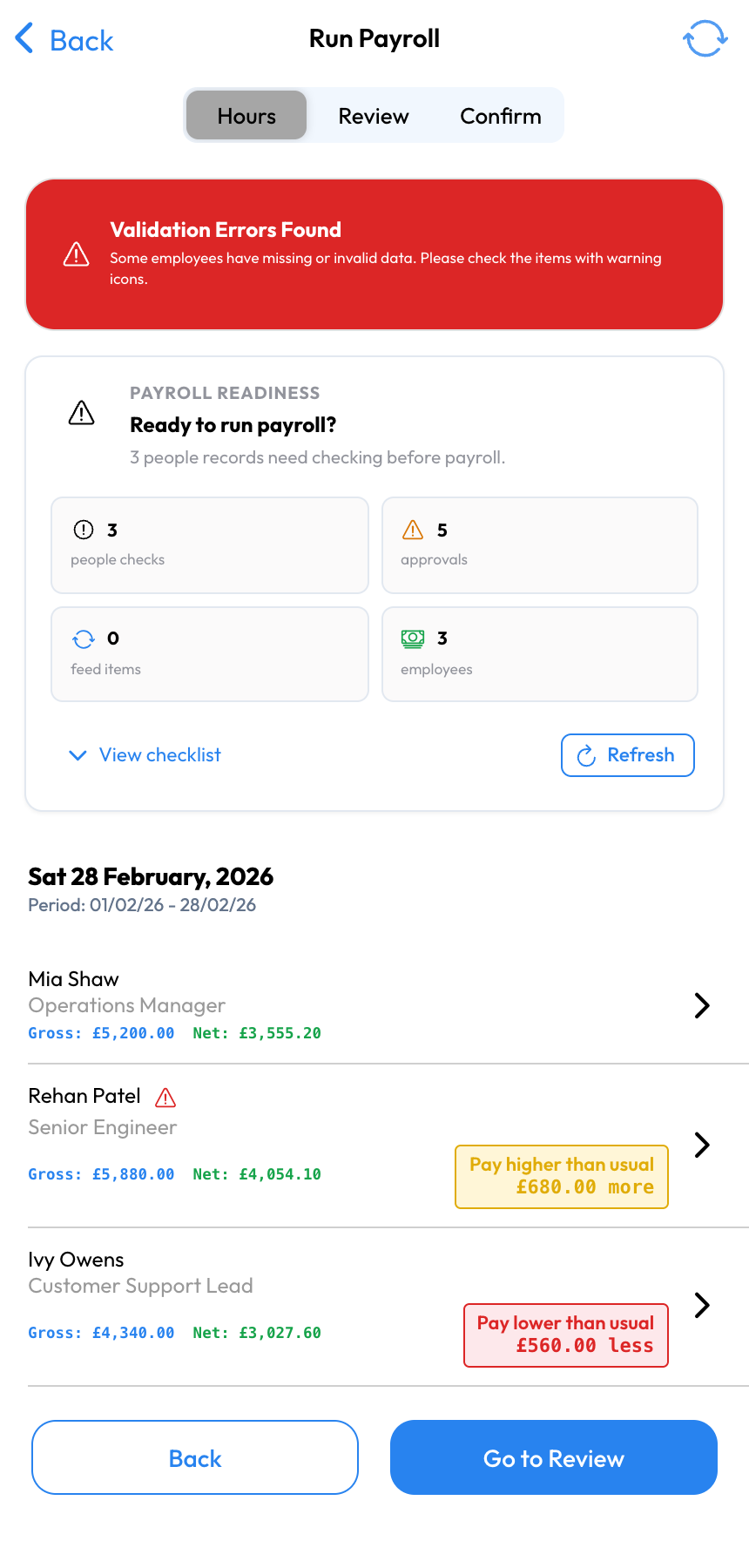
Check people data, approvals, time off, expenses, timesheets, pension settings, and payroll feed items before the run starts.

2

Review

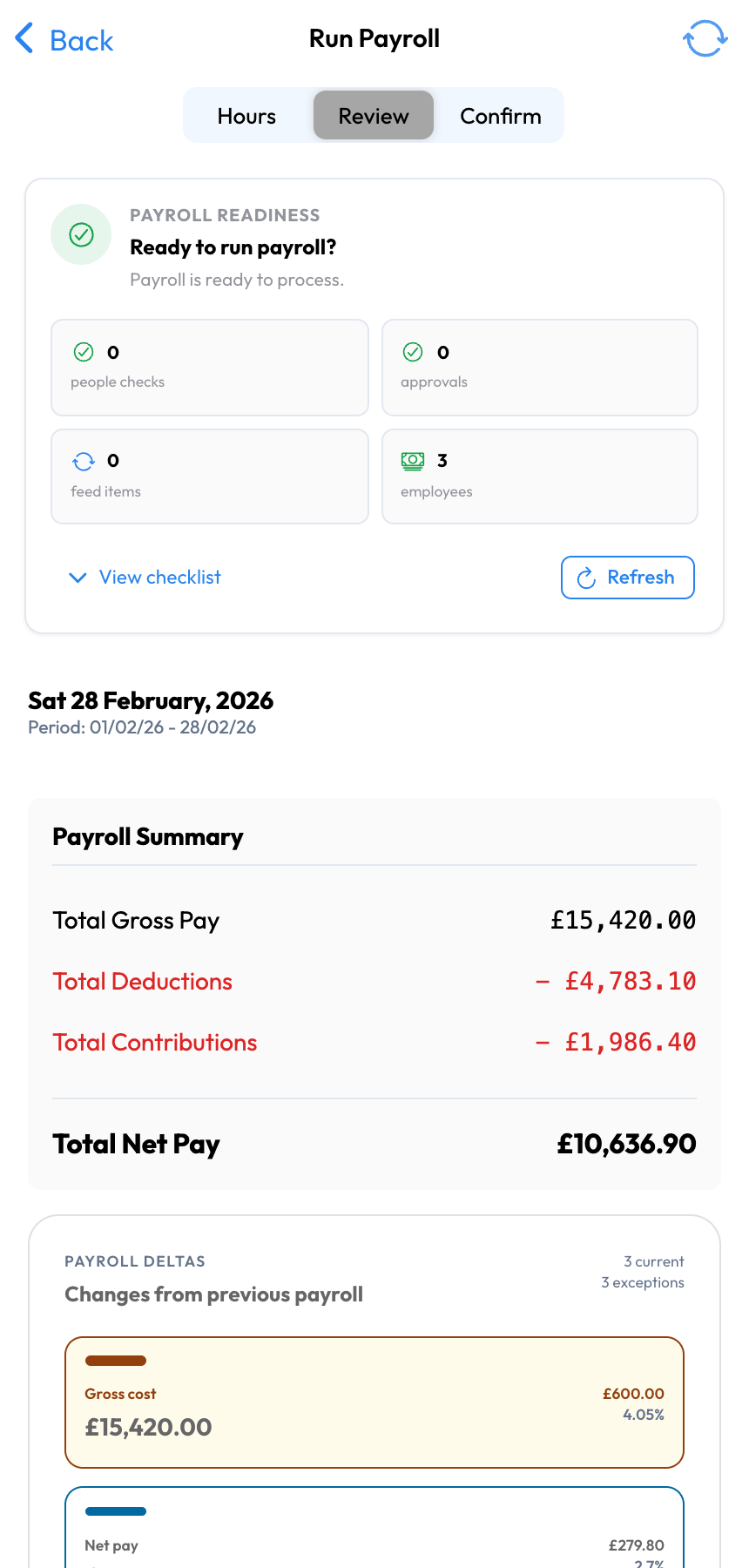
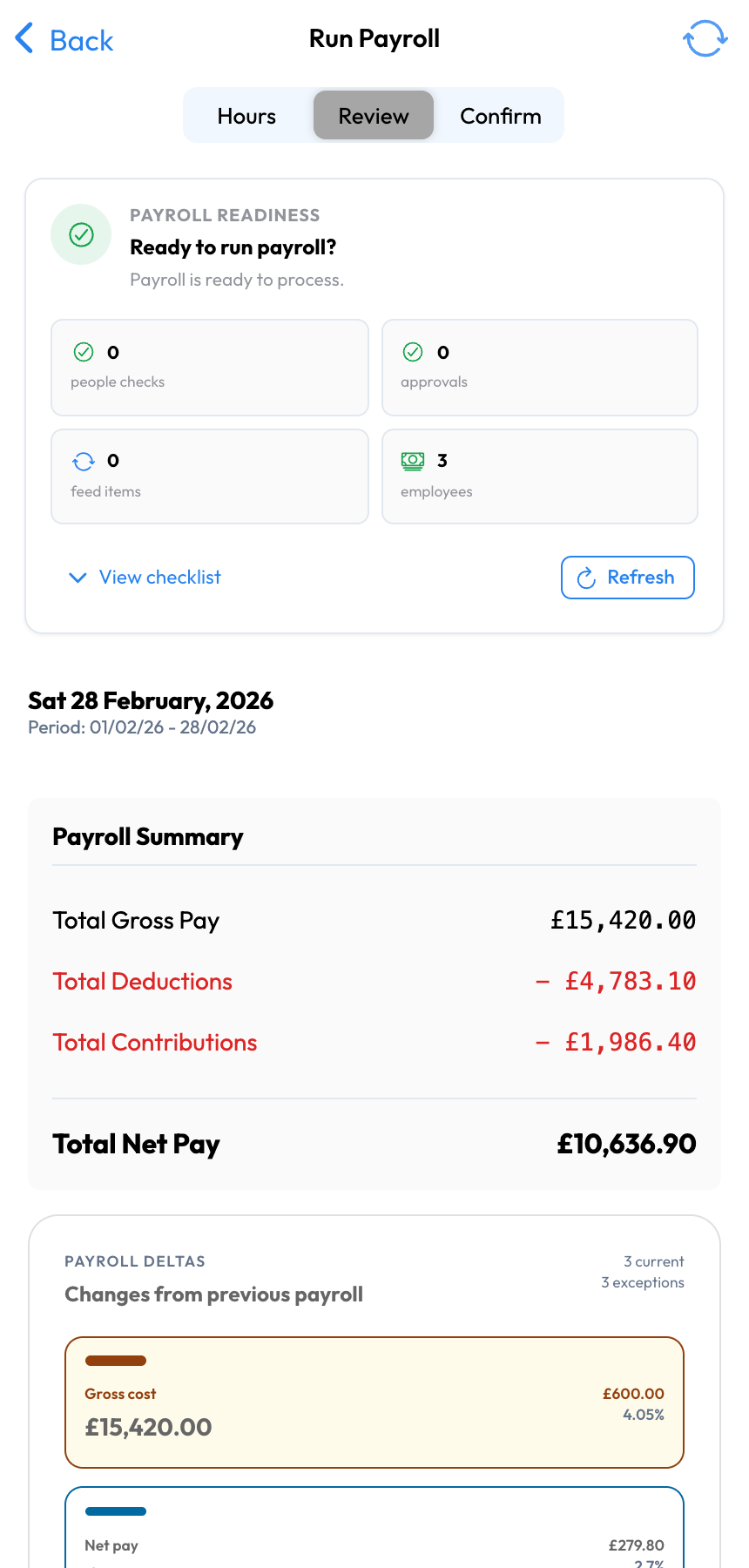
Scan gross pay, deductions, net pay, variances, zero-pay employees, and unsynced items with the context behind each line.

3

Submit

Move from approved payroll to HMRC RTI submission, with FPS plus EPS and year-end handling when the pay run needs it.

4

Follow up

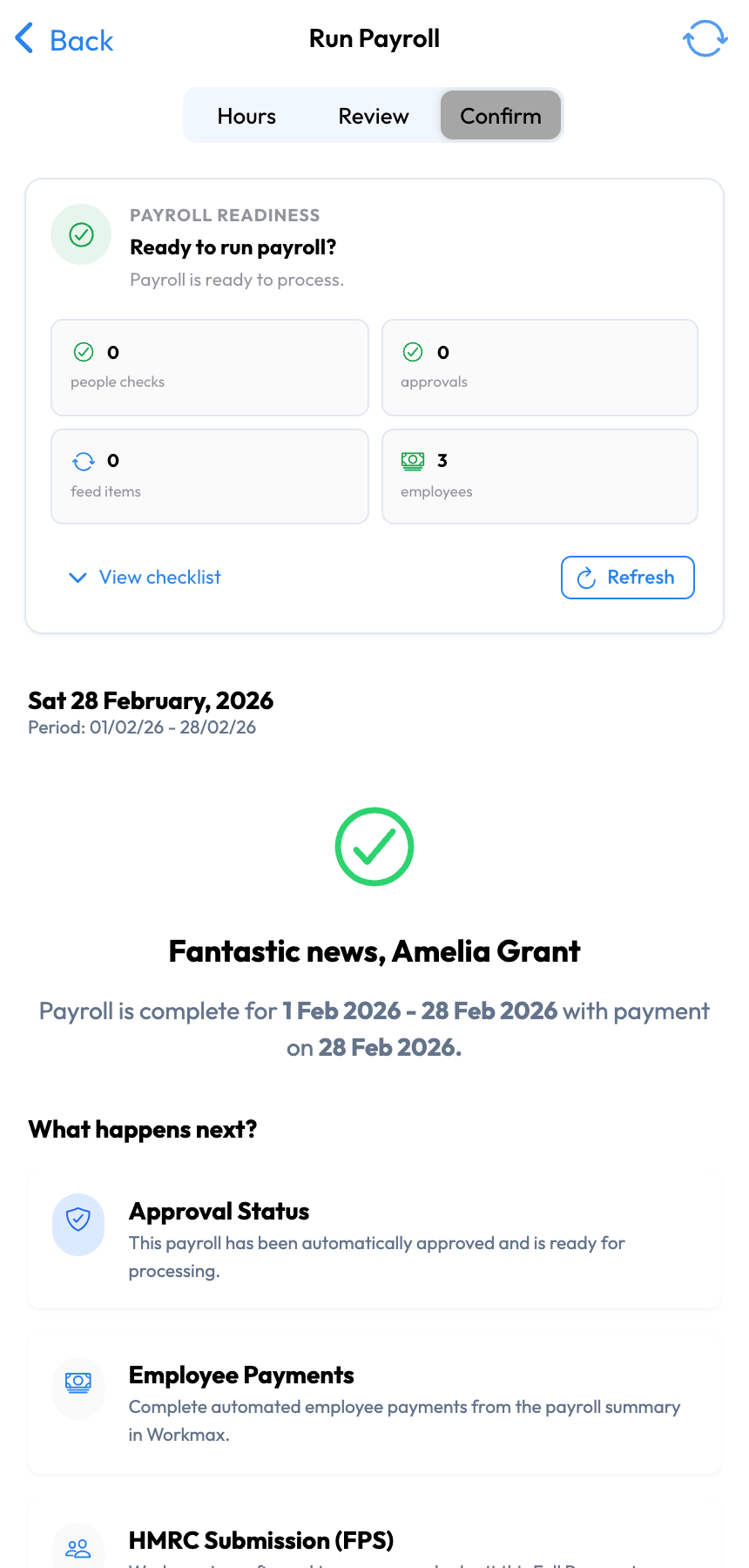
Finish payday with payslips, employee payment actions, pension submissions, and HMRC payment reminders in one flow.

WHY WORKMAX MOBILE PAYROLL

Employer-side payroll control for teams on the move.

Workmax is HMRC-recognised payroll software listed on GOV.UK. From mobile, UK employers can check payroll readiness, review synced workforce data, submit the pay run, and complete the actions that follow payday.

View Workmax on GOV.UK

Readiness before payroll

Workmax helps employers catch missing approvals, people data, timesheets, expenses, time off, pensions, and feed items before payroll is submitted.

Review with context

Check gross pay, deductions, net pay, variances, zero-pay employees, and unsynced payroll items before anything moves to HMRC.

Submit with RTI support

Run payroll through a workflow that supports HMRC FPS submission, with EPS and year-end actions handled as part of the wider payroll process.

Finish the pay run

Payslips, employee payments, pension submissions, and HMRC payment reminders stay connected to the payroll run instead of living in separate tools.

Full payroll control from the device in your hand

Payroll readiness checks

See whether people data, approvals, time off, expenses, pensions, and timesheets are ready before you commit the pay run.

Synced payroll feed

Bring shift-linked hours, earnings, deductions, expenses, and payroll items into one review flow instead of stitching spreadsheets together.

Employer-side review

Review gross pay, deductions, net pay, variances, zero-pay employees, and exceptions before submitting payroll.

Post-run follow-ups

Complete payday with payslips, employee payment actions, pension submissions, and HMRC payment reminders tied to the run.

PAYROLL CONTROL LOOP

A payroll control loop that works beyond the office

Workmax connects workforce data to payroll so deskless, shift-based and multi-site employers can move from readiness checks to review, HMRC submission, payslips, payments, pensions, and reminders with fewer handoffs.

Workmax mobile payroll readiness process

1. Check readiness

Spot the blockers before payroll: missing approvals, people data issues, time off, expenses, pension setup, and feed items that need attention.

2. Sync workforce data

Shift-linked timesheets, hours, earnings, and payroll items flow into the pay run so review starts from cleaner data.

3. Review the run

Check gross pay, deductions, net pay, variances, zero-pay employees, and unsynced payroll items before submission.

4. Submit and follow up

Submit payroll, handle HMRC RTI actions, publish payslips, and keep payment, pension, and HMRC reminders attached to the run.

Workmax mobile payroll readiness checks
READINESS

Payroll readiness before payday

Workmax gives payroll admins a clear view of what needs attention before submission: approvals, timesheets, expenses, time off, pension setup, people data, and payroll feed items.

Workmax mobile payroll feed review
CONNECTED DATA

Every payroll line has context

Shift-linked timesheets, earnings, adjustments, and unsynced payroll items stay visible in the payroll workflow so the employer can resolve issues before the run is submitted.

Workmax mobile payroll employer review
REVIEW

Gross, deductions, net pay and employer cost in one review

Review payroll like an employer, not a payslip viewer. Workmax brings earnings, deductions, net pay, employer costs, variances, and exceptions into the payroll decision point.

Workmax mobile payroll HMRC actions
HMRC RTI

HMRC FPS, EPS and year-end actions stay in the flow

Submit payroll with HMRC RTI support, including FPS submission and the EPS or year-end handling that may be needed after the main pay run.

Workmax mobile payroll post-run follow-ups
POST-RUN

Payslips, pensions and payment follow-ups

Payroll does not end at submit. Workmax helps employers finish with employee payslips, payment actions, pension submissions, and HMRC payment reminders attached to the run.

MOBILE PAYROLL BUYER'S GUIDE

Not every payroll app gives employers payroll control.

Many tools have something mobile. The question is whether the employer can run the payroll workflow, or whether mobile access only covers payslips, browser access, payments, or disconnected time tracking.

Payslip-only apps

Employees can view payslips, P60s, leave, or profile details on mobile, while payroll is still prepared and submitted somewhere else.

Best for

Reducing employee payroll questions after the run is already complete.

Workmax view

Workmax supports the employer workflow before payslips are published.

Browser-only payroll

Cloud payroll may open on a phone, but the review workflow is often still designed around a desktop browser and larger tables.

Best for

Emergency access when a laptop is unavailable.

Workmax view

Workmax is built around mobile review, approval, submission, and follow-up.

Banking/payment-only payroll

Payment tools can help money move after payroll is calculated, but they do not replace payroll readiness, RTI, payslips, pensions, HR, time, or expenses.

Best for

Funding or approving payments once payroll is already complete.

Workmax view

Workmax handles the payroll operation before and after the payment step.

Disconnected time tracking

Mobile time tools collect clock-ins and timesheets, but payroll still requires exports, imports, manual checks, and separate approval.

Best for

Teams that only need better clock-in data.

Workmax view

Workmax connects time, scheduling, expenses, HR, and payroll in the same operating system.

Full mobile payroll control

The employer can check readiness, review the pay run, submit payroll, and complete payday follow-ups from a mobile-friendly workflow.

Best for

Owner-managers and SMEs that need payroll control away from the desk.

Workmax view

This is the Workmax focus: payroll control, not just payroll access.

MOBILE PAYROLL FAQ

Frequently Asked Questions

Common questions about Workmax mobile payroll for UK employers.

It means the employer can check payroll readiness, review synced workforce data, submit the pay run, and complete post-run actions instead of only viewing payslips or approving a payment.

Yes. Workmax Corp | Workmax is listed on GOV.UK's page of payroll software recognised by HMRC. Workmax also supports RTI submission as part of the payroll workflow.

Yes. Workmax connects payroll with workforce data including timesheets, approvals, expenses, time off, people records, and pension-related payroll checks.

Workmax keeps the follow-up actions attached to the run, including payslip delivery, employee payment actions, pension submissions, HMRC payment reminders, and related payroll status checks.

No. Employees can access payslips, but the mobile payroll page is focused on the employer-side run: readiness, review, submission, and post-run follow-up.

Yes. Workmax Mobile uses enterprise-grade security practices and supports secure mobile access so sensitive payroll data is protected.

Run Payroll, HR and Care Operations in One Place
Workmax connects payroll, holidays, timesheets, scheduling, HR and expenses. Care providers can add visit verification, care tasks and care records when they need them.