Switching payroll providers
The broad UK guide to records, ownership, reconciliation and the first new payroll.
Read the switching guide
We help prepare your employee data, investigate migration issues and reconcile opening figures before your first Workmax payroll. You stay in control and approve what goes live.
“Plan your payroll switch” opens our demo request form. Share your current setup so we can arrange a migration conversation.
The exact work and timing depend on your source system, record quality, payroll history and agreed implementation scope.
We review a sample from your current provider before confirming supported fields, file preparation and any manual work. The format, product version and payroll history all matter.
After reviewing your source records and the work required, we confirm the migration scope, timeline and any implementation fee. Timing depends on record quality, payroll history and who needs to approve the move.
STAGE 01 — PLAN THE HANDOVER
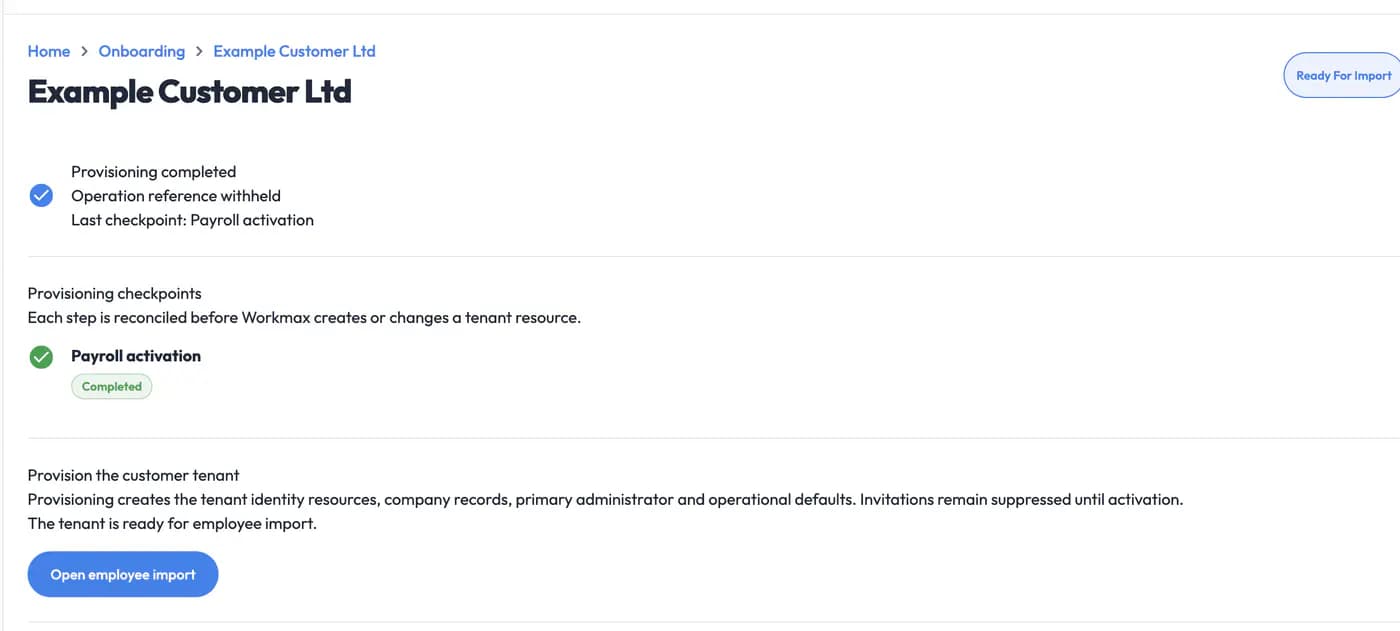
Your Workmax team reviews the setup and outstanding checks with you before preparing employee records. The console shown is used by our staff; you do not need to operate it.
STAGE 02 — PREPARE AND IMPORT
Workmax staff can preview the prepared file, see aggregate validation state and investigate records that need attention before confirming the next action.
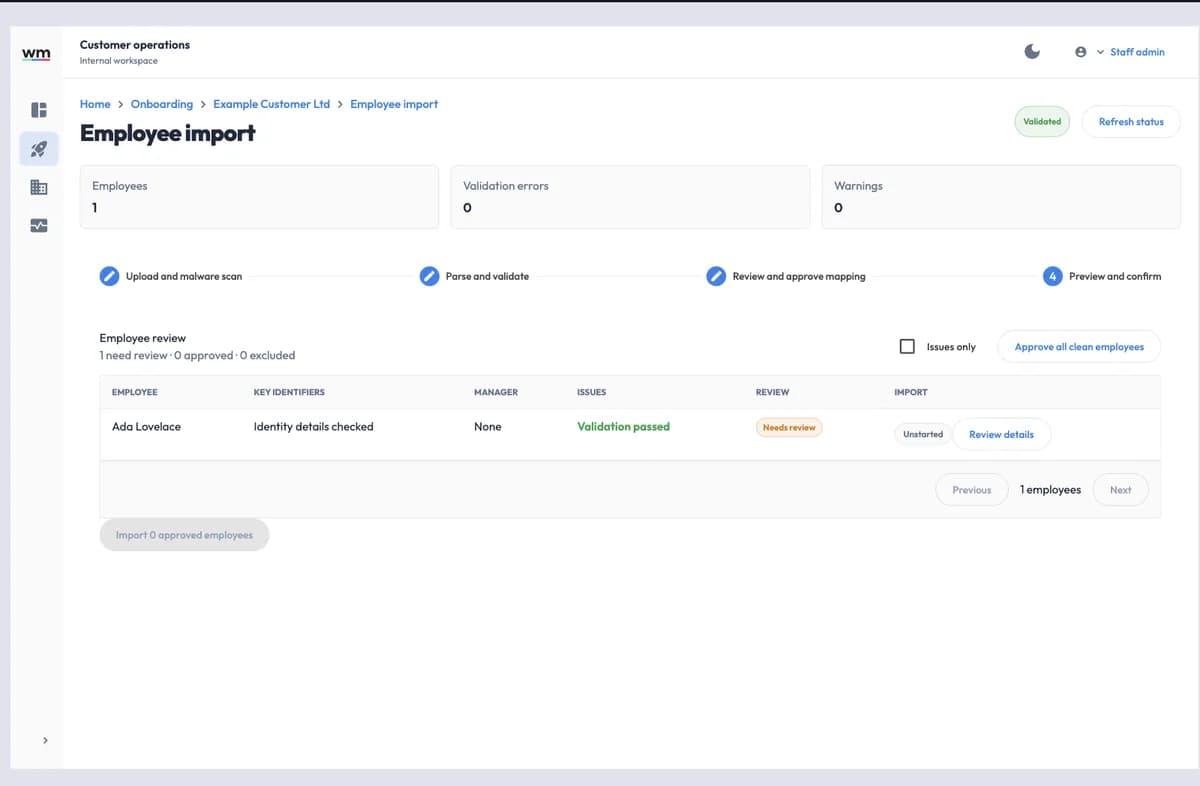
You do not need to re-key every employee manually. Workmax can help prepare supported employee data for bulk import and surface records that need attention before they are accepted.
These images show Workmax staff-side tooling with entirely fictional data. They are not customer payroll screens or evidence that a particular migration has completed.
STAGE 03 — RECONCILE
We compare employee figures and payroll totals with your retained source records. If figures do not match, we investigate the source data, mappings and preparation with you, resolve the differences and review the corrected figures before asking you to approve the agreed next step.
What is reviewed
Preparation and comparison remain separate from the customer's authorisation of the live payroll.
STAGE 04 — PREPARE THE FIRST PAYROLL
We prepare the records and review the findings with you. You confirm the information and approve the payroll before it goes live.
The employer remains responsible for complete, authorised source records, payroll decisions, PAYE, pension and employment-record authority and supporting evidence. Workmax provides product and workflow guidance; use an appropriate adviser where specialist advice is required.
STAGE 05 — ONGOING SUPPORT
After your first payroll, use in-app Help for guidance on Workmax features and the steps in your regular payroll workflow.
Get help finding and using Workmax features as your team settles into the system.
Ask for guidance on preparing inputs, reviewing results and following the approval steps in Workmax.
Explain what you are trying to do through in-app Help so the team can help you work through the product workflow.

Need help? Talk to a person.
Considering Workmax? Book a payroll migration conversation so the team can assess the intended source and scope.
Existing customers can continue the conversation through in-app Help while retaining approval of their payroll records and results.
Keep educational controls, provider evaluation and the commercial migration conversation distinct.
The broad UK guide to records, ownership, reconciliation and the first new payroll.
Read the switching guideA narrower checklist for year-to-date continuity, cutover controls and post-run checks.
Read the mid-year checklistCompare the published evidence for connected workforce and payroll workflows before choosing a migration path.
Compare Workmax and BrightPay CloudBEFORE YOU PLAN THE SWITCH
Practical answers about supported records, checks, timing and payroll authority.
A mid-year switch can be planned when the employer can provide the required records and reconcile the opening and year-to-date position. The cutover date should leave enough time to review findings and approve the first live Workmax payroll.
Relevant YTD figures are reviewed against the source evidence for the agreed scope. The customer approves those values before they are used in the live payroll and retains the records supporting that approval.
Workmax reviews a sample from the source process before confirming supported fields and any manual preparation. Export format, product version, record quality and the history required can all affect the approach.
Timing depends on the source system, record quality, payroll history, availability of approvers and implementation scope. Workmax confirms a plan after those inputs have been reviewed.
Any implementation scope and cost are confirmed after Workmax reviews the source data and required work. The team confirms any implementation fee for the agreed scope.
The agreed checks can include employee records, opening and YTD values, current-period inputs, exceptions, reports and control totals. The customer reviews the result and authorises the live payroll.
The employer remains responsible for its records, payroll decisions, approvals, payments and reporting authority. Workmax supports use of the product and the agreed migration workflow.
Open the demo request form and tell us about your current payroll setup. We will arrange a conversation about the source records, timing and people who will approve the move.