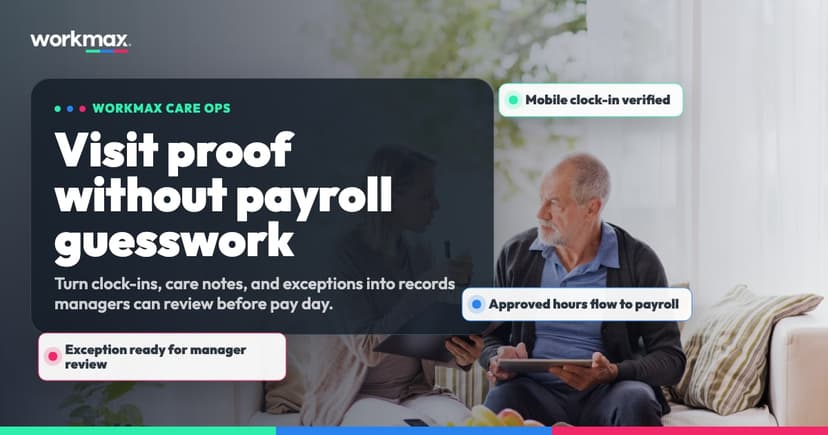
Mobile time tracking for care teams is useful when it gives managers a clearer record to review—not when it turns one map pin into a claim that care was delivered.
That distinction matters. Domiciliary and community care work happens across different homes, shifting schedules and low-signal areas. A carer can arrive at the right place with no data connection. A genuine clock-out can be forgotten. A phone can deny location permission. A manager can need to correct an obvious mistake. Payroll still needs approved hours, but each exception needs a visible route from the original event to the final decision.
The strongest workflow therefore connects four things:
- The work that was scheduled.
- The clock event recorded by the worker.
- The exception review completed by a manager.
- The hours approved for payroll.
This guide explains how to design that workflow without overstating what GPS proves or hiding the decisions managers still need to make.
What a GPS-backed clock event should mean
A GPS-backed clock event is a defined action—such as clock-in or clock-out—where the system records the event time and the location available from the device at that moment.
It should not automatically mean:
- the worker was tracked continuously before or after the event;
- the worker remained at the same location throughout the visit;
- every planned care task was completed;
- the person receiving care was present;
- the recorded duration is automatically payable;
- a manager no longer needs to review exceptions.
In the Workmax time-tracking workflow, location is captured at defined clock events rather than used for continuous worker tracking. GPS supports the manager’s review, but it does not independently prove that a visit happened or that care was delivered.
That language is more accurate and usually easier to explain to a care team. Workers can understand which actions request location and managers can understand what the evidence can—and cannot—answer.
The four-stage care time workflow
| Stage | Record created | Manager question |
|---|---|---|
| Scheduled work | Expected visit, shift, worker and time | What was planned? |
| Clock event | Event time and available location | What did the device record? |
| Exception review | Notes, correction and audit history | Is anything missing or inconsistent? |
| Payroll approval | Approved hours and pay inputs | What should enter payroll review? |
1. Start with the scheduled visit or shift
A clock event is more useful when it sits beside the work it relates to. Managers should be able to compare the event with the expected worker, start time, location and visit or shift.
Without that context, the office only sees an isolated timestamp. With it, the manager can see whether the event is early, late, missing location, associated with the wrong work item or otherwise needs attention.
This is why time tracking should connect with the rota rather than operate as a separate stopwatch. See how the wider home care agency workflow connects scheduled visits, care evidence, workforce records and payroll.
2. Capture the defined event
The worker performs the clock action on their phone. The system records the original event timing and any location available at that point.
The interface should make the event clear:
- which visit or shift is being started or ended;
- whether the device can provide location;
- whether the action has been saved;
- whether the device is currently offline;
- what the worker should do if the record looks wrong.
The worker should not have to guess whether a failed connection erased the event.
3. Retain offline and no-location events
Low signal is an operating condition, not an unusual edge case for community teams.
When connectivity is unavailable, Workmax queues the activity, retains its original event timing and syncs it when the connection returns. When a usable location is unavailable, the event is retained and flagged for manager review instead of being silently discarded.
That approach avoids two poor outcomes: preventing legitimate work from being recorded because the phone cannot connect, or presenting an incomplete event as if nothing needs attention.
The manager can then use the surrounding record—scheduled work, notes, later activity and the provider’s own process—to decide what to do.
4. Approve hours before payroll
Clock events should not become pay decisions without review.
The manager checks missing clocks, location status, unexpected durations and any notes or corrections. Only after the exception is resolved should the hours become payroll-ready.
This creates a cleaner handoff. Payroll receives approved hours with the operational review already completed, while payroll users retain control over the final calculation. The Workmax connected workflow shows how scheduled work, attendance, manager approval and payroll review fit together.
What happens when a manager corrects an event
Corrections are sometimes necessary. The control is not to ban edits; it is to make each edit traceable.
For a corrected Workmax clock event, the audit history retains:
- the original event;
- the edited value;
- the person who made the change;
- the reason recorded for the correction.
That gives a reviewer two different facts: what the device first recorded and what an authorised manager later approved. Overwriting the original value would remove that distinction.
Providers should also decide who can make corrections, which reasons are acceptable and when a second review is needed. Software can hold the history, but the organisation still owns the approval policy.
Why cleaner time records matter for pay
Time records affect more than a weekly total. Depending on the employment arrangement, managers and payroll teams may need to consider visit time, travel that counts as working time, overtime, breaks, sleep-ins, allowances and absences.
GOV.UK’s working-hours guidance explains that some job-related travel counts as working time. Acas guidance on working-time records explains the records employers need for working-time limits and why clear records can reduce disputes. Employers should apply current guidance to their actual contracts and circumstances rather than asking a clocking app to make the legal decision.
Minimum-wage records are another reason to keep the source clear. GOV.UK’s employer guidance on minimum wage says employers are responsible for keeping records that prove the correct minimum wage was paid. It notes that payroll records commonly include total pay and total hours worked, while other supporting records may also be needed.
Time tracking helps organise the evidence. It does not guarantee that the employer’s pay treatment is correct.
A worked example: a forgotten clock-out
A carer is scheduled for a 45-minute morning visit. The clock-in records the expected time and an available location. The worker completes the visit but forgets to clock out until the next appointment.
A weak process sends the full duration to payroll or lets someone replace it with 45 minutes without explanation.
A stronger process is:
- The long event is flagged for review.
- The manager compares it with the scheduled visit and surrounding work.
- The manager asks for clarification where required.
- An authorised correction changes the proposed end time.
- The original event, editor and reason remain in the audit history.
- The corrected hours are approved for payroll review.
The software did not “prove” the answer. It made the inconsistency visible, preserved the original record and gave the manager a controlled way to resolve it.
Implementation checklist for a care provider
Before rolling mobile time tracking out to the whole team, test the workflow with representative workers and visits.
- Define exactly which actions capture location.
- Tell workers that this is event-based, not continuous tracking.
- Test location permission allowed, denied and unavailable.
- Test a real low-signal route and confirm the original event timing survives sync.
- Decide who can correct an event.
- Require a reason for corrections.
- Confirm the original and edited values remain visible.
- Agree which exceptions block approval.
- Separate clock-event review from the final payroll decision.
- Check how travel, breaks, sleep-ins and overtime are treated under your contracts and current guidance.
- Document the fallback when a worker cannot use their device.
- Review data access and retention with the people responsible for privacy and workforce records.
Questions to ask a time-tracking supplier
Use these questions during a product demo:
- Is location collected continuously or only at defined events?
- What happens when location permission is denied?
- Is an event kept when no usable location is available?
- How does offline clocking preserve the original event time?
- Can a manager see which events synced later?
- Can an authorised manager correct a genuine mistake?
- Does the audit history retain the original value, editor and reason?
- Which exceptions must be resolved before approval?
- Do approved hours connect to payroll without manual re-entry?
- Does the supplier describe GPS as supporting evidence or overstate it as proof?
See the Workmax care time workflow
Workmax GPS-backed time tracking for care teams connects scheduled work, defined clock events, offline activity, manager corrections and approved payroll hours. The product keeps GPS in its proper role: useful evidence for review, not continuous surveillance and not independent proof of care delivery.