Start with the visit record
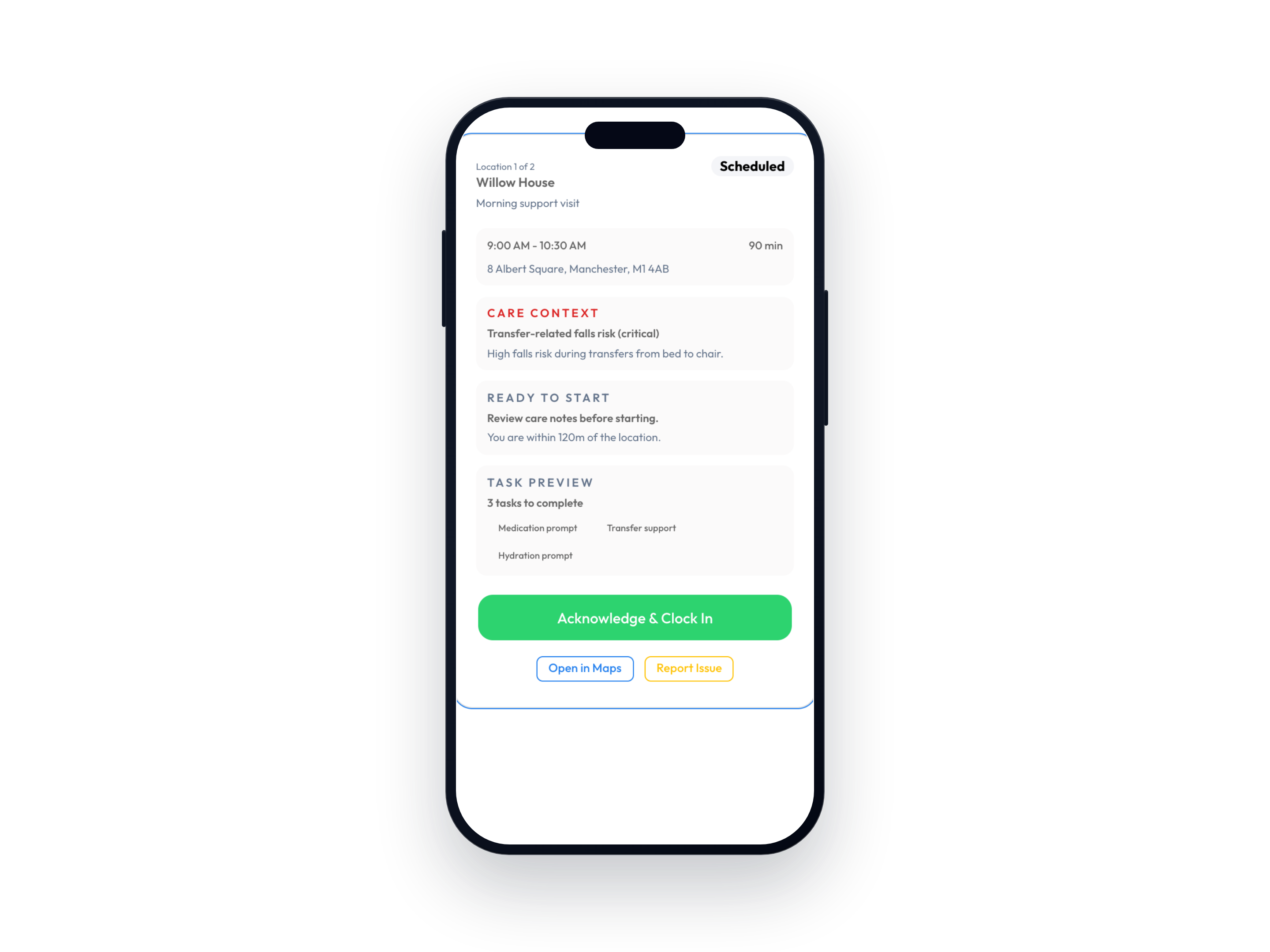
Inspect the scheduled visit, clock events, notes and any exception that needs manager review.
Planned work and delivery evidence remain connected in the demo journey.

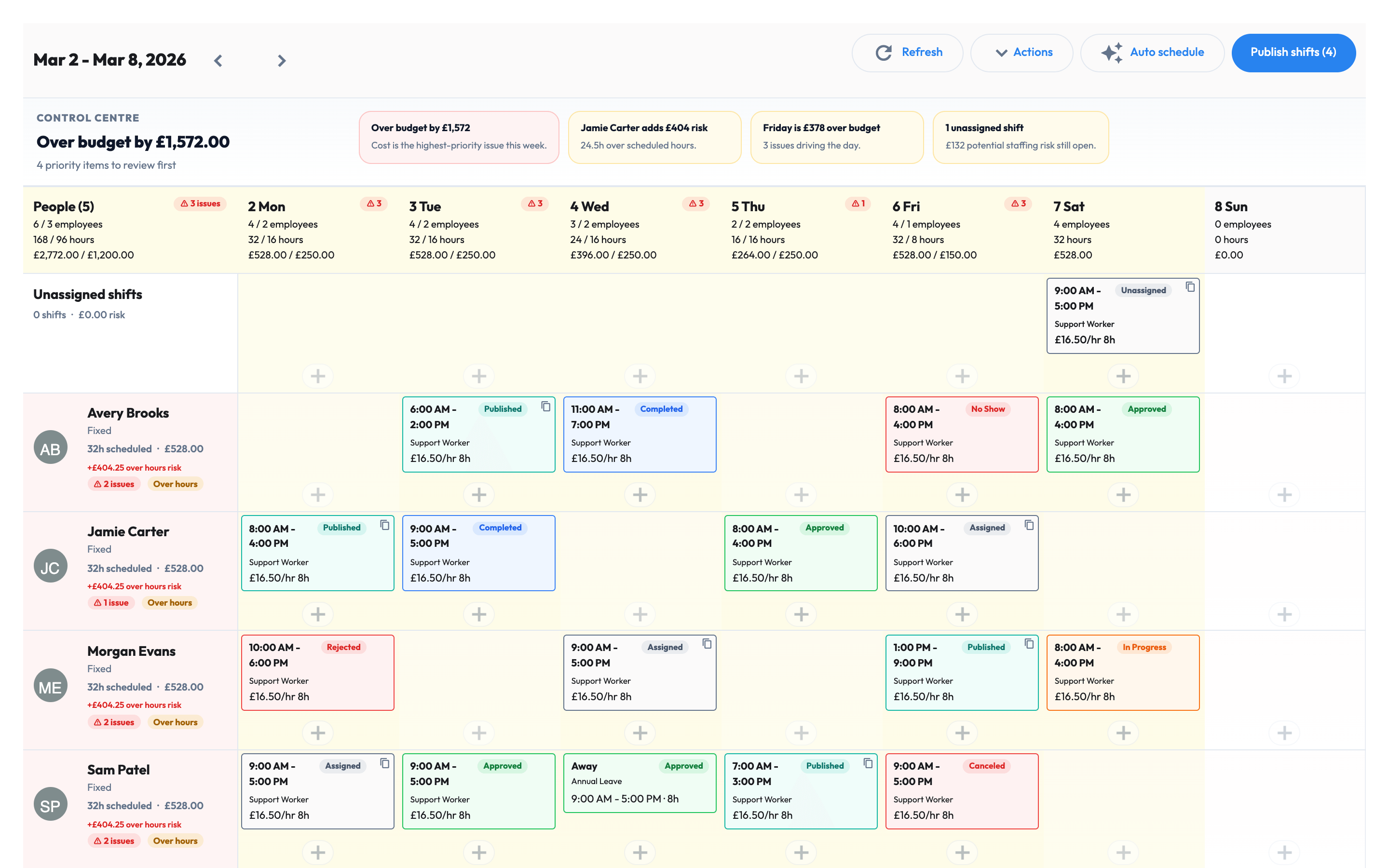
When payroll depends on rota exports, paper timesheets, messages, and memory, every pay run becomes a reconstruction job. Workmax connects the care visit, manager approval, and payroll record before payday.
Pulling hours from one tool, then cleaning them in another before payroll can even start.
Manually checking visit changes, sleep-ins, rates, mileage, and missing clock events.
Messaging carers and coordinators for notes, no-access context, or forgotten timesheets.
Explaining pay questions without a clean link back to the visit, shift, and approval.
Keep care staff records, roles, documents, pay details, leave, and payroll context close to daily operations.
Create client context, risks, preferences, visit tasks, and the care demand that scheduling should follow.
Build rotas, manage visit changes, capture clock-ins, clock-outs, notes, and exceptions from mobile.
Approve hours from trusted visit and shift records before moving into payslips, RTI, and pension-ready payroll.
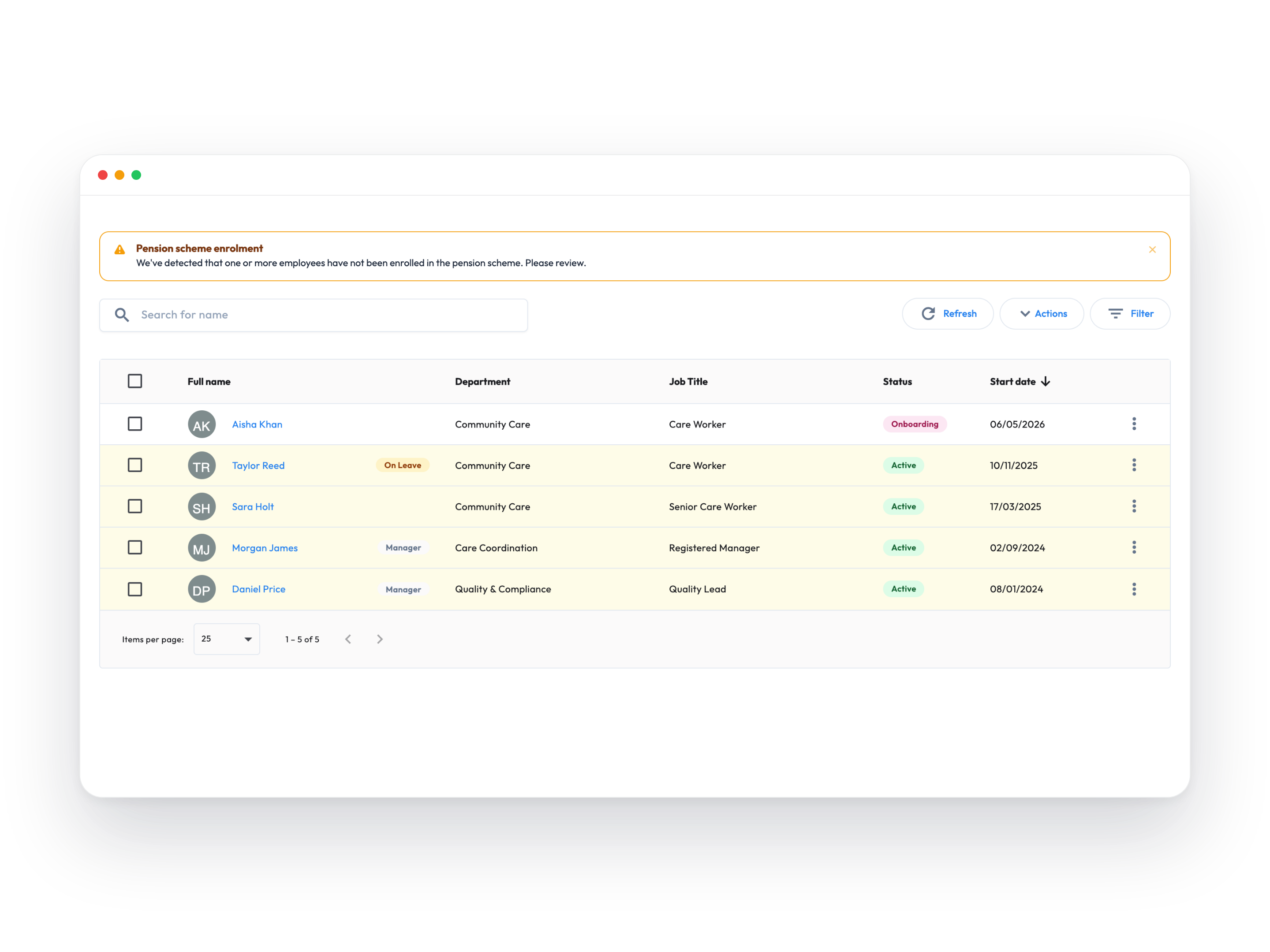
Start with one employee record for the details every care workflow depends on: role, documents, leave, pay context, compliance, and self-service.
Personal details, employment history, roles, pay information, documents, and manager relationships stay in one searchable HR record.
Digital onboarding, documents, right-to-work checks, references, and starter tasks reduce the admin before the first shift is scheduled.
DBS, training, certifications, document expiry, and compliance status can be tracked before missing records become operational risk.
Employees can access and update the information they are allowed to manage, reducing back-and-forth with office teams.
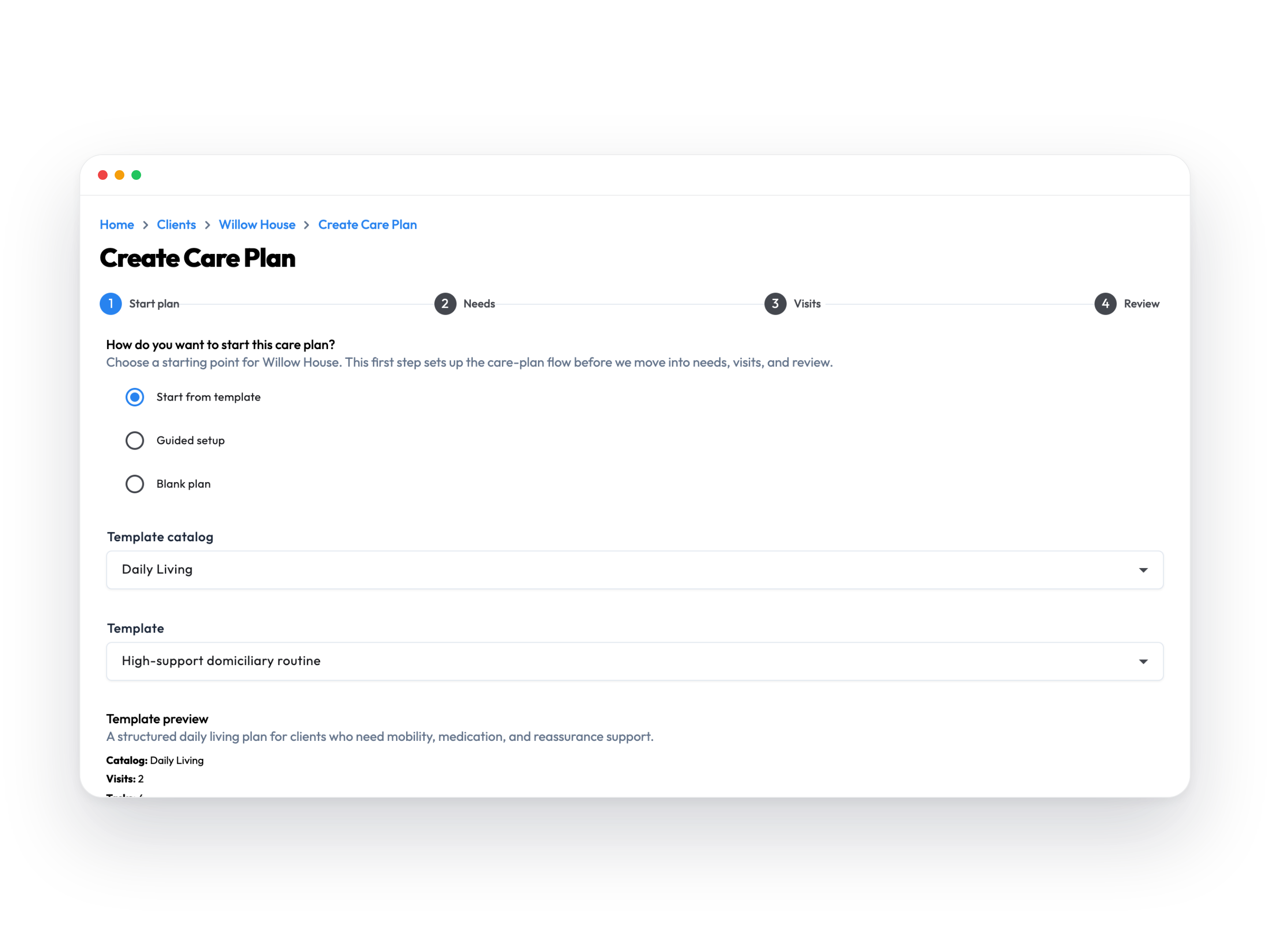
Turn the care plan into operational instructions that scheduling, carers, managers, and payroll can all understand.
Reusable care plan templates help teams capture visits, risks, preferences, routines, notes, and tasks without starting from scratch.
Care plans can become scheduled visit demand so coordinators build rotas around the care that needs to happen.
Client context stays visible before care starts, including routines, transfer risks, preferences, and important notes.
Carers can confirm they have reviewed the brief before starting, giving managers confidence that instructions were seen.
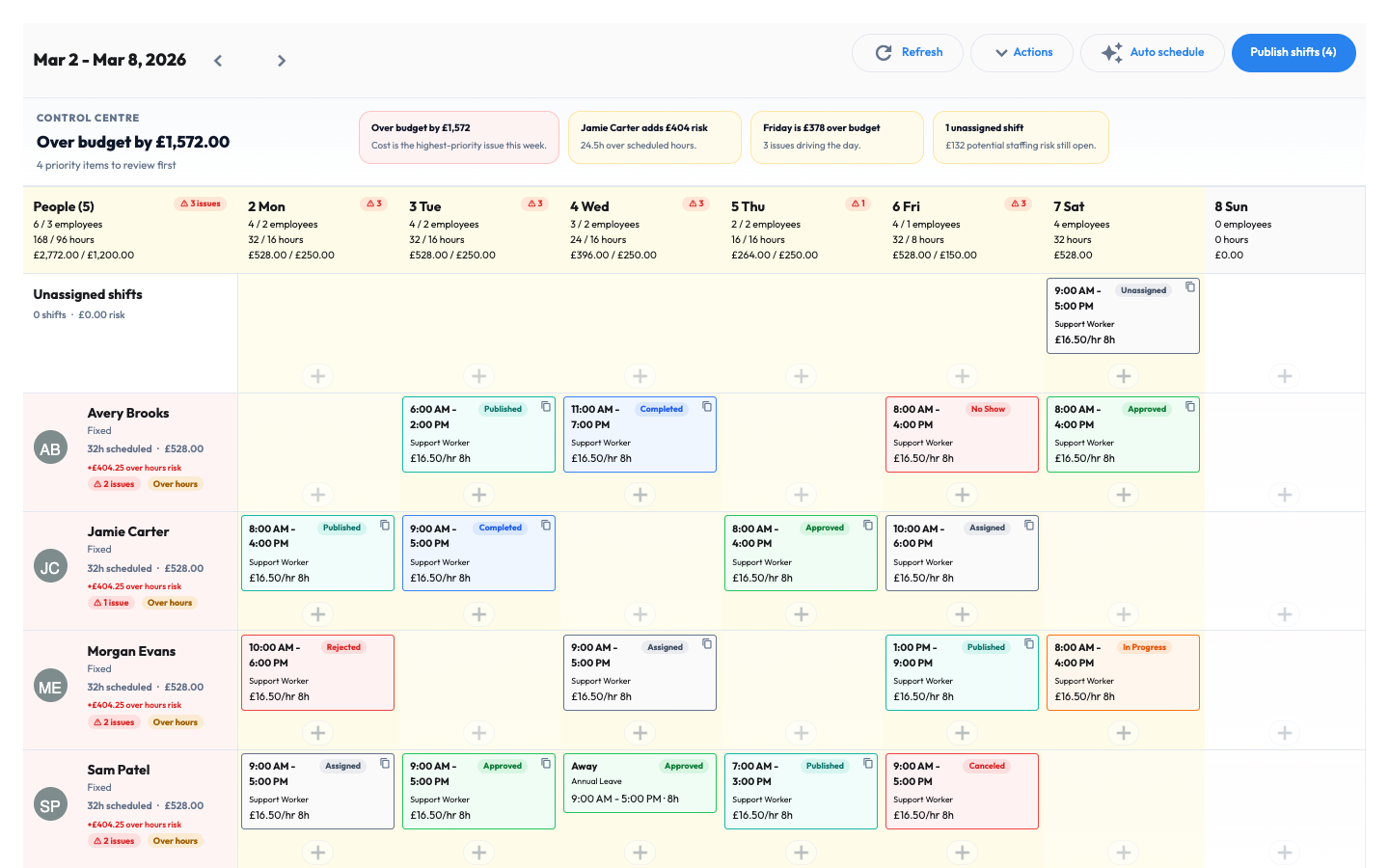
Create the rota, assign carers, manage changes, and see coverage gaps before they turn into missed visits or payroll confusion.
Planned visits, coverage gaps, over-budget weeks, unassigned shifts, and care demand sit in one operational view.
Shifts, visit records, tasks, notes, and payroll hours stay connected instead of being retyped into separate systems.
Shift status, changes, approvals, and rota history help managers understand what changed and who changed it.
Daily budgets, headcount, hours, and cost projections help teams spot rota issues before publishing.
Capture the proof that removes guesswork: when carers arrived, where they clocked in, what they completed, and what needs manager review.
Clock events and optional location checks stay linked to the visit and shift record.
Carers can capture visit activity when signal drops, then sync records when the connection returns.
Mandatory tasks, optional tasks, skipped tasks, notes, and attachments keep evidence attached to the visit.
No access, falls, safeguarding concerns, medication issues, and follow-up notes can stay connected to the care record.
Give managers a clear review point before payroll: approve good records, catch exceptions, and stop disputes earlier.
Timesheets and visit records can be reviewed before hours become earnings.
Late starts, missed visits, skipped tasks, unresolved incidents, and conflicting hours are easier to find before payday.
Managers can process multiple records efficiently when the underlying visit evidence is already connected.
Changes, approvals, notes, and versions stay traceable so teams spend less time reconstructing decisions.
Approved hours flow into payroll calculations, payslips, RTI, pensions, and statutory pay without rebuilding the week from spreadsheets.
Approved visit and shift records become cleaner inputs for payroll calculations.
Teams can review payroll before finalising payslips, RTI submissions, deductions, and net pay.
RTI, P45s, P60s, auto-enrolment, NEST, and pension-ready records sit closer to the approved work.
Cleaner inputs reduce disputes because hours, changes, and approvals are linked back to the underlying work.
Verify the workflow
A product walkthrough should show the record at every stage, not just a finished payslip. Use demo data to inspect the same journey from scheduled visit to submitted payroll.
Inspect the scheduled visit, clock events, notes and any exception that needs manager review.
Planned work and delivery evidence remain connected in the demo journey.
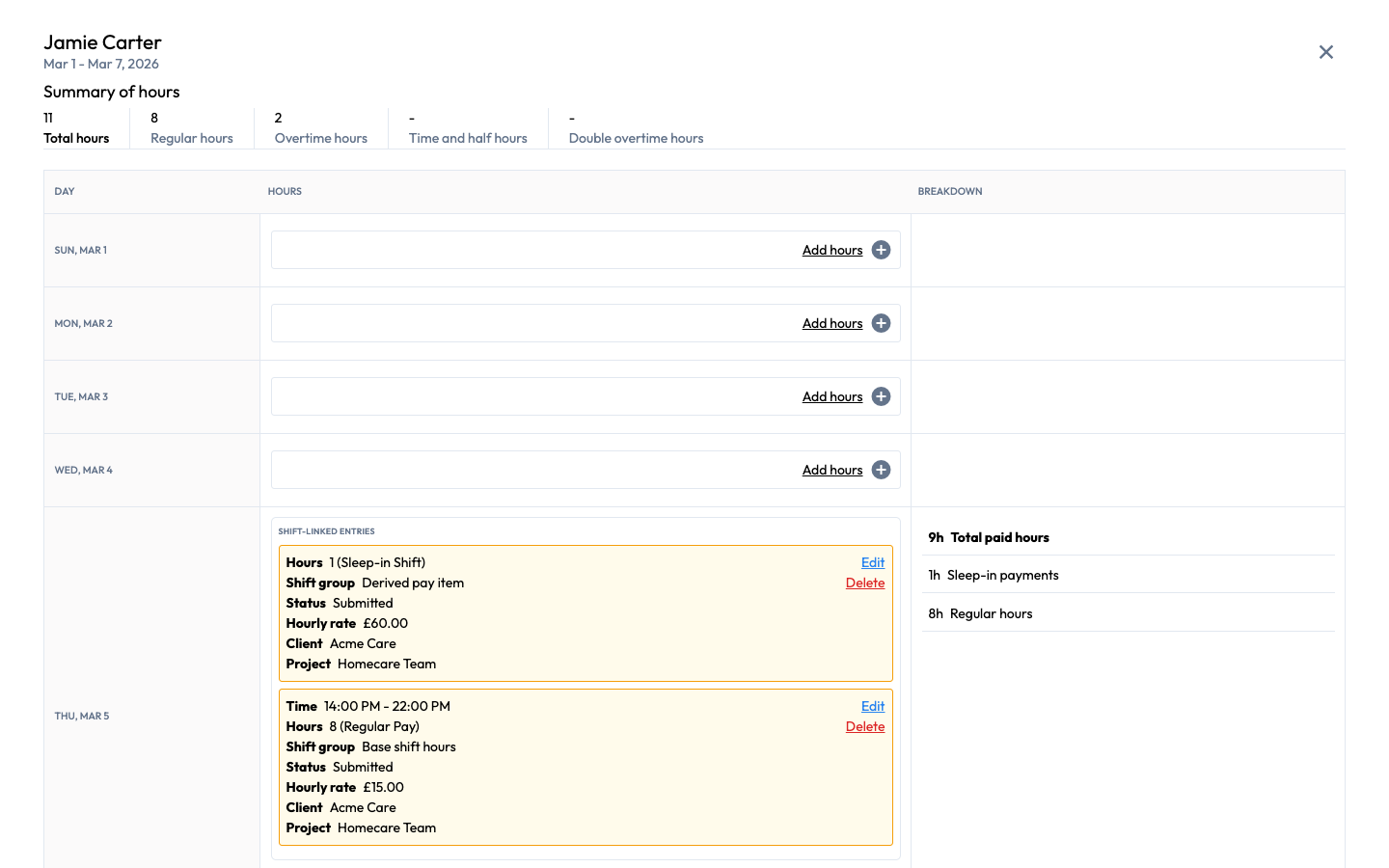
Follow the timesheet, change history and approval that decide which hours move into payroll.
The reviewer can see the source record before approving payroll-ready hours.
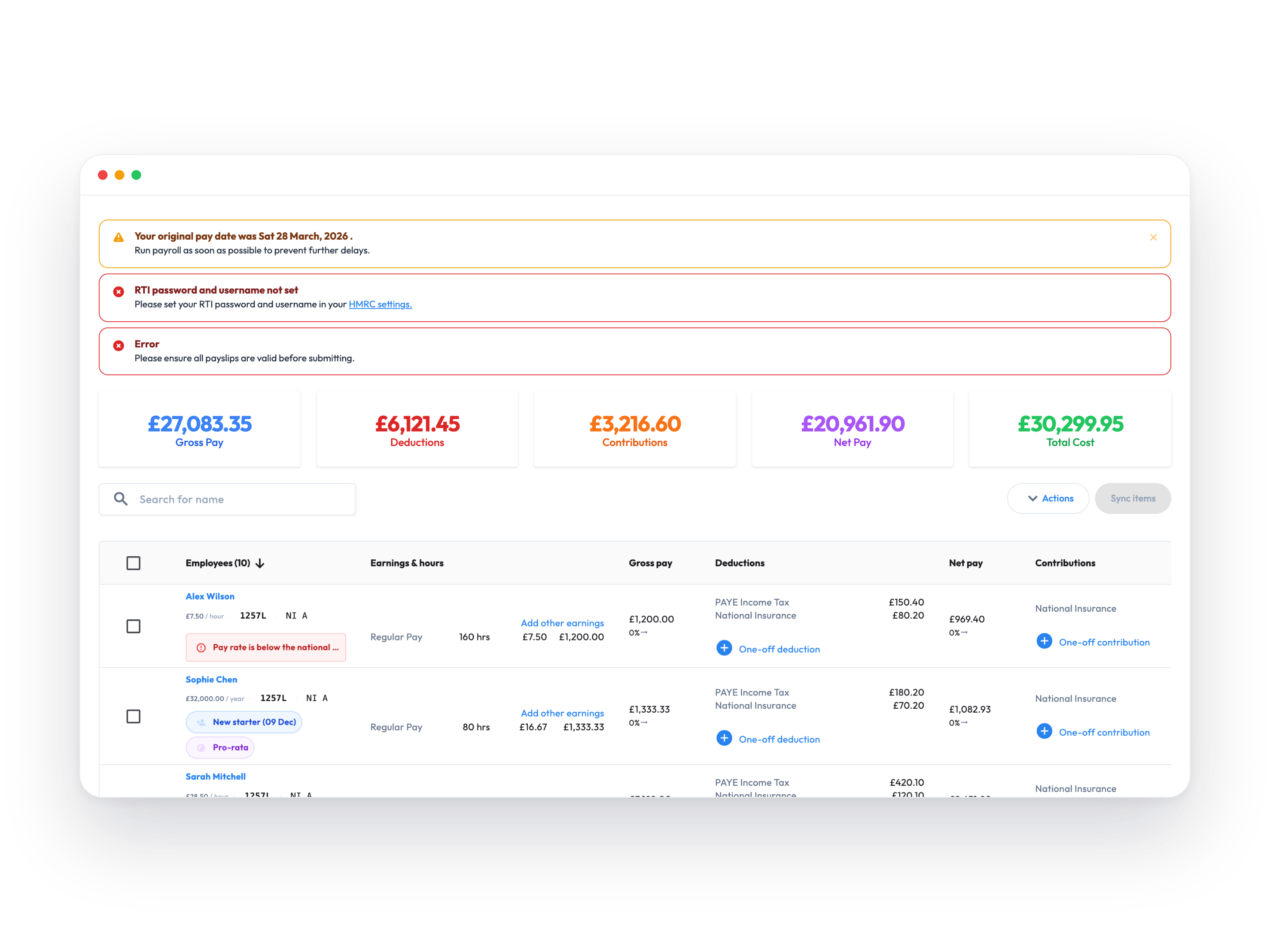
Trace approved hours into earnings, payroll totals, payslip data and the FPS submission status.
The finished pay result stays explainable from the underlying approved work.
Product-verification steps using demo data, not customer outcome claims.
Care payroll resources
Use these guides, calculators, and the visit-to-payroll readiness scorecard to check the controls behind every care visit before they become a pay dispute, margin problem, or payroll correction.
Follow the practical route from delivered care through travel, manager approval, minimum-wage checks, payroll, pricing, and margin.
Diagnose weak points in EVV, missed visits, travel time, mileage, approval controls, and care payroll readiness.
See why Workmax connects scheduled care, verified attendance, manager approvals, and payroll review in one traceable workflow.
Work out the hourly care rate needed to cover wages, travel, mileage, payroll on-costs, overhead, and target margin.
Work out the real cost of a care visit after care time, travel time, mileage, payroll on-costs, and admin.
Score your visit verification process and find gaps in GPS evidence, missed visits, offline sync, and audit trails.
Estimate the monthly revenue, admin, complaint, and compliance exposure created by unresolved visits.
Explore the connected care workflow for EVV, audit trails, visit records, and payroll-ready approvals.
Check whether unpaid travel time, mileage shortfalls, or job-related costs could push a care worker below minimum wage.
HOME CARE PAYROLL SOFTWARE FAQ
Answers to the payroll questions UK domiciliary care providers ask when visits, travel, mileage, timesheets, and pay live in different systems.
Home care payroll software helps domiciliary care providers turn approved work into accurate pay. Workmax connects rota hours, verified visits, travel time, mileage, sleep-ins, adjustments, manager approvals, payroll calculations, FPS, EPS, payslips, P45s, P60s, and pension-ready records in one workflow.
Clock events, visit records, timesheets, and exceptions stay connected to the scheduled work. Managers review and approve the hours before they become payroll inputs, reducing the need to rebuild the week from paper and spreadsheets.
Workmax can keep travel, mileage, visit, and timesheet records close to payroll so managers can review them together. The way travel time and mileage are paid still depends on your contracts, policies, and current UK payroll rules.
Yes. Workmax supports UK payroll workflows including FPS and EPS submissions, digital payslips, P45s, P60s, auto-enrolment, and pension-ready records.
Different earning types, rates, adjustments, and shift patterns can be configured for your payroll setup. During implementation, the Workmax team maps how you currently handle regular hours, sleep-ins, waking nights, enhancements, and exceptions.
Yes. A controlled rollout can start with one representative service, map its rota and payroll process, test the records and approvals, and expand when the team is ready.
Ready to connect the workflow?
Request a focused walkthrough using your rota, visit, travel and payroll questions—or review the module pricing before you speak to us.