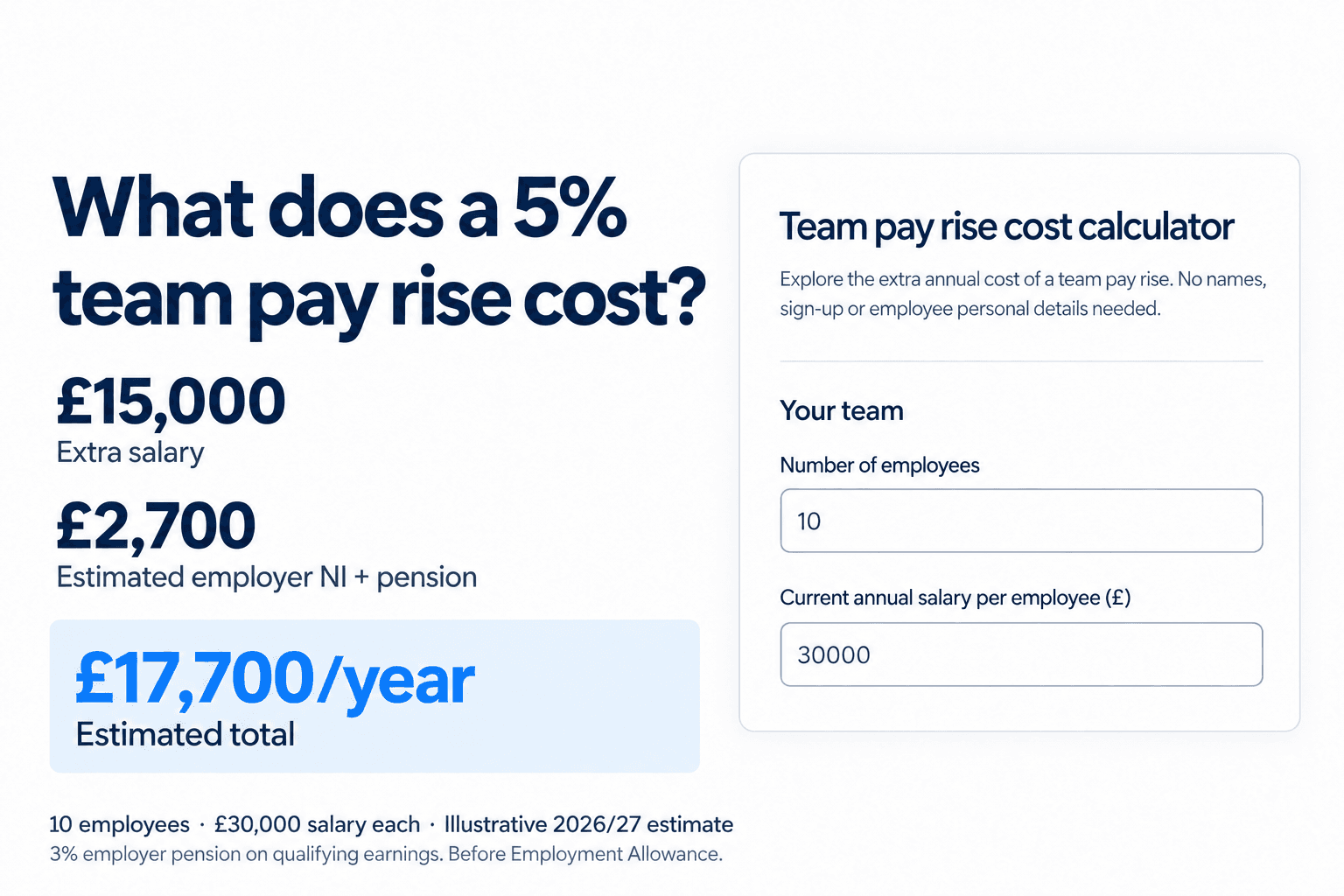
Planning pay rises for your team? Estimate the extra salary, employer National Insurance and pension costs with our free UK calculator.
Use Quick estimate when everyone earns the same salary, or Different salaries to budget across salary groups. See the additional annual cost and monthly equivalent without entering employee names.
Team pay rise cost calculator
Explore the extra annual cost of a team pay rise. No names, sign-up or employee personal details needed.
Example: 10 employees earning £30,000 each, with a 5% rise and a 3% employer pension on qualifying earnings: £15,000 extra salary + £2,250 employer NI + £450 pension = £17,700 a year (£1,475 monthly equivalent). Enable JavaScript to explore your own estimate.
Estimated additional cost for 10 employees
- Annual gross salary
- £15,000.00
- Annual employer NI
- £2,250.00
- Annual employer pension
- £450.00
- Total additional annual cost
- £17,700.00
- Monthly equivalent
- £1,475.00
Monthly equivalent means annual cost divided by 12. It is not the cost of a particular payroll run or a forecast for the remaining tax year.
Tax year and assumptions
2026/27 (6 April 2026 to 5 April 2027). Standard employer NI: 15% above £5,000 a year. Qualifying earnings pension band: £6,240 to £50,270 a year. We calculate contributions before and after the rise for each employee, round to pennies, then total the difference.
This is a full-year salary-only budgeting estimate using annual thresholds. Actual payroll uses pay-period rules and rounding. Excludes Employment Allowance, special NI reliefs, salary sacrifice, pension enrolment changes, bonuses, overtime and other employer costs such as the Apprenticeship Levy. It does not estimate take-home pay.
Rules checked 2026-09-25: HMRC employer rates and The Pensions Regulator earnings thresholds.
How much does a pay rise cost an employer?
The extra salary is one part of the cost. Employer National Insurance and pension contributions can change too, and employees on different salaries will not necessarily have the same contribution increase.
The example below uses the UK 2026/27 tax year, with rules checked on 25 September 2026.
Example: a 5% rise for ten employees
Suppose ten employees each earn £30,000 a year. A 5% increase adds £1,500 to each salary, taking it to £31,500. Across the team, that is £15,000 in additional annual gross salary.
Assuming standard employer NI and an unchanged employer pension contribution of 3% of qualifying earnings, the illustrative additional cost is:
| Cost | Annual increase |
|---|---|
| Gross salary | £15,000 |
| Employer National Insurance | £2,250 |
| Employer pension | £450 |
| Combined estimated increase | £17,700 |
| Monthly equivalent | £1,475 |
This example assumes existing pension membership and excludes Employment Allowance, special NI reliefs, salary sacrifice and other employer costs. The monthly equivalent is the annual estimate divided by 12, not the cost of a particular payroll run.
Why the salary increase is only part of the cost
Employer National Insurance
For standard employer NI in 2026/27, the rate is 15% above the £5,000 annual secondary threshold. A rise that crosses that threshold has a different effect from one entirely above it. The calculator estimates NI on the salary before and after the rise, then subtracts the two amounts.
The annual threshold is useful for budgeting, but actual payroll uses the relevant earnings-period rules. Special categories and reliefs can also change the result. See HMRC's 2026/27 employer rates and thresholds.
Employment Allowance is a company-level consideration. The calculator shows the increase before Employment Allowance, so it should not be read as the exact increase in your payment to HMRC.
Employer pension contributions
Your pension basis matters. A scheme using qualifying earnings applies its percentage to earnings within the applicable band; a full-salary basis applies the selected percentage to the salary entered.
For 2026/27, the annual qualifying earnings band runs from £6,240 to £50,270. A rise above the upper limit may therefore add no employer pension cost under that basis, while the same rise could add cost under a full-salary basis. Check The Pensions Regulator's earnings thresholds and your scheme rules.
The calculator assumes everyone included is already a pension member, with unchanged contribution settings. It does not assess enrolment duties, salary sacrifice or scheme compliance. Changing the percentage to zero only models that assumption; it does not establish whether zero is permitted for your employees.
Timing and other pay
A full-year estimate answers “What would this increase cost over a whole year at these rates?” It does not tell you the cost between a chosen start date and your financial year end. Bonuses, overtime, variable hours, changes in staffing and employer costs such as the Apprenticeship Levy also need separate consideration.
If you are still deciding the percentage, use the inflation pay rise calculator as another input to your pay review. An inflation comparison and an employer budget answer different questions.
From an estimated budget to individual pay changes
Once the budget is agreed, payroll needs a clear instruction: which employees are included, their new rates, any individual exceptions and the payroll run from which the changes apply.
The Workmax Pay rises workflow brings those decisions into a sequence: choose employees, set the increases, review estimated costs and select the applicable payroll runs. The product preview below uses example employees and illustrative figures. It demonstrates the workflow rather than validating the calculator's example or promising availability for every pay basis.

Product preview using synthetic employee data. Select the people included in the pay review before setting their increases.

Product preview with illustrative cost figures. Review individual changes and the assumptions before scheduling. These figures are separate from the annual calculator above.
The public calculator is a salary-only budgeting tool. The product workflow uses employee and payroll context to review individual changes and schedule eligible increases. Check the supported pay bases and workflow availability for your company during a demonstration.
For guidance on the wider process, explore the Workmax payroll hub.
Before you apply the increase
- Confirm the employees included and any individual exceptions.
- Check whether the agreed increase is a percentage or an annual amount per employee.
- Confirm the pension basis and contribution rate used in your budget.
- Review NI reliefs, Employment Allowance and other costs outside this estimate.
- Agree the payroll run from which each change should apply.
- Check the proposed rates and payroll results before finalising the run.
- Keep a record of the agreed changes and communicate them to employees.
Turn the budget into a payroll plan
Estimated your budget? See how Workmax helps review individual increases and schedule when they take effect.
Book a Workmax demonstration to walk through your team's pay-review process and confirm the available workflow for your payroll setup.