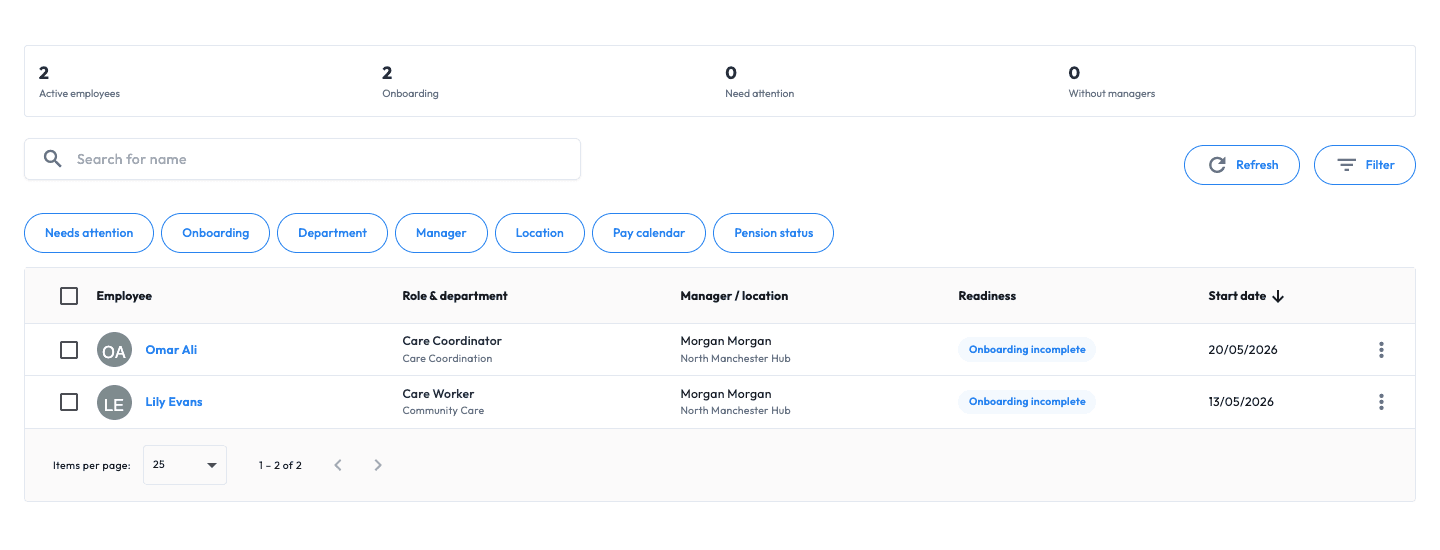
Employee record
Core workforce and employment information around one person.

HR SOFTWARE FOR UK SMALL BUSINESSES
Bring employee details, employment history, documents, organisation structure and approved people changes into one connected HR workflow for UK small businesses.
Your everyday HR, in one place
Organise employee information, new starters, documents and day-to-day requests around the same person. Add connected payroll when your team needs it.
Employee information becomes difficult to trust when personal details, employment history, documents and manager relationships live in different places.
Managers open several systems to understand the person, their role, their history and the records attached to them.
Departments, managers, locations and reporting relationships drift away from the employee directory.
Personal details, documents, references and internal actions arrive through separate forms and conversations.
Starter, leaver, job and pay information is retyped when the workforce record and payroll process are disconnected.
THE EMPLOYEE RECORD
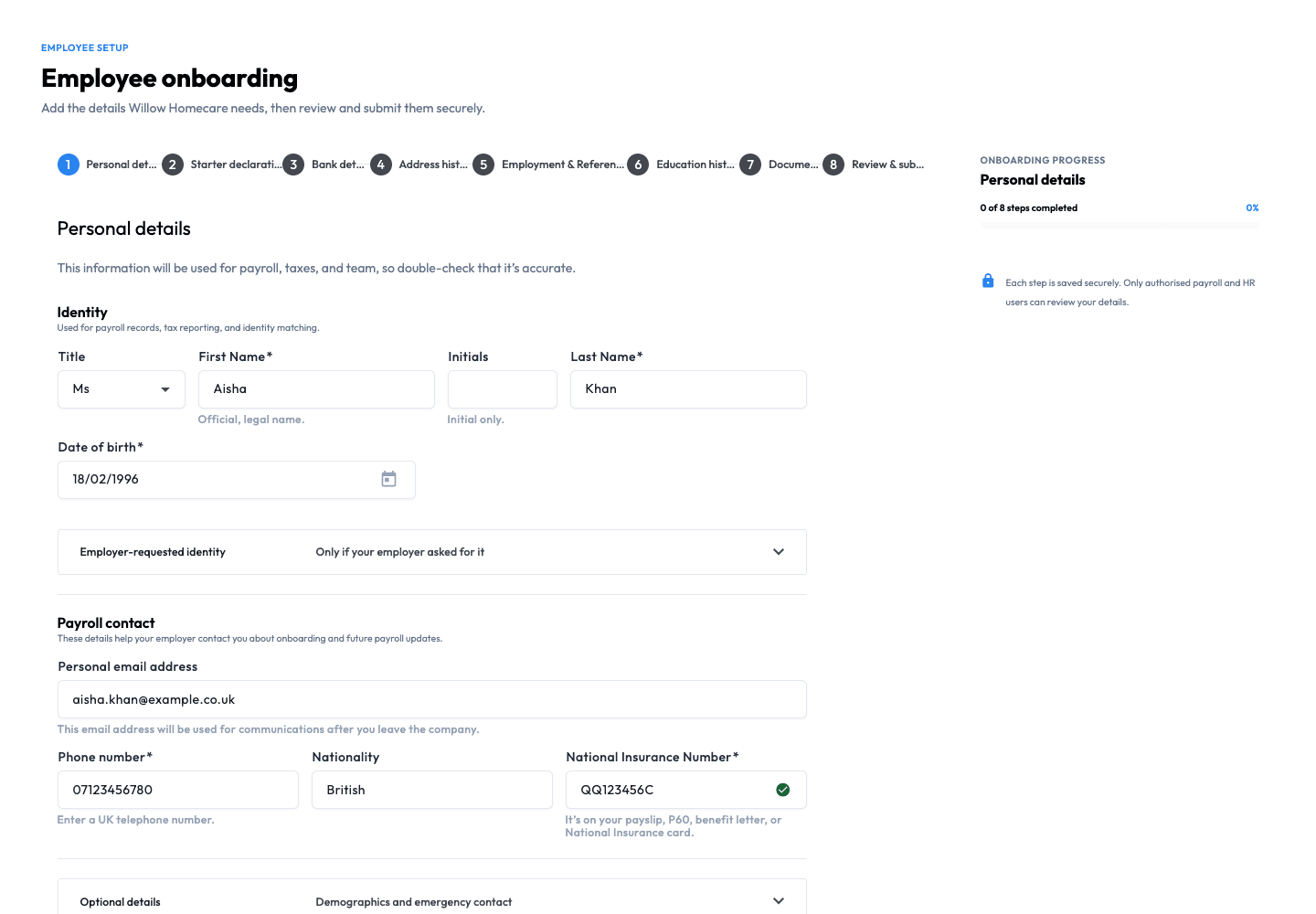
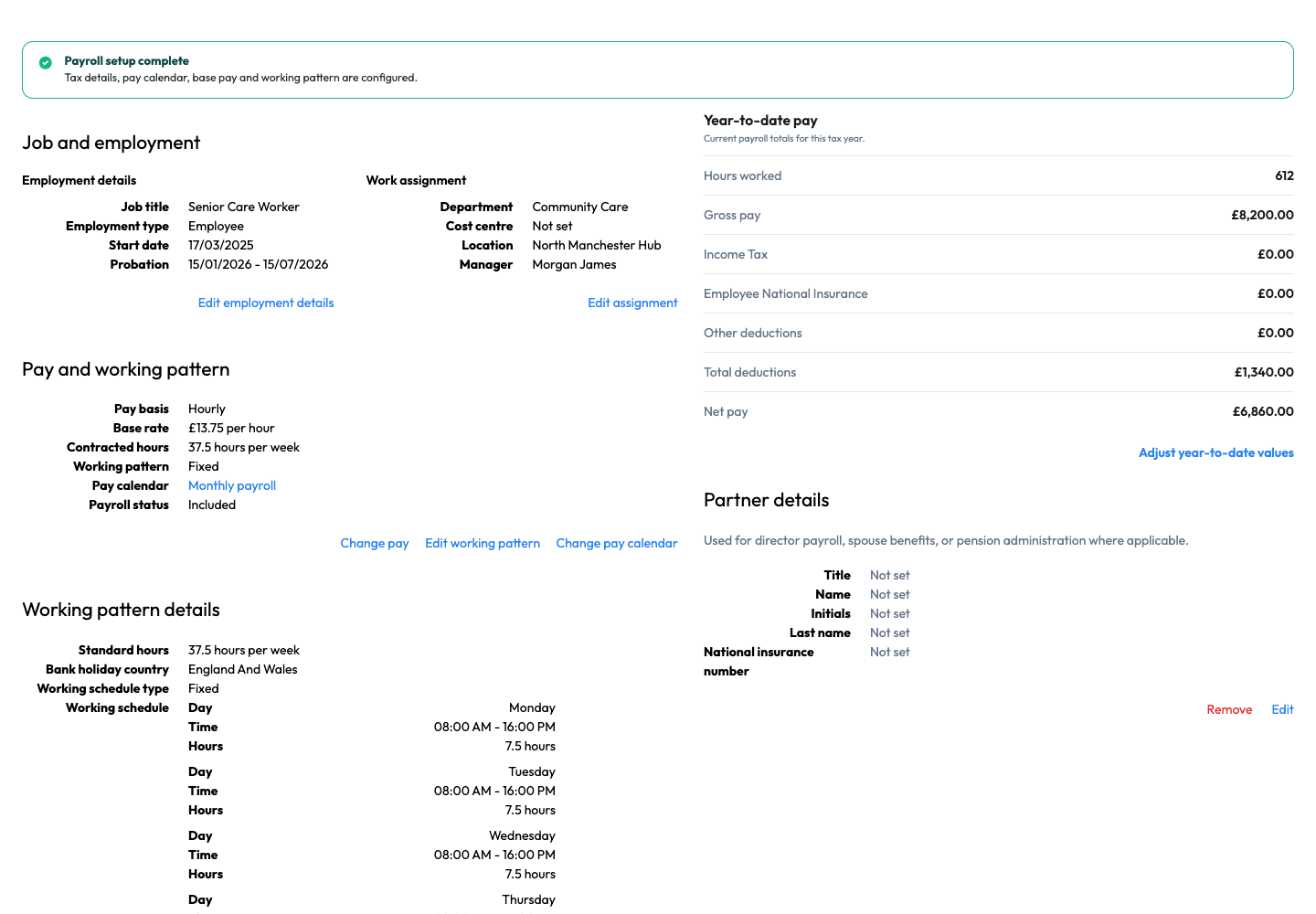
Build a record that remains useful after onboarding: personal details, emergency contacts, employment information, documents, job details and connected payroll context.

ONBOARDING AND LIFECYCLE
Collect employee information, documents and references through a controlled journey, then preserve that record through later employment changes.
DOCUMENT CONTROL
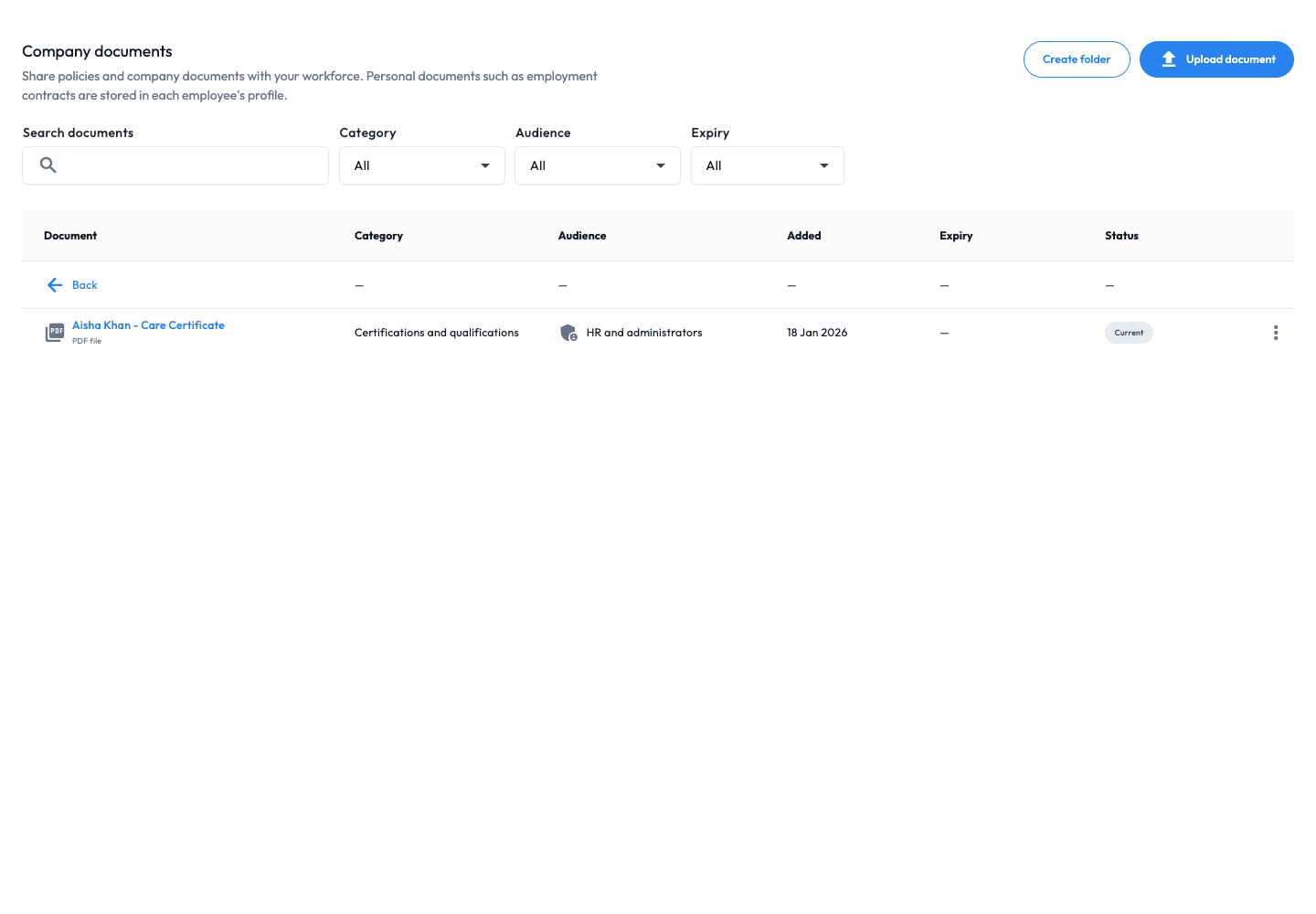
Store documents with folders, permissions and recorded expiry dates so authorised users can find the supporting record without searching shared drives.
EMPLOYEE SELF-SERVICE
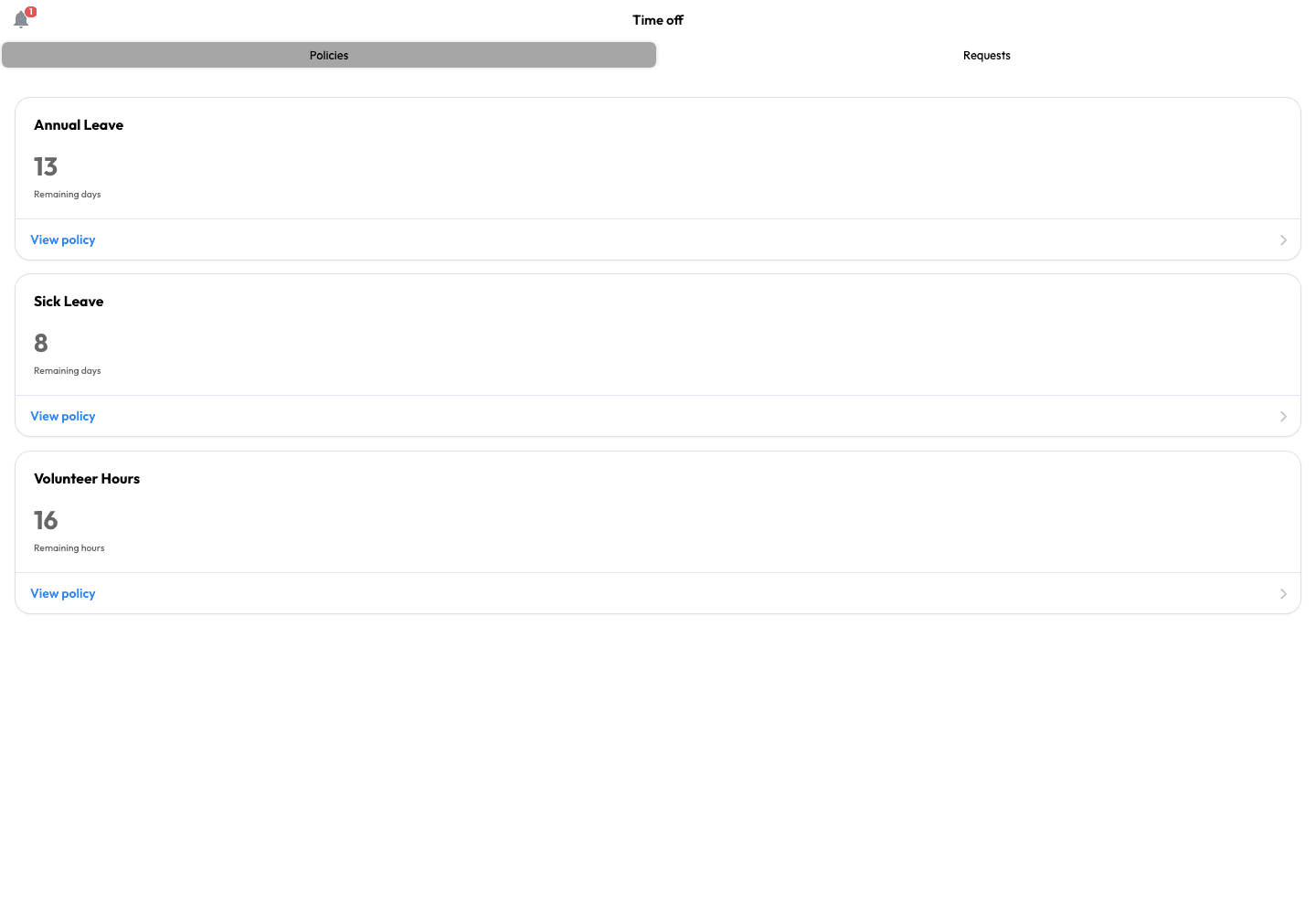
Let employees use their own account for relevant personal information, documents, payslips and workforce requests while managers retain approval responsibilities.
ONE EMPLOYEE LIFECYCLE
Workmax keeps employee information and approved changes connected. Your organisation remains responsible for employment, right-to-work and deployment decisions.
Step 1
Create an individual record or prepare employee data in bulk, then assign the person to the right role, team and manager.
Step 2
Collect personal details, emergency contacts, documents, references and employment information through one controlled workflow.
Step 3
Retain approved job, pay, leave, termination and rehire information around the same person and connected payroll workflow.
A new starter is added to the employee directory, assigned to a department and manager, completes their information and provides supporting documents. The manager reviews what was submitted, keeps the employee history attached to the same record and passes approved job and pay information into the connected payroll workflow.
Explore the supporting capabilities and controls when you need more detail.
See the employee, their organisational context and their supporting history without reducing HR to document expiry reminders.
Keep personal details, contacts, histories, documents, skills and job information around one person.
Prepare multiple employee records from a structured import instead of adding every person manually.
Connect departments, job titles, managers, reporting relationships and locations.
Coordinate new-starter information, supporting documents, termination and rehire records.
Store evidence, folders, permissions and follow-up dates for authorised review.
Let workers access relevant documents, payslips, personal information and leave workflows.
Keep objectives and review notes as a secondary people-management capability.
Keep the information managers need to understand an employee around one searchable record.
Connect each employee to the structure, access and workflows that shape their working relationship.
Each screen supports a distinct part of the employee lifecycle rather than presenting HR as a document store alone.
Core workforce and employment information around one person.
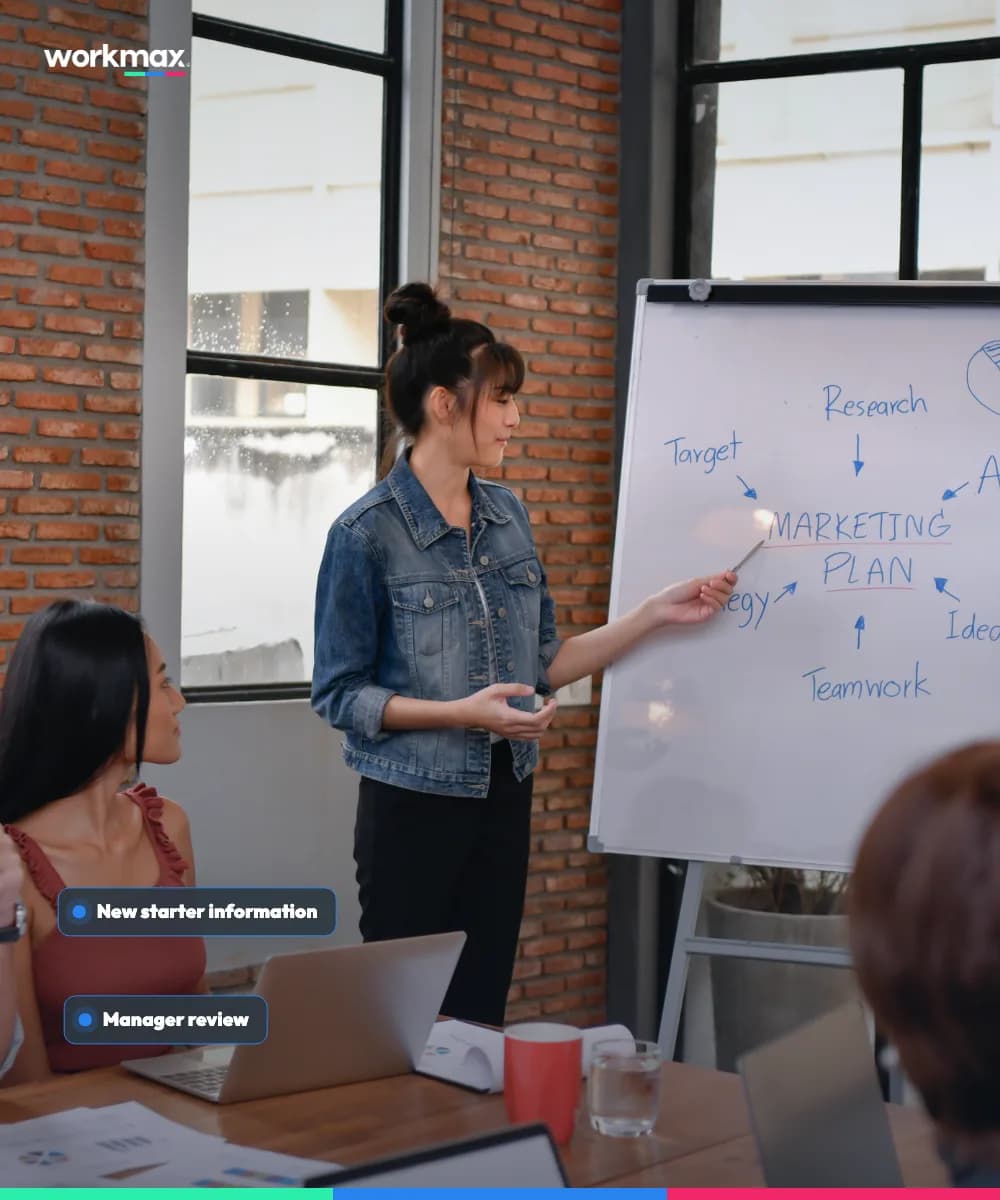
Employee and manager actions visible through one workflow.
Supporting files organised around the employee record.
Evidence and follow-up information available for authorised review.
Relevant information and actions available from the employee account.
Employee-management views are tied to the Workmax HR module.
Admin, manager and employee roles receive different routes and actions.
Job and pay information remains close to the employee record and Workmax Payroll.
Employee information, documents and approved changes stay connected across the working relationship.
Workmax connects people information, organisational structure, documents and payroll context while authorised users retain employment and compliance decisions.
Bring the person, their history, documents, role and payroll context into one workforce record.
Use departments, managers, reporting relationships and locations to explain how the workforce fits together.
Give administrators, managers and employees access appropriate to their role and responsibilities.
Prepare and import agreed employee data, then review representative records before wider rollout.
Choose HR for your employee records and people workflows. Payroll and other workforce modules are priced separately.
A person whose Workmax account remains active and has the relevant module enabled during the billing month. Additions are prorated from activation; deactivated users stop billing from the next billing period.
10 HR employees
£55/month + VAT
£25 platform fee + £30 user charges
25 HR employees
£100/month + VAT
£25 platform fee + £75 user charges
30-day standard trial · No setup fee · Monthly billing · Month-to-month with 30 days' notice
Review your selected modules and dependencies in the pricing estimate.
SETUP AND MIGRATION
Workmax support can help prepare employee data and configure a staged move without implying that every historic record is automatically complete or verified.
Agree active workers, roles, departments, managers, locations and the histories that need to move.
Set permissions, onboarding actions, document ownership and employee self-service around your HR process.
Validate imported employees and organisational relationships before inviting the wider team.
HR questions
Practical answers for UK small businesses reviewing HR software.
Your next step
In your demo, we’ll show the employee directory, organisation structure, personal and employment information, documents, onboarding actions and connected payroll context.