
Product update · August 2026
Get up to speed faster with clearer in-product guidance
Learn key Workmax workflows with step-by-step tours and readiness checks available where administrators need them.
Guided tours
Learn key workflows without leaving the page
New interactive tours guide users through running payroll, updating employee details, setting up pensions and recording benefits.
New and returning users can understand the next step without leaving their workflow or switching to separate instructions.
Available in: Payroll, People, Pensions, Benefits
Available in supported payroll, employee, pension and benefits screens, depending on the user’s role and account setup.
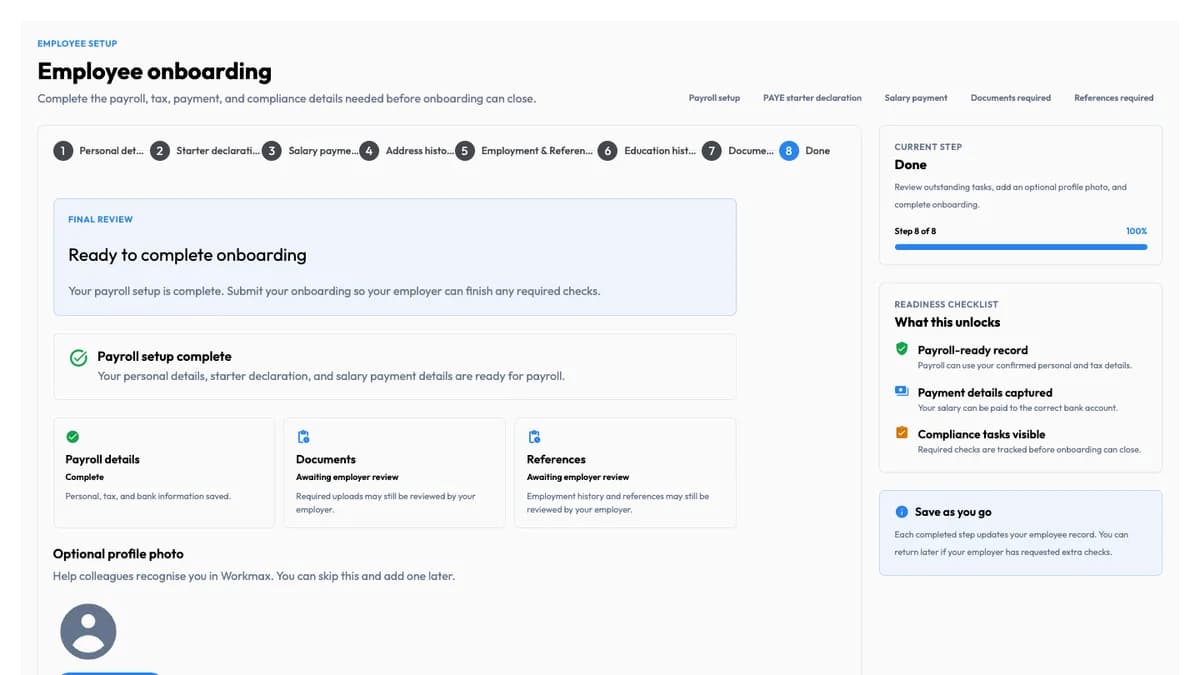
Readiness checks
Spot missing setup before it slows you down
Employee onboarding and pension workflows now surface readiness checks before administrators move to later steps.
Administrators can see where information still needs attention and resolve setup gaps earlier in the process.
Available in: Employee onboarding, Pensions
Available in configured pension and employee-onboarding workflows to users with the appropriate permissions.
Release details and traceability
Released 19 March 2026 to 27 May 2026
Source releases: v2026.17.13, v2026.59.1